
AnyToSpeech
AI Text to Summarization Speech
An easy way to convert text, URL or PDF to summarizing or full speech.
What does AnyToSpeech do?
What is AnyToSpeech's text to speech service?
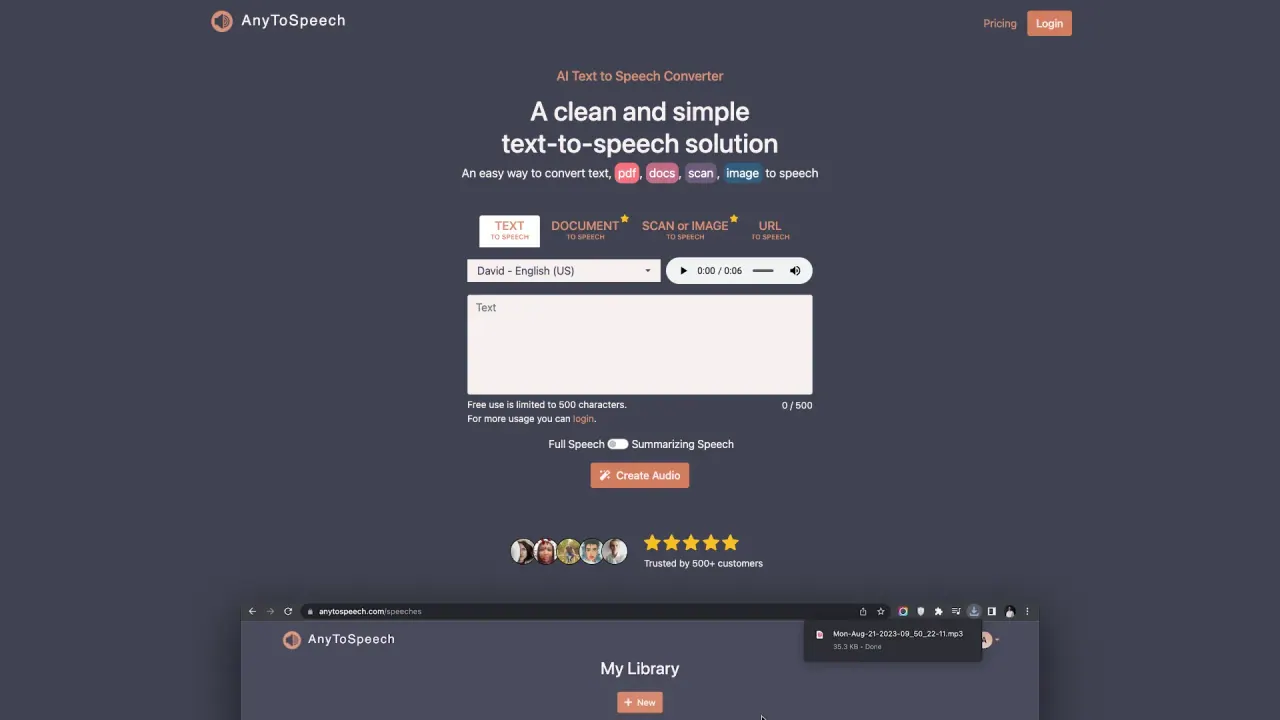
AnyToSpeech converts written text into natural-sounding audio using AI. It can process plain text, PDFs, documents, images, and URLs, with multiple voice options and the ability to download audio as MP3.
What file formats can I convert to speech?
You can convert plain text, PDFs, DOCX, TXT, and other common formats to speech. The service includes a PDF-to-MP3 option for turning documents into audio.
How many languages and voices are available?
AnyToSpeech offers a wide range of languages with multiple voice options per language, including English variants (US, UK, India, Australia), Afrikaans, Arabic, Basque, Bengali, Bulgarian, Catalan, Chinese, Czech, Danish, Dutch, Filipino, Finnish, French (France, Canada), Galician, German, Greek, Gujarati, Hindi, Hungarian, Icelandic, Indonesian, Italian, Japanese, Kannada, Portuguese (Brazil, Portugal), Spanish (Spain, US), Turkish, and more. You can preview available voices before choosing.
Can I use AnyToSpeech to create podcasts from articles?
Yes. AnyToSpeech can convert articles into audio suitable for podcasts by turning written content into spoken audio with your chosen voice.
How do I convert a PDF to MP3?
Upload your PDF, choose a voice, adjust the speaking rate if needed, and click Convert. After processing, download the MP3 or listen in your browser.
Can I customize the voice in my PDF-to-MP3 conversion?
Yes. You can select from multiple voices with different accents and tones to customize the output.
How natural do the AI voices sound?
The service uses neural networks to produce highly natural-sounding voices with appropriate intonation, emphasis, and pacing.
Is there a free trial?
Yes. You can try AnyToSpeech for free without registration or a credit card to test the quality before purchasing.
What are the plan options and key limits?
- Free: 0/month; ~15 seconds audio; 5,000 characters; Unlimited audio per day; 100 minutes/month; Commercial use; "Created with AnyToSpeech" tagline.
- Hobby: $7/month; 50,000 characters; Unlimited image conversions; No daily limits; Commercial use; Image-to-speech multi-upload (up to 20 images); Voice & vibe selection for all features.
- Standard: $14/month; 100,000 characters; Unlimited image conversions; No daily limits; Commercial use; Image-to-speech multi-upload (up to 20 images); Voice & vibe selection for all features.
- Pro: $69/month; 1,000,000 characters; Unlimited image conversions; No daily limits; Commercial use; Image-to-speech multi-upload (up to 20 images); Voice & vibe selection for all features.
Do unused characters roll over to the next month?
Yes. Unused characters roll over to the next month, with the allocation renewed each month.
How does billing work?
All plans are monthly subscriptions. Your character allocation renews each month, and any unused characters roll over to the next month. You can cancel anytime.
What is the refund policy?
If you haven’t used the service, payments are fully refundable within 7 days. Contact support for assistance.
How do I download or listen to the audio?
After converting, you can download the output as an MP3 file or listen directly in your browser.
Are there limits on daily usage or processing?
Higher-tier plans offer more generous usage; for example, image-to-speech features include multi-upload up to 20 images and typically no daily limits on those features within Hobby/Standard/Pro plans. Free plan has activity limits as described above.
Is there a mobile app?
Yes. There is a free Android mobile app available on Google Play. It supports text, image, and audio conversion, speech-to-text transcription, saving to your audio library, and is free to download.
What voices can I preview?
AnyToSpeech provides a set of previewable voices (for example, Kore, Alloy, Aoede, Charon, Nova, Fenrir, Puck, Echo, Zephyr, Shimmer, Orus, Leda, Onyx, Fable, Sage, and more). You can preview these voices to choose the best fit for your project.
Can I translate images and then generate speech from the translation?
Yes. Image Translation extracts text from images, translates to 30+ languages, and you can convert the translation to speech.
What is URL to Speech?
URL to Speech converts webpage content into audio. You can listen on the go and choose from multiple AI voices.
What about transcription and translation features?
Speech to Text Transcription lets you upload audio or video files and get accurate transcriptions, with translation to 100+ languages. Transcriptions can be downloaded as TXT or DOCX. Free users get 100 minutes/month for transcription.
How can I get help or support?
If you have questions, reach out via live chat for assistance.
Is this your tool?
Claim AnyToSpeech to manage this listing, or upgrade to Pro for featured-first placement and a newsletter feature.