
Fliki
Text into Videos with Voices by AI
Fliki turns your text into studio-quality videos with lifelike AI voiceovers, music, and subtitles—ready in minutes.
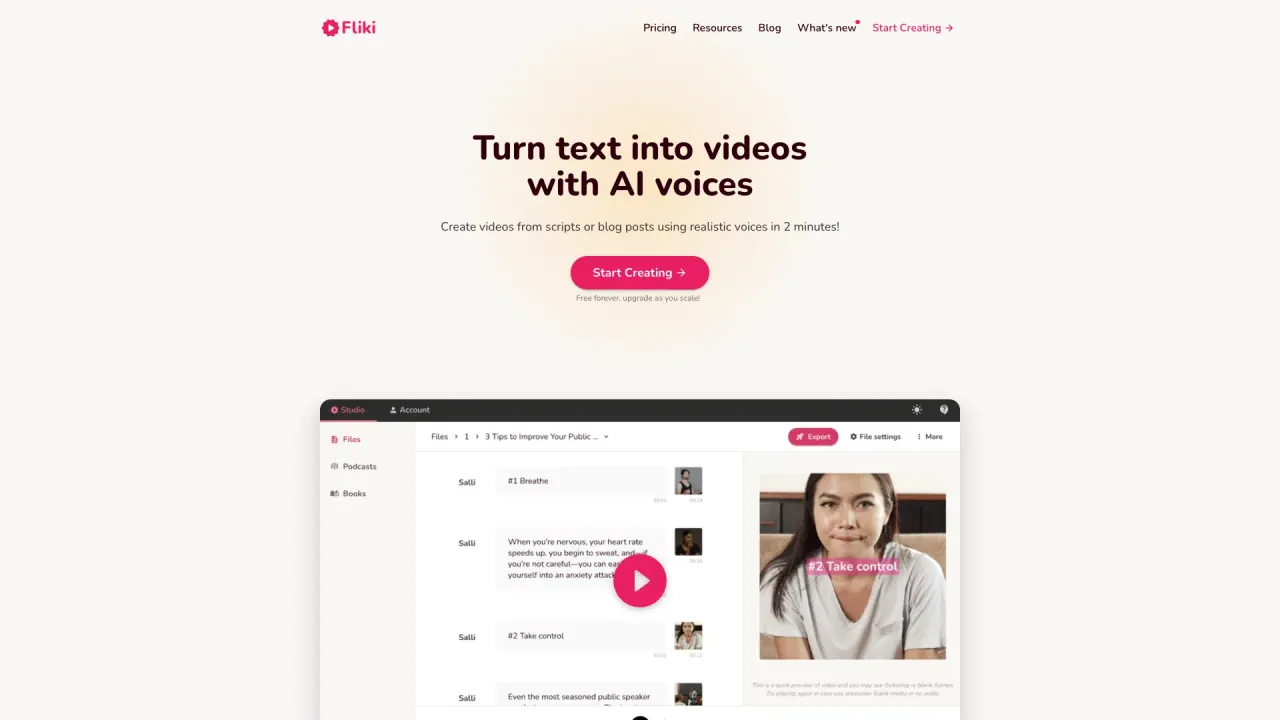
What does Fliki do?
Fliki is a text-to-video tool that turns scripts, blog posts, PPTs, or prompts into finished videos with AI voiceover, visuals, music, and subtitles. Instead of filming and editing, you provide your content and Fliki assembles a publish-ready video in minutes.
Create voiceover-first videos by choosing from 2,000+ lifelike AI voices across 80+ languages and dialects, including voice cloning from a short sample. You can also translate content for broader reach.
For recurring content, Fliki offers series planning to generate scripts and videos on a schedule. It also includes avatar/digital twin-style options so you can create video content with your face and voice without filming, and additional workflow tools like screen recording and auto-editing.
Use cases include explainer videos, training and L&D, marketing and social shorts, education, and internal communications—especially when you want consistent characters and faster production from existing text.
What can I convert into videos with Fliki?
You can turn text into video, including scripts, blog posts, and one-line prompts. Fliki also supports blog-to-video, PPT-to-video, and turning product listings into video-style content.
Can Fliki generate AI voiceovers in multiple languages?
Yes. Fliki provides 2,000+ lifelike AI voices in 80+ languages and dialects, and it supports translating videos into other languages.
Does Fliki support voice cloning and digital twin-style videos?
Yes. Fliki supports voice cloning from a short sample and offers digital twin-style creation so your face and voice can appear across scenes without repeated filming.
How do I go from an idea to a finished short video?
Paste a script or prompt, choose your voice, select visuals (or let the AI generate them), then preview and refine. Short-form videos are designed to be ready quickly after generation.
Is Fliki easy to use if I don’t have editing skills?
Fliki is built for users who want minimal manual editing. You enter your content, select voice and options, and the tool handles assembling the video with visuals, music, and captions.
Do I need a credit card to start?
No credit card is required to start on the free plan. If you move to paid plans, pricing details are available in the Pricing area.
Is this your tool?
Claim Fliki to manage this listing, or upgrade to Pro for featured-first placement and a newsletter feature.