
Fineshare
Verified
AI Voice Generator List
FineVoice (Fineshare) is an online AI voice changer that transforms your voice into 1,000+ realistic character and celebrity styles with pitch control in minutes.
Promoted
 Pixmax.aiPixmax.ai is an all-in-one AI workspace for videos, visual stories, and marketing content.
 AI Checker PlusAI detector that highlights which passages AI wrote. Free check, no sign-up. Plagiarism too.
 RewindType any X/Twitter handle. Get their year back as a narrated video story. Then ask it anything.
 KurodyneSell the tools from your AI side projects. Listing is free.
 Sidrune AI85% off. Stable Claude API for agent developers. Pay as you go. Invoices & refunds available.
 SEOify - Improve your SEO & rankingsBuild links to rank in Google. Improve your DR with links you can start building now.Advertise here270,000+ people visit Dang.ai every month.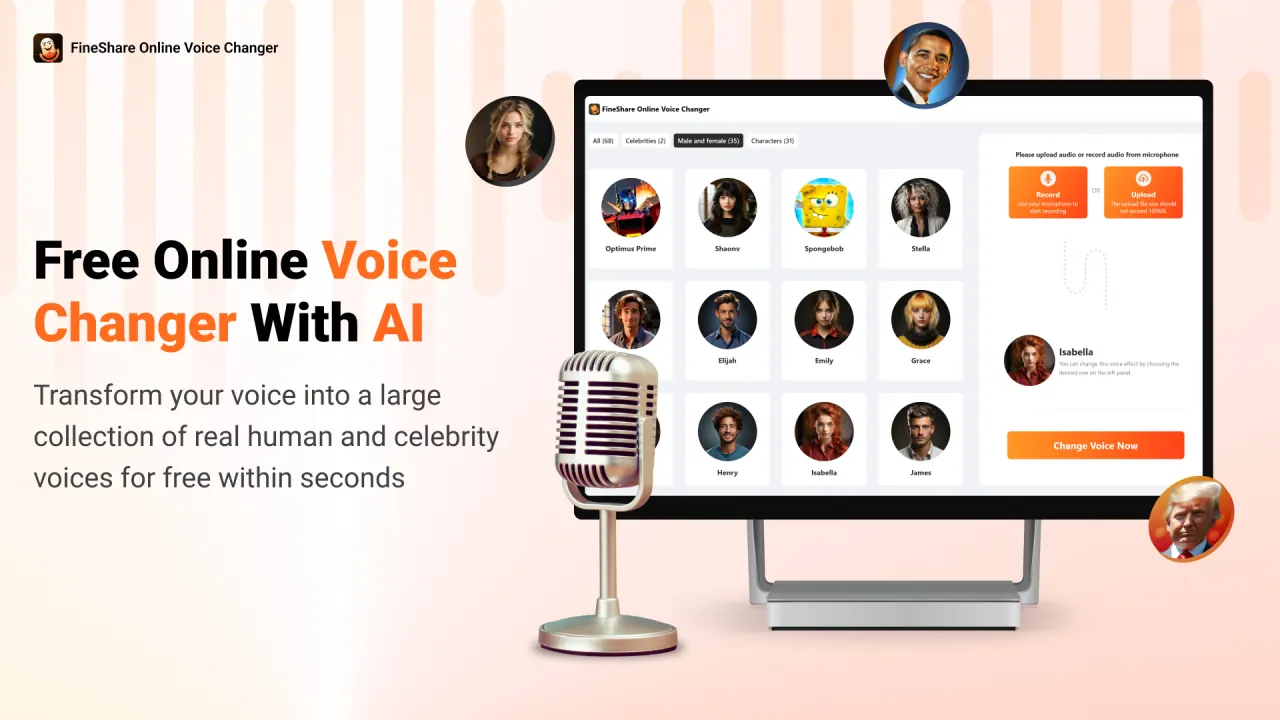
What does Fineshare do?
FineVoice (FineShare) is a web-based AI voice changer that helps you transform, modulate, and edit voices with realistic results. Pick from a large library of AI voices—including characters and celebrity-style options—and apply voice gender conversion to switch between male and female styles. If you want different vibes, you can also adjust pitch (with an “Auto” option) and choose an output format before generating your transformed audio.
Use it by recording your voice directly on the site or uploading an audio file. Supported formats include MP3, M4A, WAV (plus AAC and AMR are listed for upload), with a maximum file size of 30MB and a maximum duration of 20 minutes. After conversion, you can preview your result and download the generated audio.
For creator workflows, FineVoice includes batch conversion so you can transform multiple audio files at once, helping you move faster when producing voiceovers, dubbing, tutorials, podcasts, gaming content, or other audio-based projects. It also supports video-oriented use cases like AI dubbing and voice effects for video content.
FineVoice is available as an online tool—no PC software download is required. There’s also an API option for developers who want to build AI voice changing into apps and workflows.
Free plan availability is mentioned as “create your AI voice for free,” and you can choose from MP3 or WAV outputs when generating your voice.
What can FineVoice change about my audio?
You can transform your voice into different AI voice styles from the built-in library, and you can also use voice gender conversion (switching male/female styles). Pitch level can be adjusted (including an Auto setting) for more control over the result.
Do I need to download anything to use FineVoice?
No. FineVoice is an online voice changer that runs in your browser, so you can record or upload audio and generate converted output without installing PC software.
What file types and limits are supported for uploads?
Supported formats include MP3, AAC, AMR, M4A, and WAV. Uploads allow up to 30MB per file and up to 20 minutes maximum duration.
How does the conversion process work?
Upload or record audio, select an AI voice (optionally adjust the OVC model and pitch level), choose an output format (MP3 or WAV), then generate. After processing (typically within minutes), preview and download the converted audio.
Can I convert multiple audio files at once?
Yes. FineVoice supports batch audio conversion so you can transform multiple files in one workflow and save time for larger projects.
Can I use the voice changer for video projects?
Yes. FineVoice is designed for use cases like AI dubbing and voice effects for tutorials, gaming, and e-commerce or other video voiceovers.
This listing is claimed
Own Fineshare? Sign in with the email used to claim it to manage this listing, or upgrade to Pro for featured-first placement and a newsletter feature.