
Excuses
Excuse Generator via AI
Excuses is an AI-powered Excuse Generator that helps you write professional excuses by matching recipient, situation, and tone controls.
- Pricing
- Free
- Category
- Scheduling
- Listed
- Apr 20, 2023
- Updated
- Oct 19, 2026
Promoted
 RewindType any X/Twitter handle. Get their year back as a narrated video story. Then ask it anything.
 KurodyneSell the tools from your AI side projects. Listing is free.
 Sidrune AI85% off. Stable Claude API for agent developers. Pay as you go. Invoices & refunds available.
 Pixmax.aiPixmax.ai is an all-in-one AI workspace for videos, visual stories, and marketing content.
 SEOify - Improve your SEO & rankingsBuild links to rank in Google. Improve your DR with links you can start building now.Advertise here270,000+ people visit Dang.ai every month.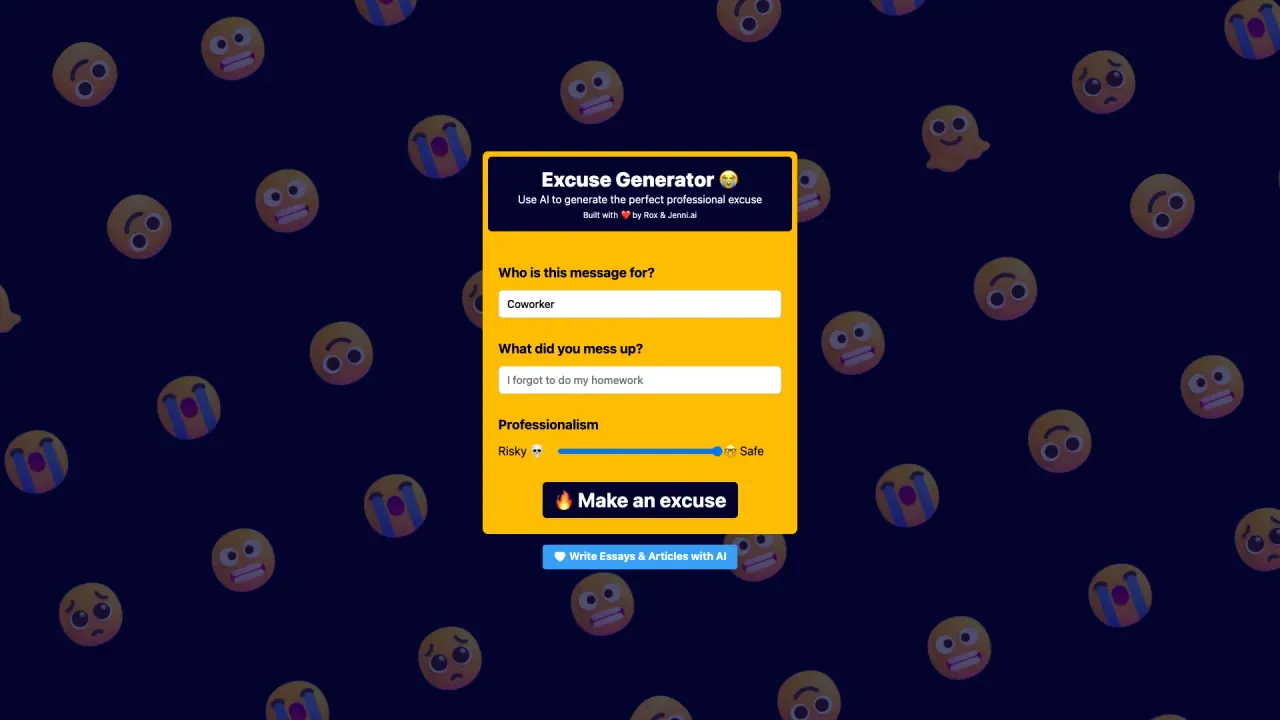
What does Excuses do?
Excuses is an AI tool for generating professional excuses tailored to workplace communication. It guides you through the basics—who the message is for, what went wrong, and how you want the note to sound—so you can quickly produce a message that fits the context.
To get started, enter who you’re writing to and what you “messed up.” Then use the **Professionalism** control to dial in the right level of formality for your environment. If you want more variety, the **Risky** control lets you choose between a **Safe** tone and a more **Risky** tone, helping you align with how sensitive the situation may be.
Excuses is best for people who need to communicate professionally after a mistake—especially when you want the excuse to feel appropriate for the recipient rather than generic. It’s designed around workplace-style messages, with the core customization centered on professionalism and riskiness.
Pricing and specific plans aren’t provided in the available tool details, so check within the product experience for the current options.
What can Excuses help me write?
It helps you generate a professional excuse message by turning the recipient, the mistake, and your preferred tone into a ready-to-send draft.
What information do I need to enter in Excuses?
You enter who the message is for and what went wrong. You then set the professionalism and riskiness to match the situation.
How does the Professionalism control affect the output?
It adjusts how formal and workplace-appropriate the excuse sounds so the message matches your context.
What does the Safe vs. Risky setting do?
Safe keeps the tone more conservative, while Risky makes the message more daring. Choose the level that fits the stakes of what happened.
Who is Excuses meant for?
It’s aimed at professional, workplace communications—use it when you need an excuse that fits the recipient and the situation.
Does Excuses offer customization beyond professionalism and riskiness?
The available controls focus on professionalism and riskiness. No other customization options are described in the provided tool details.
Is this your tool?
Claim Excuses to manage this listing, or upgrade to Pro for featured-first placement and a newsletter feature.