
StreamerSuite
Verified
AI Data Analysis Tool
StreamerSuite is an AI-driven toolkit for streamers, automating profile updates and optimizing performance.
- Pricing
- Freemium
- Category
- Automation
- Listed
- Jul 28, 2025
- Updated
- May 25, 2026
Promoted
 Sidrune AI85% off. Stable Claude API for agent developers. Pay as you go. Invoices & refunds available.
 Pixmax.aiPixmax.ai is an all-in-one AI workspace for videos, visual stories, and marketing content.
 SEOify - Improve your SEO & rankingsBuild links to rank in Google. Improve your DR with links you can start building now.Advertise here270,000+ people visit Dang.ai every month.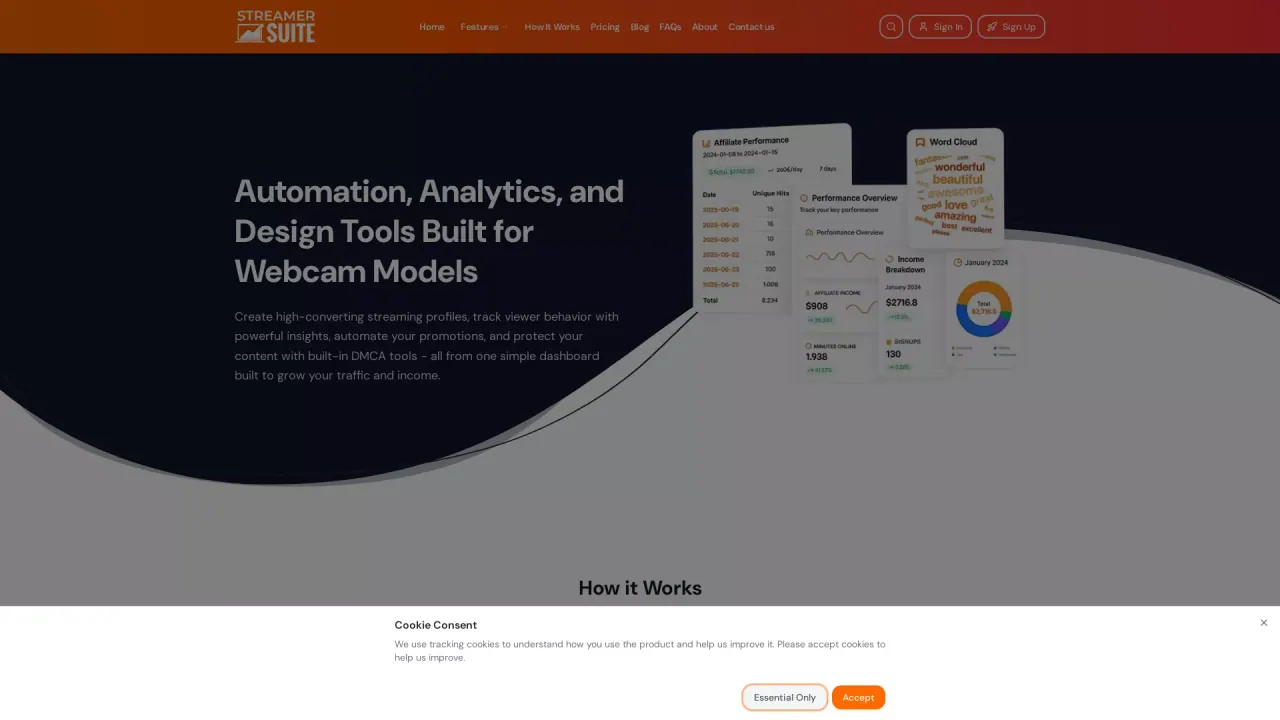
What does StreamerSuite do?
What features does StreamerSuite offer?
StreamerSuite provides a complete streaming toolkit designed to help you look professional and grow your audience. Core features include:
- Custom streaming profiles that are mobile-friendly and brandable
- Real-time analytics and insights to track viewer behavior, engagement, and revenue
- DMCA protection with content scanning, takedowns, case tracking, and instant alerts
- An app library to automate moderation and fan outreach
- Branded link pages to centralize and share important links
- A theme-based profile builder with one-click publishing
- Social links integration (Twitter, Instagram, Fansly, OnlyFans) and a built-in tip menu
How does StreamerSuite's DMCA and takedown service work?
StreamerSuite protects your content with four layers of detection, automated takedowns, and transparent case tracking:
- Content scanning across thousands of sites (tube sites, forums, file hosts, social media)
- Automated takedowns with most removals occurring within 48 hours
- Case tracking to monitor every step from detection to removal
- Instant alerts when copies of your content are found
How can StreamerSuite help increase followers and engagement?
StreamerSuite equips you with data-driven tools to grow your audience and income:
- Real-time analytics to understand viewer behavior and optimize streaming
- Apps designed to boost room performance and engagement
- Professionally designed, customizable profiles that convert visitors into followers and tippers
- Built-in social links and a clean, scrollable tip menu to showcase pricing
What analytics and reporting features are available?
- Real-Time Dashboard: numbers update during your live stream (viewers, followers, tips, etc.)
- Growth Reports: weekly breakdowns of performance
- Know Your Audience metrics: Avg. Viewers, Growth, Peak Hour, Viewer Trends
- Earnings Breakdown: see where your tokens come from (tips, privates, goals)
- Affiliate Revenue: track earnings from referring other creators
How does the profile customization work?
- Pick a Theme from our collection to fit your style
- Add your photos, links, bio, and tip menu
- Publish with one click to go live with a professional, branded profile
Which platforms and social links does StreamerSuite support?
Streamline your social presence by adding multiple platforms in one place, including Twitter, Instagram, Fansly, and OnlyFans.
How do I get started with StreamerSuite?
- Start by clicking Get Started Free
- Choose a Theme and customize your profile (YourName, bio, photos, links, tip menu)
- Publish with one click to go live quickly
- Explore analytics, pricing, and additional features as you scale
Is there a pricing plan or a free way to start?
Yes. You can start for free and explore core features, with pricing details available on the Pricing page.
What is the Affiliate Revenue feature?
Affiliate Revenue lets you earn income by referring other creators. You can track your affiliate earnings and see how your network grows over time.
What does “Know Your Audience” cover in more detail?
Know Your Audience provides concrete data about how your stream performs:
- Viewer trends: who’s watching, when they show up, and how long they stay
- Peak hours to help you schedule streams for maximum impact
- Follower growth tracking and goal-setting to guide your strategy
What is included in the “Protection That Works While You Stream” section?
StreamerSuite combines four layers of detection with multi-site monitoring to protect your content in real time:
- Video Scanning: frame-by-frame analysis detects copies across platforms
- Multi-Site Monitoring: keeps an eye on tube sites, forums, file hosts, social media, and cam rips
- Face Matching and Text Detection: helps identify unauthorized use
- Monitoring Coverage: actively watches tube sites, forums, file hosts, social media, and cam rips
How does the content scanning and takedown process handle new copies?
- Content scanning searches for copies across targeted sites
- If matches are found, automated takedowns are filed on your behalf
- You receive instant alerts and full case visibility from detection to removal
- Most takedowns are completed within 48 hours
What is the publishing workflow for a StreamerSuite profile?
- Choose a Theme and customize your branding
- Add your name, bio, photos, social links, and a tip menu
- Publish with a single click to make your profile live
What makes StreamerSuite profiles mobile-friendly and brandable?
Profiles are designed to be responsive across phones, tablets, and desktops, and they automatically adapt to your chosen color palette and branding elements for a cohesive look. Social links and tip menus are built-in to maximize engagement.
This listing is claimed
Own StreamerSuite? Sign in with the email used to claim it to manage this listing, or upgrade to Pro for featured-first placement and a newsletter feature.