
DeepMode
Verified
AI Text To Image
DeepMode helps you create a consistent, personalized AI character with private image generation, facial expression tweaks, and Remix-style reference recreations.
- Pricing
- Free trial
- Category
- Art
- Listed
- Oct 30, 2024
- Updated
- Oct 21, 2026
Promoted
 Sidrune AI85% off. Stable Claude API for agent developers. Pay as you go. Invoices & refunds available.
 Pixmax.aiPixmax.ai is an all-in-one AI workspace for videos, visual stories, and marketing content.
 AI Checker PlusAI detector that highlights which passages AI wrote. Free check, no sign-up. Plagiarism too.
 RewindType any X/Twitter handle. Get their year back as a narrated video story. Then ask it anything.
 KurodyneSell the tools from your AI side projects. Listing is free.
 SEOify - Improve your SEO & rankingsBuild links to rank in Google. Improve your DR with links you can start building now.Advertise here270,000+ people visit Dang.ai every month.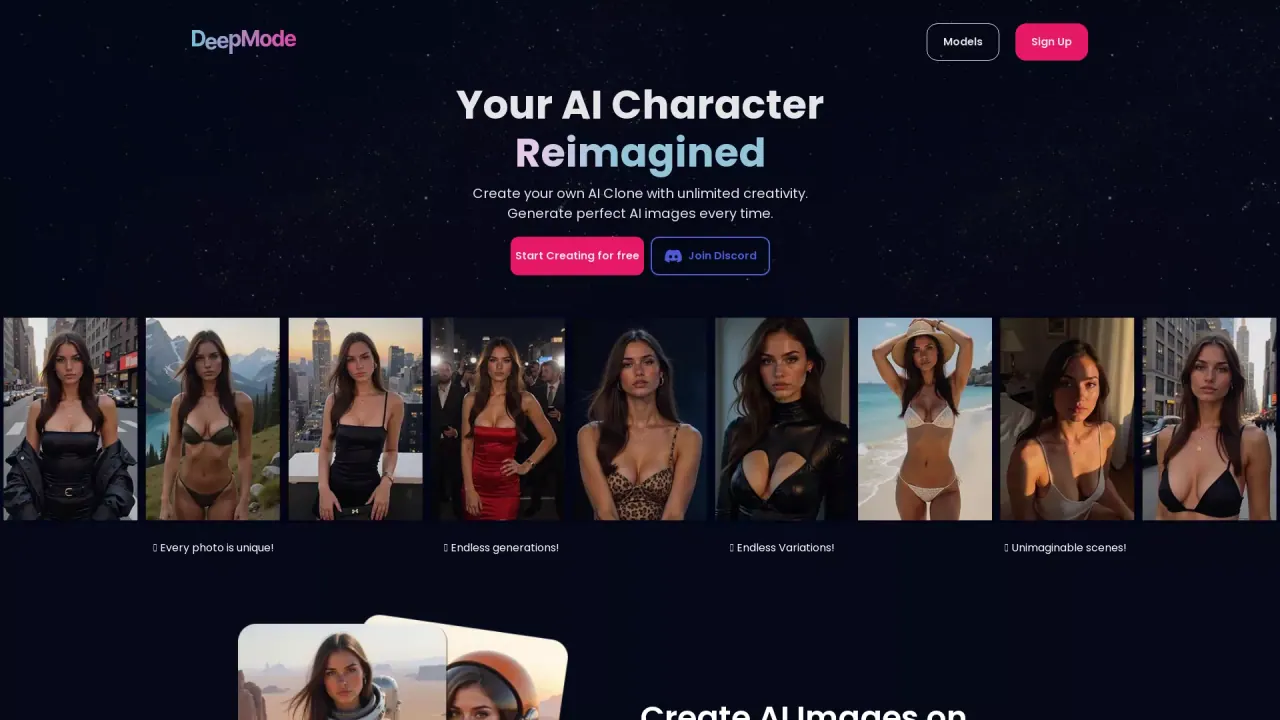
What does DeepMode do?
DeepMode lets you train and reimagine an AI character from your own reference, then generate images with a consistent look. Build your character by choosing a model, style, outfit, theme, and hair color—then add tags to further personalize each creation. Whether you’re recreating a specific concept or exploring new looks, you can generate photos on demand from your character setup.
Key features include private AI image generation to keep your creations protected. DeepMode also supports facial expression transformation, making it easier to shift emotions and explore a wider range of moods in your visuals.
With Remix, you can upload a reference image and have DeepMode recreate it according to your prompt—turning inspiration into new AI art while staying aligned to the direction you choose. Use this when you want to preserve visual intent from a reference, then iterate on style, theme, and prompt.
DeepMode is for creators who want a faster, repeatable workflow for consistent character-based imagery—useful for artistic projects, character explorations, and creating variations without starting from scratch. There’s a free option to get started, with free access available from the beginning.
DeepMode main customization controls include selecting a model (such as Aitana, Hitomi, or Hoppy Floppy), style (Anime, Digital, or Realistic), outfit options, themes, hair colors, and tags.
How do I create a unique AI character in DeepMode?
Choose your model, style, outfit, theme, hair color, and add tags. Then generate images to explore your character in different looks and concepts.
Can I make DeepMode images private?
Yes. DeepMode provides private AI image generation, and your generated images are kept private.
What does facial expression transformation do?
It lets you adjust facial expressions to explore different emotions and make your visuals feel more varied and engaging.
What is Remix in DeepMode?
Remix allows you to upload a reference image and recreate it based on your prompt, helping you turn a reference into new AI art directions.
What customization options can I use when generating images?
You can customize your generation by selecting a model, style, outfit, theme, hair color, and tags.
Is there a free way to start with DeepMode?
Yes. You can start creating for free.
This listing is claimed
Own DeepMode? Sign in with the email used to claim it to manage this listing, or upgrade to Pro for featured-first placement and a newsletter feature.