
Email Tracker
Verified
Email Tracker with AI Analytics
Free Email Tracker for Gmail
Promoted


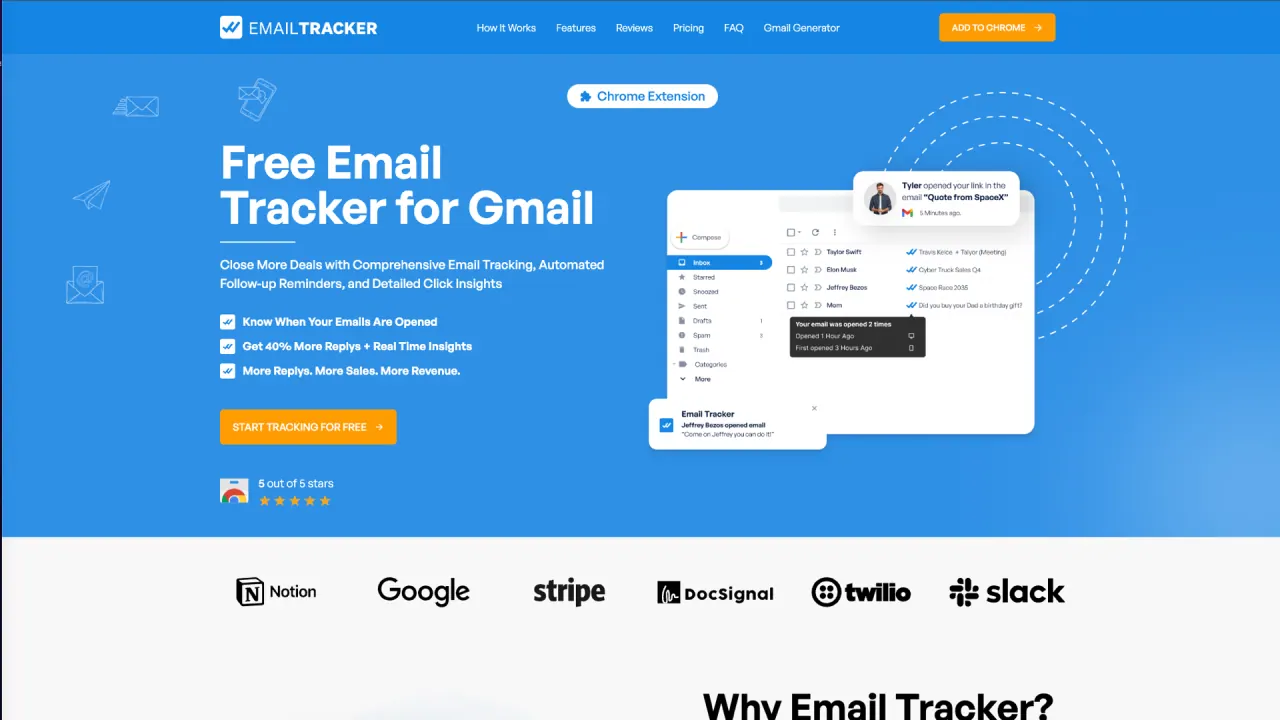
What does Email Tracker do?
How do I install Email Tracker and start tracking with Gmail?
Email Tracker works with Gmail via a Chrome extension. Install the extension, and it seamlessly integrates with Gmail to start tracking opens, views, links, and attachments. You’ll receive real-time notifications and customizable alerts as you compose and send emails.
What can Email Tracker track?
Email Tracker provides real-time insights on:
- When your emails are opened (and how many times)
- When recipients click links in your email or open attachments
- Tracking history of your sent emails
- Visibility options (visible or invisible tracking) to suit your preference
What is the difference between Visible Tracker and Invisible Tracker?
Visible Tracker shows a visible cue to recipients to indicate tracking, which can help boost response rates. Invisible Tracker logs opens without the recipient knowing they’re being tracked.
Do I get real-time notifications, and how do they work?
Yes. Real-time notifications are delivered via Chrome notifications and Email Alerts, alerting you the moment your email is opened.
What features are included in the Free Plan?
Free Forever plan includes:
- Unlimited emails tracked
- Email Tracker Signature
- Access to 20 Invisible Tracker Emails
- Full Tracking History
- Email Alerts
What does the Professional Plan include and how much does it cost?
Professional Plan costs $3.99 per month and includes:
- Unlimited Emails Tracked
- Unlimited Link Tracking
- Turn Off Email Tracker Signature
- Toggle Invisible and Visible Tracker
- Full Tracking History
- Email Alerts
- Chrome Notifications
- Team Billing
How do I manage my subscription?
Log in to the Email Tracker dashboard and open the Account or Subscription section to view your plan, upgrade/downgrade, update billing information, or cancel. Changes take effect immediately. If you need help, our customer support team can assist with subscription questions.
What is the refund policy?
If you’re not satisfied with your premium subscription, you can request a full refund within 15 days of purchase. After 15 days, refunds are not issued.
How is my data protected and privacy/GDPR compliance?
Email Tracker prioritizes security and privacy with industry-standard encryption. The system is designed to access only the data needed to track opens (not email content). It complies with GDPR and is backed by regular security audits and updates. Our privacy policy details data collection, usage, and protection.
Do you store email content or addresses?
Email Tracker does not store email addresses or the content of your emails. It stores only the open dates of tracked emails.
Is Email Tracker available as a Chrome extension and Gmail add-on?
Yes. Email Tracker is delivered as a Chrome extension that integrates with Gmail, and the site also references a Gmail add-on experience.
Can I remove Email Tracker branding from my emails?
Yes. The Professional Plan includes the option to Turn Off Email Tracker Signature, removing branding from your tracked emails.
How can I view my tracking history?
Full Tracking History is available on both Free and Professional plans, allowing you to review when and how your emails were opened and engaged with.
This listing is claimed
Own Email Tracker? Sign in with the email used to claim it to manage this listing, or upgrade to Pro for featured-first placement and a newsletter feature.