
Zoom AI Companion
Verified
AI Smart Assistant Tool
ZoomMate is an AI teammate in Zoom Workplace that turns meeting conversations into organized notes, summaries, and finished deliverables.
Promoted
 Sidrune AI85% off. Stable Claude API for agent developers. Pay as you go. Invoices & refunds available.
 Pixmax.aiPixmax.ai is an all-in-one AI workspace for videos, visual stories, and marketing content.
 SEOify - Improve your SEO & rankingsBuild links to rank in Google. Improve your DR with links you can start building now.Advertise here270,000+ people visit Dang.ai every month.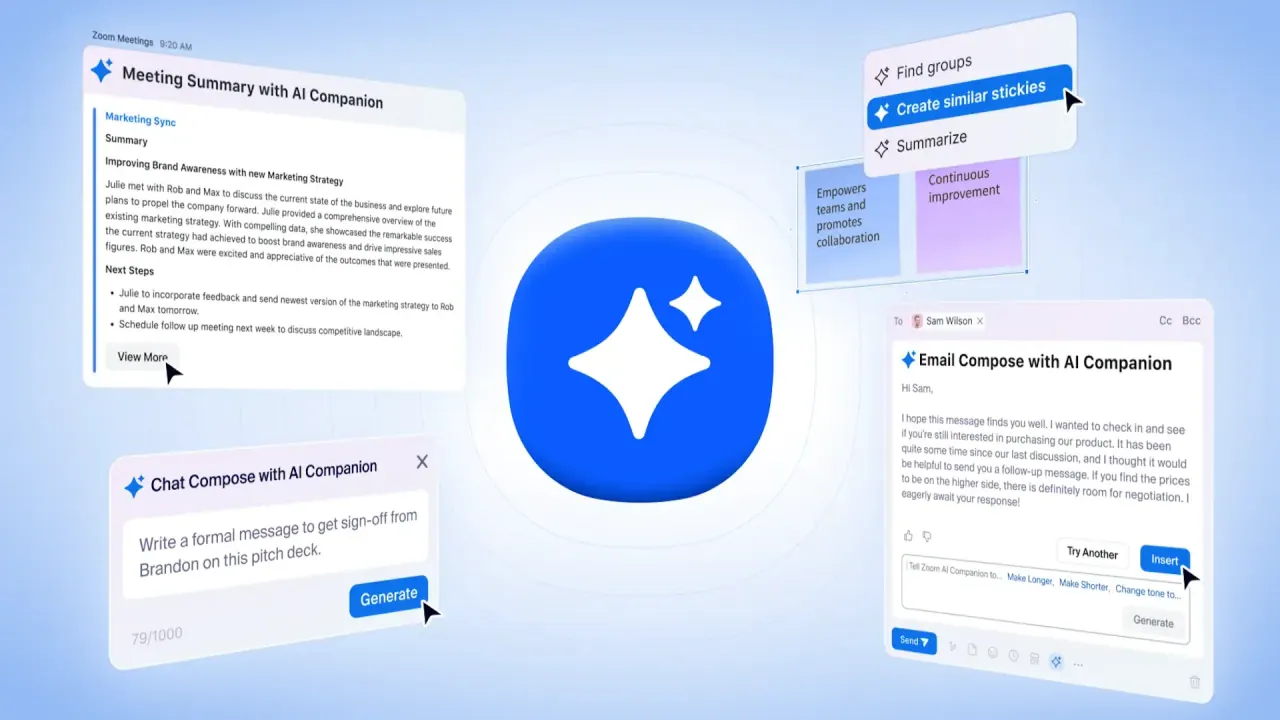
What does Zoom AI Companion do?
ZoomMate analyzes, learns, and acts on your conversations to help you complete work faster—directly inside Zoom Workplace. It’s designed to surface decisions and details, capture meeting context, and move from discussion to completion with AI-driven workflows.
With ZoomMate’s agentic retrieval and AI agents, you can structure meeting prep, capture content during meetings, and automate follow-up tasks after. Use it to help generate deliverables like agendas, slide decks, documents, and follow-up emails, so there’s less manual coordination and note-taking.
ZoomMate also supports meeting summaries and in-meeting questions, plus productivity features such as AI help me write (Canvas) and tools for agentic search and workflow execution (based on your plan). If you need live collaboration support, it includes Voice Translator for live audio translation in Meetings.
Availability and included limits depend on the plan (including Basic/free versus paid tiers), with features such as meeting summaries, AI note-taking, AI queries, agentic search, and workflow runs capped or expanded accordingly.
What is ZoomMate?
ZoomMate is the AI workspace built into Zoom Workplace that analyzes conversations, captures meeting context, and helps turn discussions into organized notes and finished deliverables.
What does ZoomMate do during and after meetings?
During meetings, it captures meeting content and context automatically (My Notes). After meetings, it can automate meeting tasks like follow-up emails and drafting decks.
Can ZoomMate create meeting prep materials before a meeting?
Yes—before the meeting, ZoomMate can create agendas and gather prep materials from past interactions.
Which ZoomMate features are available on the Basic/free plan?
Basic includes meeting summaries and in-meeting questions for 3 hosted meetings per month, plus limited My Notes usage for Zoom and third-party platforms (3 uses per month) and capped AI queries and agentic search.
How do ZoomMate plans differ?
Paid tiers expand capabilities such as an AI work surface, more (and/or unlimited) AI note-taking, additional AI credits, and broader agentic/workflow functionality, while Basic keeps features limited.
Does ZoomMate support live audio translation in meetings?
Yes—Voice Translator provides live audio translation for Meetings.
This listing is claimed
Own Zoom AI Companion? Sign in with the email used to claim it to manage this listing, or upgrade to Pro for featured-first placement and a newsletter feature.