
UniFab Video Enhancer
Verified
AI Video Enhancer
Achieve stunning 4K quality. Convert SDR to HDR10/Dolby Vision. AI Denoising, Smoothing, and Deinterlacing
- Pricing
- Free trial
- Category
- Audio
- Listed
- Sep 25, 2024
- Updated
- May 25, 2026
Promoted
 Pixmax.aiPixmax.ai is an all-in-one AI workspace for videos, visual stories, and marketing content.
 Sidrune AI85% off. Stable Claude API for agent developers. Pay as you go. Invoices & refunds available.
 SEOify - Improve your SEO & rankingsBuild links to rank in Google. Improve your DR with links you can start building now.Advertise here270,000+ people visit Dang.ai every month.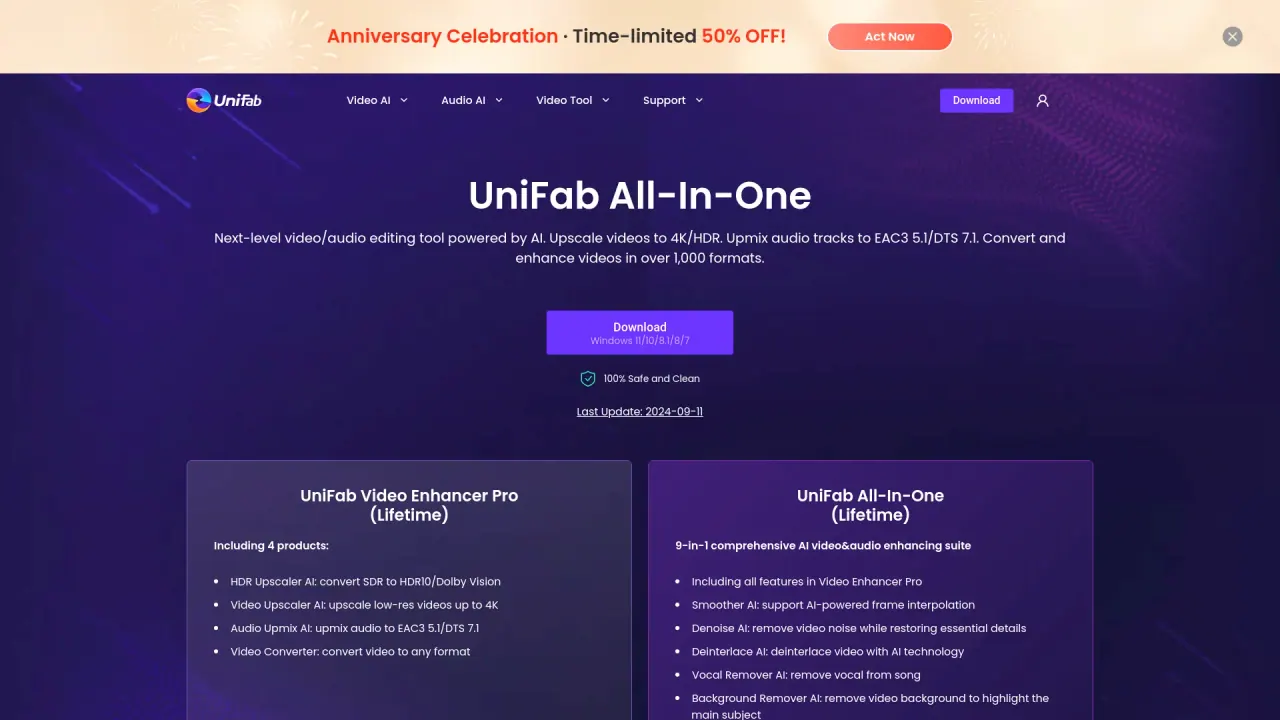
What does UniFab Video Enhancer do?
Is there a free trial for UniFab Video Enhancer?
Yes. UniFab offers a 30-day free trial with no watermark on exports for the All-In-One package, and individual product pages note free trials with full features and no limitations for certain tools (e.g., Video Upscaler AI). The trial gives access to features such as AI upscaling, denoising, and format conversion during the period.
Are there lifetime licenses available for UniFab Video Enhancer products?
Yes. The site lists lifetime licenses for several products, including Video Upscaler AI (Lifetime), UniFab All-In-One (Lifetime), and Video Enhancer Pro (Lifetime).
What formats can I export or convert videos into?
UniFab supports 1000+ formats for video conversion, including common formats such as MP4, MKV, AVI, WMV, and more.
What is included in UniFab All-In-One?
UniFab All-In-One is described as a 16-in-1 AI toolkit (the site markets it as 15 tools in one suite). It bundles a wide range of AI-powered tools for video and audio enhancement, including upscaling, denoising, colorization, background removal, face enhancement, audio upmix, translation and subtitle tools, batch TV show tools, and a built-in video converter, among others.
What AI models are available for video upscaling and when should I use them?
UniFab offers multiple upscaling models:
- Equinox: Balanced enhancement for most videos
- Vellum: Focuses on textures and fine details
- Kairo: Optimized for anime/cartoons
- Titanus: Film/TV upscaling with faster processing
There are two versions of the upscaler: Video Upscaler AI for local processing and Video Upscaler AI – FabCloud for cloud processing.
Can I process videos locally, or do I need cloud processing?
You can do both. UniFab supports local processing with GPU acceleration (NVIDIA CUDA) and cloud processing via FabCloud. Choose the option that fits your workflow and hardware.
What are the minimum system requirements or supported OS?
The site lists Windows versions for compatibility, specifically Windows 7, 8, 8.1, 10, and 11. For best results, check the exact tool page (local vs. cloud) to confirm any additional hardware recommendations.
What does UniFab Video Enhancer Pro include?
The Pro package includes Video Upscaler AI (upscaling to 720p, 1080p, and 4K), Denoise AI for noise reduction, and Video Converter for 1000+ formats. It also provides professional-level customization options and efficient video compression.
How do I use UniFab AI Video Enhancer?
A typical workflow described by the site is:
- Step 1: Upload your video
- Step 2: Select an AI model (e.g., Equinox, Vellum, Kairo, Titanus)
- Step 3: Start processing
How does UniFab compare to other AI video enhancers?
UniFab markets itself as a top-tier option with fast processing and high-quality results. It reports performance benchmarks such as faster processing speeds (e.g., a 4-second upscaling test yielding around 6 fps) and claims of superior texture preservation, along with a lower price point relative to some competitors. The site positions UniFab as offering a strong speed/quality/value combination.
What kinds of videos can be enhanced?
The platform supports general video enhancement and also provides specialized support for animated content (anime) via a dedicated animation model. It scales up to high resolutions (up to 16K in stated updates) and includes tools for colorization, denoising, background removal, and other enhancements.
How can I batch process TV shows?
The software includes batch TV show capabilities: batch convert TV show episodes, auto-generate covers, descriptions, metadata, and .nfo files, making it easy to organize libraries for media servers.
What support resources are available?
Support resources mentioned include a Guidebook, Community discussions, and a YouTube channel. There are also options to contact support and access FabCloud resources and other related materials.
Will I receive future upgrades after buying UniFab Video Enhancer Pro?
The site lists ongoing version updates (for example, 4.0 Titanus, 3.0 16K Upscaling, 2.0 Kairo) and general notes about product evolution, but a explicit upgrade policy (whether upgrades are included or require new purchases) is not stated. Check the pricing or product pages for current upgrade terms.
This listing is claimed
Own UniFab Video Enhancer? Sign in with the email used to claim it to manage this listing, or upgrade to Pro for featured-first placement and a newsletter feature.