
quso
AI Video Expander Tool
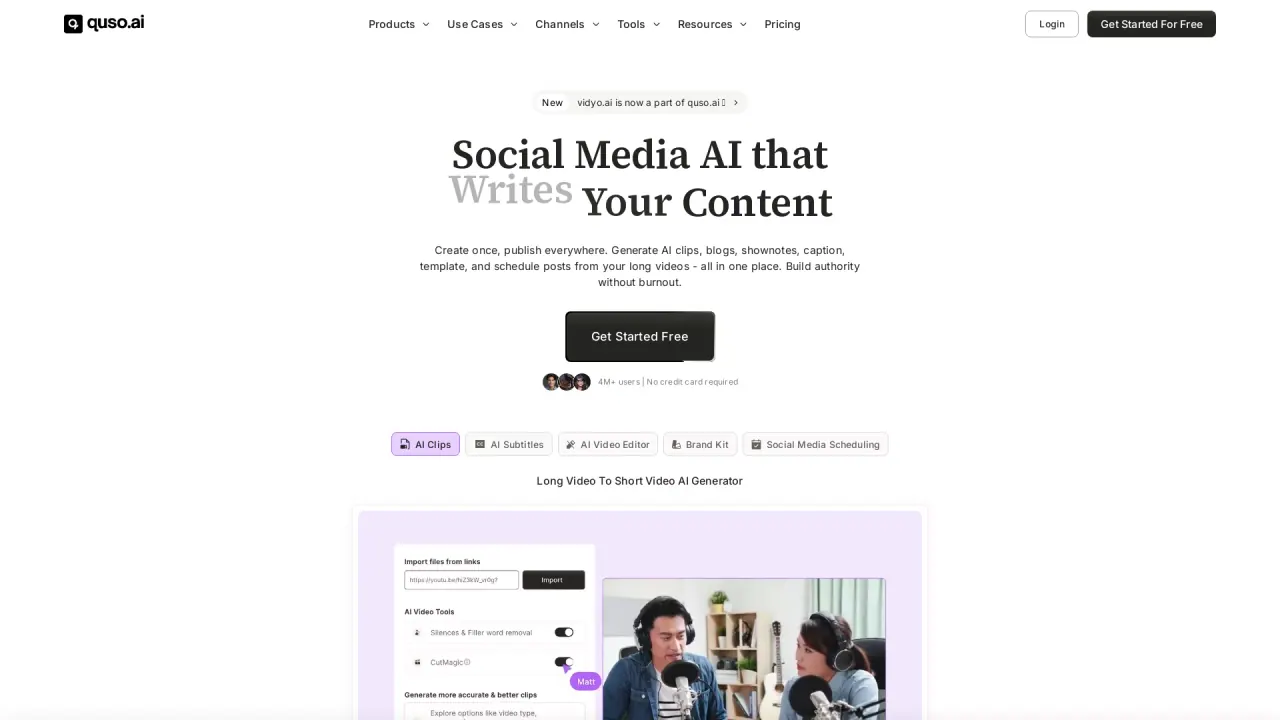
quso.ai turns long videos, podcasts, and streams into short, captioned clips ready to publish on TikTok, Reels, and Shorts in one click.
What does quso do?
quso.ai is an AI video clipping and social media repurposing tool that turns long-form content into short, ready-to-post clips. Upload a long video, podcast, or stream and get AI-selected moments that are auto-captioned and prepared for publishing.
Beyond clipping, quso.ai helps you manage the full workflow inside one place: subtitles, repurposing, and social publishing. Plan a month of posts in a calendar, schedule across platforms, and review social media analytics to optimize what you share.
For editing and polish, quso.ai includes tools such as an AI text-based video editor, filler-word removal, and an AI B-roll library (including custom clip options). A Brand Kit helps keep your fonts, colors, and logo consistent across clips.
What does AI video clipping mean in quso.ai?
It automatically finds the best moments in a long video, podcast, or stream and converts them into short, captioned clips designed for social posting.
How do I turn one long video into clips for social media?
Upload your long-form content, then use the AI Clips Generator to create short clips from the strongest moments. The result is positioned to be published to short-form platforms like TikTok, Reels, and Shorts.
Can quso.ai add captions or subtitles automatically?
Yes. quso.ai includes an AI Subtitle Generator that creates word-level animated captions, along with filler-word removal.
Which platforms can I publish and schedule to?
You can plan and schedule posts across multiple social platforms from one calendar, with platform integrations including Facebook, Instagram, LinkedIn, Pinterest, TikTok, X, and YouTube.
Do I need video editing skills to use quso.ai?
No. The workflow is designed for quick clipping and captioning, plus an AI text-based video editor for edits like removing words, removing silences, and adding B-roll.
Is there a free option to try quso.ai?
Yes. quso.ai offers “Get Started For Free” with free credits and no credit card required.
Is this your tool?
Claim quso to manage this listing, or upgrade to Pro for featured-first placement and a newsletter feature.