Pykaso AI
AI Content Generation
Make your AI Character go Viral
Promoted
 Pixmax.aiPixmax.ai is an all-in-one AI workspace for videos, visual stories, and marketing content.
 RewindType any X/Twitter handle. Get their year back as a narrated video story. Then ask it anything.
 KurodyneSell the tools from your AI side projects. Listing is free.
 Sidrune AI85% off. Stable Claude API for agent developers. Pay as you go. Invoices & refunds available.
 SEOify - Improve your SEO & rankingsBuild links to rank in Google. Improve your DR with links you can start building now.Advertise here270,000+ people visit Dang.ai every month.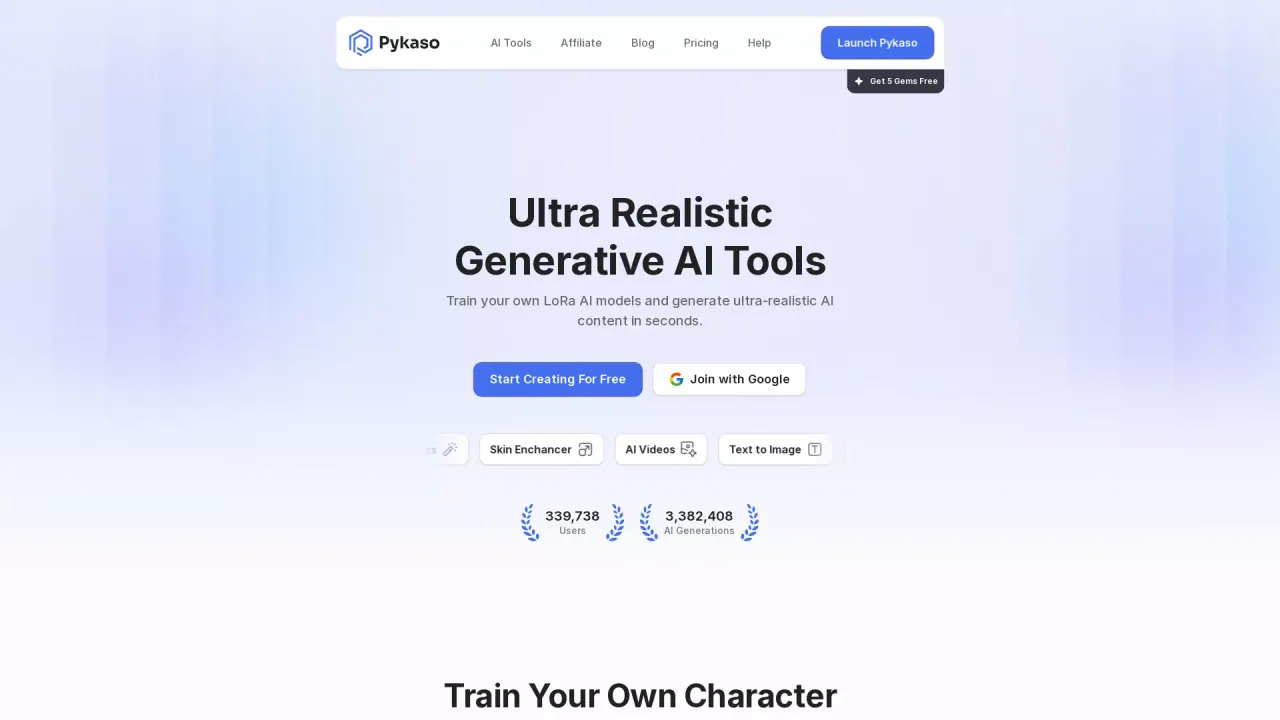
What does Pykaso AI do?
What is Pykaso AI and what can I do with it?
Pykaso AI lets you train your own LoRa AI models and generate ultra-realistic AI content in seconds. It offers a range of tools for image and video creation and editing, including AI Image Generator, AI Image Editor, Image to Image, Image to Prompt, Skin Enhancer, Skin Upscaler, Face Swap (Video and Photo), and AI Videos, plus a Media Downloader to save content from TikTok and Instagram. You can get started for free with 5 Gems upon sign-up.
How do I get started for free and what are Gems?
Sign up (you can join with Google) and you’ll receive 5 free Gems to start creating. Gems are credits used to access features, and you can obtain more by using the Get Gems option in the app.
What features does Pykaso AI offer for content creation and media enhancement?
Pykaso AI covers:
- Face Swap Video and Face Swap Photo
- AI Model Training for custom LoRa models
- AI Image Generator and AI Image Editor
- Image to Image and Image to Prompt
- Skin Enhancer and Skin Upscaler
- AI Videos
- Media Downloader for saving content from TikTok and Instagram
Can I train my own LoRa AI models with Pykaso AI?
Yes. Pykaso AI supports training your own LoRa AI models to generate ultra-realistic content quickly.
What is the Upscaler and how can it improve image quality?
The Upscaler uses AI to upscale images, increasing clarity and detail. There is also a Skin Upscaler for specialized enhancement focused on skin detail.
What is Face Swap and how can I use it on photos or videos?
Pykaso AI includes Face Swap tools to transform media by swapping faces in both photos and videos (Face Swap Photo and Face Swap Video).
What are Image to Image and Image to Prompt?
- Image to Image allows you to generate new visuals from a source image.
- Image to Prompt converts an image into prompts for AI-generated content.
Both are available among Pykaso AI’s AI tools.
What is the Media Downloader?
The Media Downloader lets you download content from TikTok and Instagram directly within Pykaso AI.
Where can I access Pykaso AI tools and how do I sign in?
You access Pykaso AI via the web app. Sign up or log in, and you can join with Google. The site offers a 5 Gems free starter and a Get Gems option for adding more credits.
How can I get help or connect with the community?
You can use the Support resources and join the Discord community for help and collaboration with other users.
Where can I find the legal and policy information?
The Legal Center provides Terms of Use, Privacy Policy, Refund Policy, Usage Policy, DMCA, and Legal Notice.
Are there usage policies or refunds I should know about?
Yes. Pykaso AI has a Usage Policy and a Refund Policy, accessible in the Legal Center, outlining allowed use and refund terms.
This listing is claimed
Own Pykaso AI? Sign in with the email used to claim it to manage this listing, or upgrade to Pro for featured-first placement and a newsletter feature.