
Video Candy
AI Video Editor
AI-powered Video Editing Tool - Enhance, Merge, Trim, Resize, and More | Video Candy
What does Video Candy do?
Is Video Candy free to use?
Yes. Video Candy is described as a free online video editing solution with no mandatory subscription or registration. Some limits may apply based on factors such as video file size, format compatibility, and output quality.
What features does Video Candy offer for video editing?
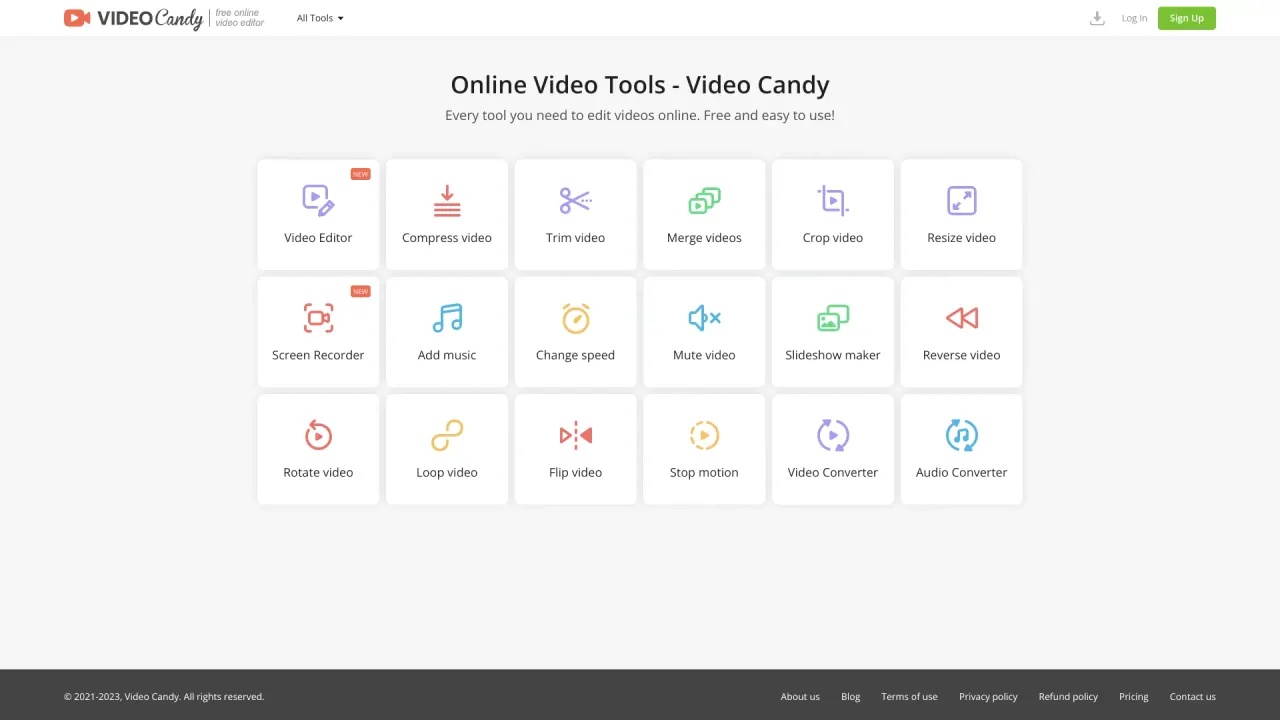
Video Candy provides a comprehensive suite of online editing tools, including:
- Compress video
- Trim video
- Merge videos
- Crop video
- Resize video
- Screen Recorder
- Add music
- Change speed
- Mute video
- Reverse video
- Rotate video
- Loop video
- Flip video
- Video splitter
- Video Converter
It also supports slideshow creation, stop motion animations, and format conversions between video and audio.
Can I record my screen with Video Candy?
Yes. Video Candy includes a screen recorder that captures on‑screen activity along with audio. It's useful for tutorials, presentations, or recording live streams, and you can edit the result with Video Candy's editing tools.
How can I create a slideshow with Video Candy?
Use the online slideshow maker: upload images, arrange them in your preferred order, add transitions, include background music, and adjust the duration of each slide. Preview your slideshow, then download or share the final video.
What devices can I use Video Candy on?
Video Candy is accessible across a range of devices and browsers without requiring software installation, so you can edit from most devices with an internet connection.
Is Video Candy safe to use?
Video Candy is described as a reputable and secure website. It uses HTTPS and, according to third‑party references, carries a favorable trust score. The site does not require you to provide personal information or register to access its tools.
Do I need to sign up to use Video Candy?
No mandatory subscription or registration is required to access Video Candy's tools.
Is this your tool?
Claim Video Candy to manage this listing, or upgrade to Pro for featured-first placement and a newsletter feature.