Edit in PPT
AI PowerPoint Generation Tool
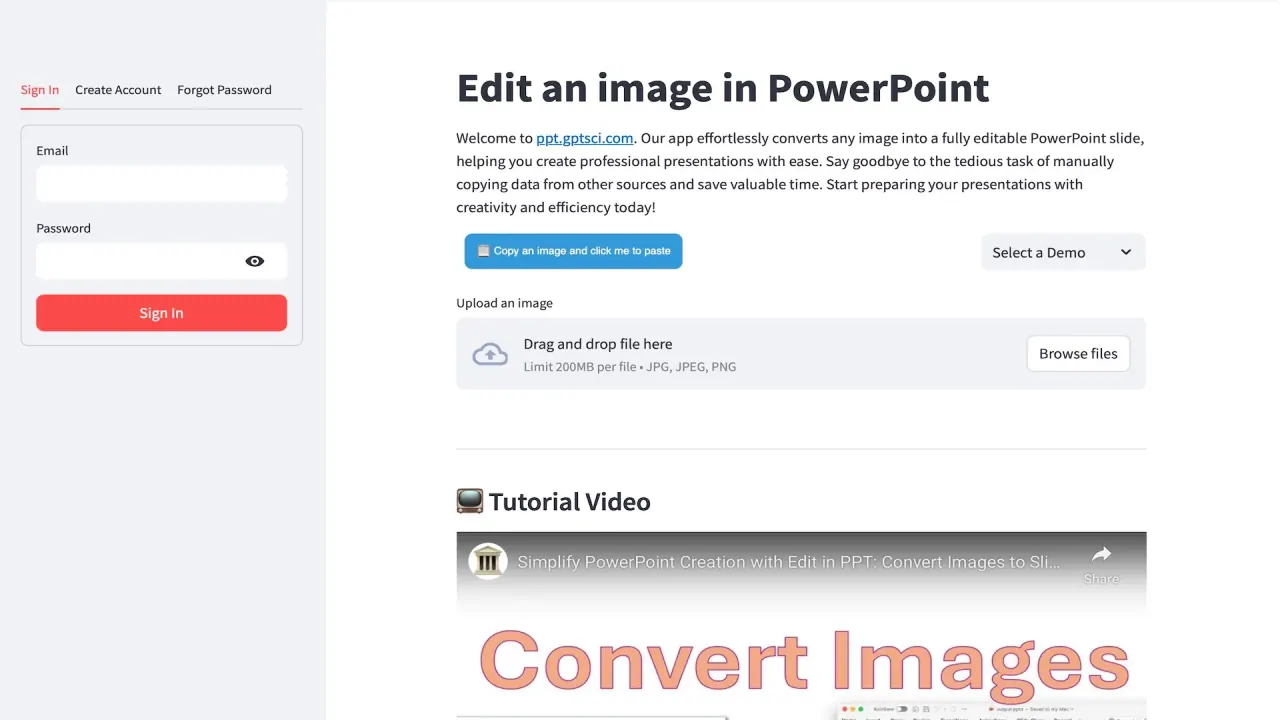
Edit in PPT turns images, PDFs, and NotebookLM decks into high-quality, fully editable PowerPoint slides in a few clicks.
Promoted
 Pixmax.aiPixmax.ai is an all-in-one AI workspace for videos, visual stories, and marketing content.
 AI Checker PlusAI detector that highlights which passages AI wrote. Free check, no sign-up. Plagiarism too.
 RewindType any X/Twitter handle. Get their year back as a narrated video story. Then ask it anything.
 KurodyneSell the tools from your AI side projects. Listing is free.
 Sidrune AI85% off. Stable Claude API for agent developers. Pay as you go. Invoices & refunds available.
 SEOify - Improve your SEO & rankingsBuild links to rank in Google. Improve your DR with links you can start building now.Advertise here270,000+ people visit Dang.ai every month.
What does Edit in PPT do?
Edit in PPT uses AI to rebuild your content as native, fully editable PowerPoint elements—real text boxes, tables, and charts—so you can stop manually copying data and formatting slide by slide.
You can start from images, PDF pages, a NotebookLM export, or even plain text. For whole decks, the app processes slides in order, with support for up to 50 slides per batch. The result is delivered as an editable .pptx deck you can open, refine, and present.
Beyond conversion, Edit in PPT lets you edit slides using natural language. Chat the changes you want—such as translating to another language, turning text into bullets, or adding a row—and get an updated file back.
For NotebookLM workflows, the app turns NotebookLM’s designed draft into a presentation-ready deck: it keeps the original artwork as background while rebuilding headings, tables, and charts as editable PowerPoint objects, then helps you refine the deck via chat.
Pricing: You get 5 free conversions per month with simple registration.
How many free conversions do I get per month?
You get 5 free conversions each month with a simple registration.
Do I need to register to use the free credits?
Yes. Free credits are available after simple registration.
What can I convert into editable PowerPoint slides?
You can convert images, PDF pages, NotebookLM exports, or plain text. For whole decks, uploads can include up to 50 slides per batch in order.
Are the converted slides actually editable?
Yes. Converted slides are rebuilt with native PowerPoint objects like text boxes, tables, and charts, not just flat images.
Can I edit slides with natural language?
Yes. Use chat to request changes such as translating content, converting text into bullets, or adding rows, and you’ll receive an updated .pptx.
Which AI model powers Edit in PPT?
Edit in PPT is powered by GPT-6 (powered by GPT-6 🎉).
This listing is claimed
Own Edit in PPT? Sign in with the email used to claim it to manage this listing, or upgrade to Pro for featured-first placement and a newsletter feature.