
ChaptersAI
No longer active
AI Productivity Tool For Writers And Developers
Supercharge productivity for writers and developers with ChaptersAI: an AI productivity tool that features a branching chat window.
ChaptersAI is no longer available
- Listed
- Aug 4, 2023
- Shut down
- Feb 2, 2024
Promoted
 Sidrune AI85% off. Stable Claude API for agent developers. Pay as you go. Invoices & refunds available.
 Pixmax.aiPixmax.ai is an all-in-one AI workspace for videos, visual stories, and marketing content.
 RewindType any X/Twitter handle. Get their year back as a narrated video story. Then ask it anything.
 KurodyneSell the tools from your AI side projects. Listing is free.
 SEOify - Improve your SEO & rankingsBuild links to rank in Google. Improve your DR with links you can start building now.Advertise here270,000+ people visit Dang.ai every month.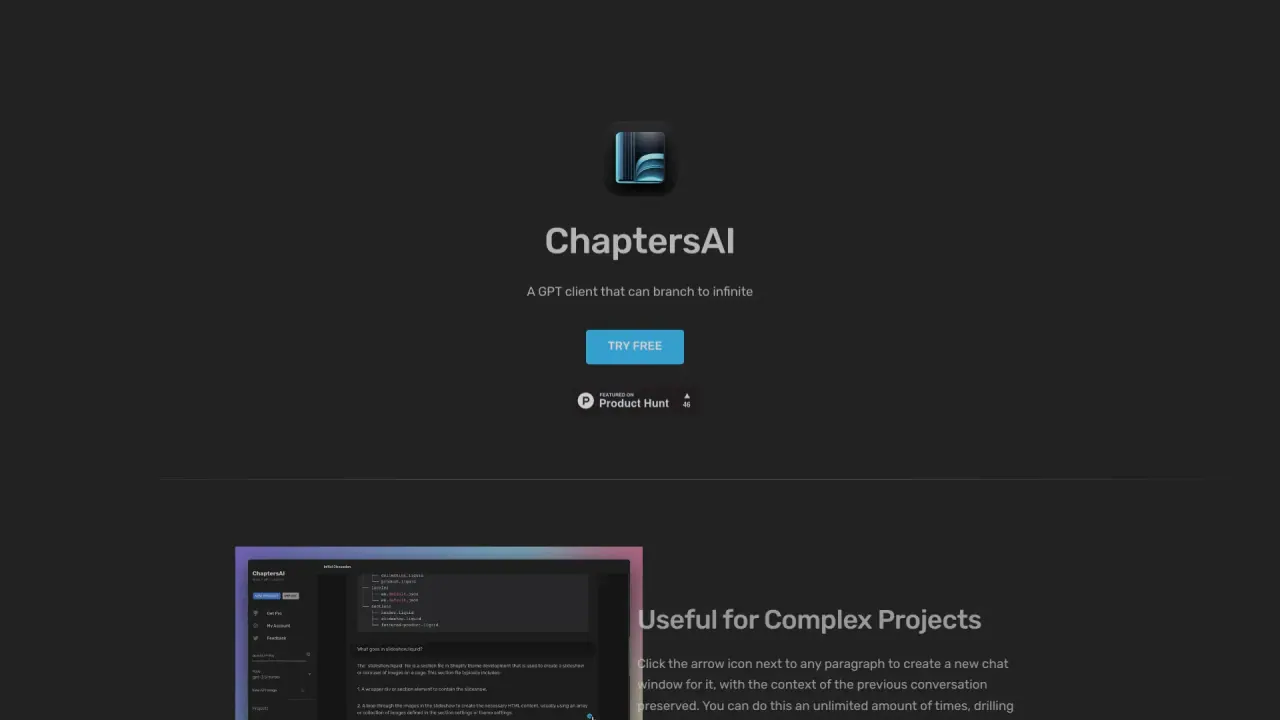
What does ChaptersAI do?
What is chaptersai.com? ChaptersAI is a cutting-edge platform powered by OpenAI's GPT language model, offering a dynamic chat interface designed for enhanced project management and exploration. One of its standout features is the ability to branch any paragraph into a separate chat window, providing users with an organized and intuitive way to navigate complex projects. By simply clicking an arrow icon beside a paragraph, users can open a new chat window preloaded with the selected content, streamlining the process of breaking down and analyzing information. How much does chaptersai.com cost? ChaptersAI provides a subscription plan starting at $9 per month. This fee covers access to the platform, while any additional charges related to OpenAI API usage are billed separately. What are the benefits of chaptersai.com? ChaptersAI provides several key advantages for users, including: -
- Streamlined Project Management: Facilitates the organization and efficient handling of complex projects.
- -
- Improved Collaboration: Enables team members to focus on specific sections for detailed discussions, fostering better teamwork.
-
- Contextual Exploration: Allows users to explore specific topics in depth while preserving the broader context of the project, enhancing research and analysis.
-
- Flexible Experimentation: Supports experimentation with different project versions without impacting the main work, promoting creativity and iterative development.
What are the limitations of chaptersai.com? Despite its advantages, ChaptersAI has a few limitations to consider: -
- Cost: The subscription fee, along with additional OpenAI API charges, may not be affordable for users with budget constraints.
-
- Reliance on OpenAI API: Since the tool's functionality depends on the OpenAI API, any issues or limitations with the API could impact its performance.
-
- Learning Curve: New users, especially those less familiar with technology, may need time to fully understand and utilize the platform’s features.
-
- Limited Customization: The tool may offer only a fixed range of customization options, potentially limiting its adaptability to unique user requirements.
How to get started with chaptersai.com? Here’s how to get started with ChaptersAI: 1.
- Sign Up: Visit the ChaptersAI website and create an account.
3. 4.
- Select a Plan: Choose a subscription plan that aligns with your requirements.
6.
- Set Up Your Project: After logging in, either start a new project or import an existing one.
8.
- Branch Off Paragraphs: Click the arrow icon next to a paragraph to open a new chat window containing its content.
10.
- Explore and Collaborate: Leverage the chat interface to dive deeper into topics or work collaboratively with your team.
What is chaptersai.com?
ChaptersAI is a cutting-edge platform powered by OpenAI's GPT language model, offering a dynamic chat interface designed for enhanced project management and exploration. One of its standout features is the ability to branch any paragraph into a separate chat window, providing users with an organized and intuitive way to navigate complex projects. By simply clicking an arrow icon beside a paragraph, users can open a new chat window preloaded with the selected content, streamlining the process of breaking down and analyzing information.
How much does chaptersai.com cost?
ChaptersAI provides a subscription plan starting at $9 per month. This fee covers access to the platform, while any additional charges related to OpenAI API usage are billed separately.
What are the benefits of chaptersai.com?
ChaptersAI provides several key advantages for users, including: -
- **Streamlined Project Management**: Facilitates the organization and efficient handling of complex projects.
- -
- **Improved Collaboration**: Enables team members to focus on specific sections for detailed discussions, fostering better teamwork.
-
- **Contextual Exploration**: Allows users to explore specific topics in depth while preserving the broader context of the project, enhancing research and analysis.
-
- **Flexible Experimentation**: Supports experimentation with different project versions without impacting the main work, promoting creativity and iterative development.
What are the limitations of chaptersai.com?
Despite its advantages, ChaptersAI has a few limitations to consider: -
- **Cost**: The subscription fee, along with additional OpenAI API charges, may not be affordable for users with budget constraints.
-
- **Reliance on OpenAI API**: Since the tool's functionality depends on the OpenAI API, any issues or limitations with the API could impact its performance.
-
- **Learning Curve**: New users, especially those less familiar with technology, may need time to fully understand and utilize the platform’s features.
-
- **Limited Customization**: The tool may offer only a fixed range of customization options, potentially limiting its adaptability to unique user requirements.
How to get started with chaptersai.com?
Here’s how to get started with ChaptersAI: 1.
- **Sign Up**: Visit the ChaptersAI website and create an account.
3. 4.
- **Select a Plan**: Choose a subscription plan that aligns with your requirements.
6.
- **Set Up Your Project**: After logging in, either start a new project or import an existing one.
8.
- **Branch Off Paragraphs**: Click the arrow icon next to a paragraph to open a new chat window containing its content.
10.
- **Explore and Collaborate**: Leverage the chat interface to dive deeper into topics or work collaboratively with your team.