
PrometheanAI
AI Powered Virtual World Tool
Build immersive virtual worlds effortlessly. PrometheanAI: The ultimate AI-powered virtual world tool.
- Category
- 3D
- Listed
- Jul 22, 2023
- Updated
- May 25, 2026
Promoted
 Sidrune AI85% off. Stable Claude API for agent developers. Pay as you go. Invoices & refunds available.
 Pixmax.aiPixmax.ai is an all-in-one AI workspace for videos, visual stories, and marketing content.
 RewindType any X/Twitter handle. Get their year back as a narrated video story. Then ask it anything.
 KurodyneSell the tools from your AI side projects. Listing is free.
 SEOify - Improve your SEO & rankingsBuild links to rank in Google. Improve your DR with links you can start building now.Advertise here270,000+ people visit Dang.ai every month.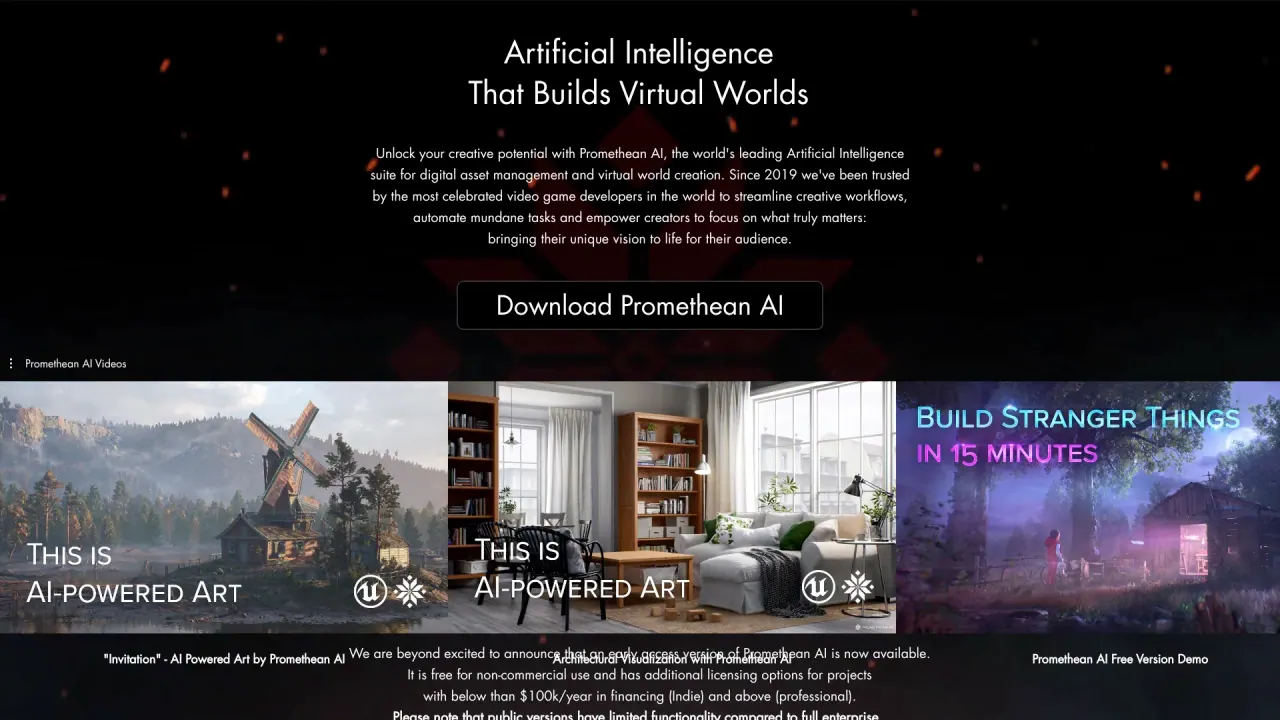
What does PrometheanAI do?
What is Promethean AI and what does it do?
Promethean AI is an AI engine that understands all of your creative assets (images, videos, 3D models, 3D animations, PDFs, PPTs), can reason about them, and configure them in novel combinations to help you create content. It acts as a braintrust of the creative decisions your team has made or is inspired by, serving up actionable ideas exactly when you need them. It supports natural-language interaction, works on top of your existing workflow without requiring asset uploads or changes to your editor, and is designed to dramatically accelerate world-building and creative output.
Promethean AI is built to power creative teams with enterprise-grade capability while focusing on preserving artistic input and control.
It also emphasizes speed: Promethean AI aims to manufacture time for your team and, in practice, can significantly accelerate production and ideation.
How does Promethean AI integrate with my existing pipeline and editors?
Promethean AI is designed to sit on top of your current workflow rather than forcing you to overhaul it. You don’t need to move assets or change your 3D editor to start using it. The enterprise version is easily customizable (with Python) to fit custom and proprietary pipelines. The primary integration is with Unreal Engine, and Promethean provides open-source plugins for Unreal, Unity, 3ds Max, Maya, and Blender, with caveats about compatibility on older or untested versions.
Do I have to upload assets to the cloud to use Promethean AI?
No. Promethean AI does not require you to upload assets to the cloud, store them there, or train on them. Your assets and metadata library remain under your control, and Promethean AI is designed to keep them private and secure. The system is built around not exposing your asset files or metadata to external exposure.
How do I share Promethean AI projects or the metadata library with my team?
Promethean AI creates a metadata library around your assets without moving or copying your actual files. To share, you can use a shared folder (e.g., Dropbox) or a MySQL server/S3 storage for a more professional integration. Promethean AI can also facilitate and manage storage and uploads if you need, by arrangement.
What assets/types does Promethean AI work with?
Promethean AI understands and can work with a wide range of creative assets, including images, videos, 3D models, 3D animations, PDFs, and PPTs. It can reason about these assets and help configure them in novel ways to support your projects.
How do I get started with Promethean AI?
- In Browser, use Inspiration mode to collect reference material and inspiration for design questions.
- In Source File mode, drag and drop a folder of 3D assets and choose to Sync it. Promethean AI will monitor changes to that folder and keep the library up to date.
- Add your 3D/material assets from Unreal/Unity to be utilized for the creation of real-time 3D scenes.
- Use natural language prompts to guide creation and retrieval of assets and configurations.
What engines/pipelines do you support?
- Primary integration with Unreal Engine.
- Open-source plugins available for Unreal, Unity, 3ds Max, Maya, and Blender.
- Not all versions of other editors may be tested or compatible; you can download and adapt the plugin code for unsupported versions. The team is actively formalizing pipelines across more editors.
What enterprise features are available?
- Enterprise-grade data security, single sign-on (SSO), and API access.
- Workflow customization to fit fully custom pipelines.
- The platform is designed to be extendable and tech-art friendly for complex, proprietary workflows.
How fast can Promethean AI improve world-building and production?
Promethean AI is marketed as dramatically speeding up digital art production, with claims of up to 10x faster world-building by handling mundane tasks and surfacing relevant assets and ideas when you need them.
What are the benefits of using Promethean AI?
- Enhanced creativity: offloads mundane tasks so artists can focus on artistry and storytelling.
- Time-saving: accelerates world-building and asset management processes.
- Collaboration: streamlines workflows and team collaboration.
- Customization: support for training custom AI models using your own assets.
- Integration: works with existing workflows without forcing asset uploads or editor changes.
- Privacy: emphasizes data privacy by avoiding cloud uploads of asset files.
- Enterprise readiness: supports secure, scalable, and customizable enterprise pipelines.
What are the limitations of Promethean AI?
- Public versions may have limited functionality compared to the full enterprise version.
- Data privacy considerations are still relevant to AI platforms (though Promethean AI emphasizes local asset control and privacy).
- AI models can exhibit bias based on training data.
- Personalization may vary and some user preferences may not be fully reflected in all scenarios.
- AI systems can produce errors or hallucinations if prompts are imprecise or data is ambiguous.
Is Promethean AI for artists or could it replace artists?
Promethean AI is designed to empower professional artists, not replace them. It requires artist input and interaction at every step and is positioned as a tool that augments human creativity rather than substituting the artist. It emphasizes that it is not aimed at “prompt artists” but as a serious tool for artists who want to leverage AI while retaining creative authority and control.
Pricing and plans
Pricing information is provided on the official pricing page. The site references a free/complementary option for individual users and paid plans for professionals, but exact details and current pricing should be checked on the official pricing page.
Is this your tool?
Claim PrometheanAI to manage this listing, or upgrade to Pro for featured-first placement and a newsletter feature.