
Riverside
AI Podcast And Video Recording Tool
Revolutionize podcasting with RiversideFM's AI recording tool for exceptional studio quality. Record, edit, and share seamlessly.
Promoted
 Sidrune AI85% off. Stable Claude API for agent developers. Pay as you go. Invoices & refunds available.
 Pixmax.aiPixmax.ai is an all-in-one AI workspace for videos, visual stories, and marketing content.
 SEOify - Improve your SEO & rankingsBuild links to rank in Google. Improve your DR with links you can start building now.Advertise here270,000+ people visit Dang.ai every month.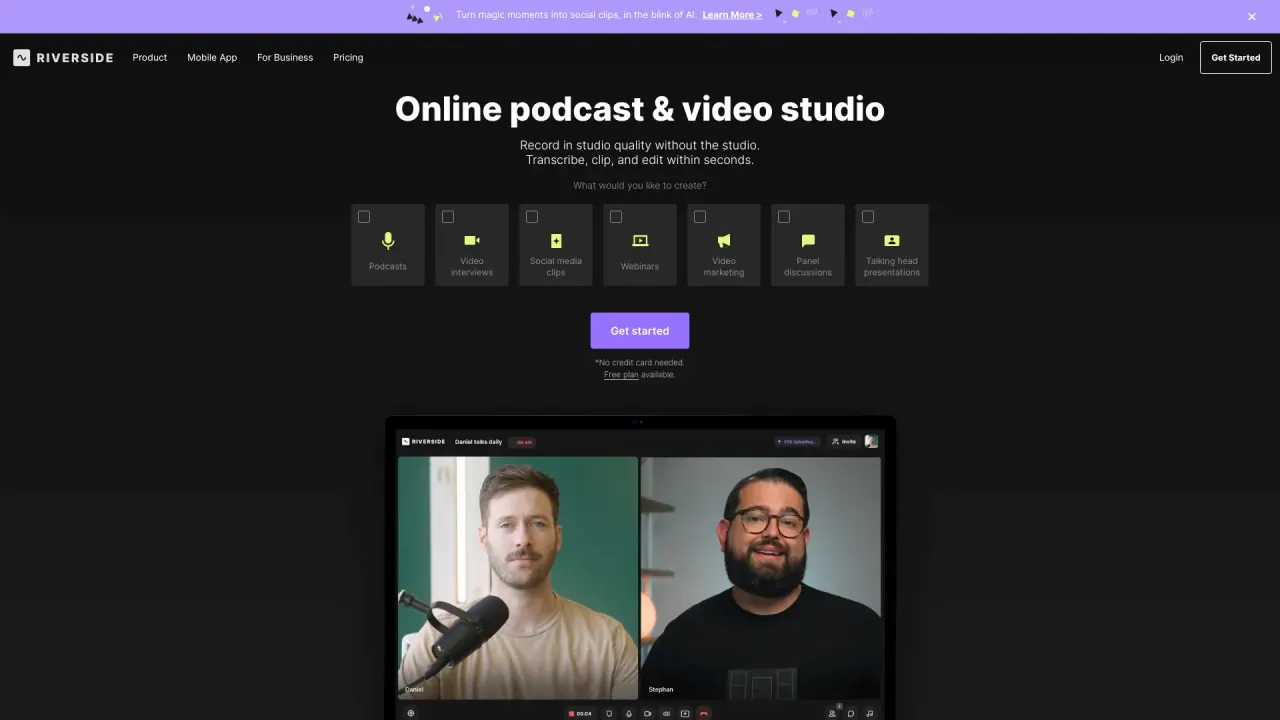
What does Riverside do?
What is Riverside and what can I do with it?
Riverside is an AI-powered platform that lets you record, edit, repurpose, and distribute studio-quality content. You can record solo or with guests, in top quality; capture up to 4K video and uncompressed audio in separate tracks; edit with a text-based editor and AI when you want it; turn one recording into clips and more with AI; and stream in HD to multiple destinations. You can publish to YouTube, Spotify, Apple, and more, with built-in transcriptions, captions, AI show notes, and an AI Co-Creator to generate promotional assets across channels.
Can I record in 4K and have separate audio tracks for each participant?
Yes. Riverside supports local recording of up to 4K video and uncompressed audio in separate tracks for each speaker, with recordings stored locally and kept independent of internet quality.
Can I record solo or with guests?
Yes. Riverside lets you record solo or with guests, maintaining high-quality video and audio.
What editing capabilities does Riverside offer?
Riverside provides powerful, text-based editing. You can edit recordings like a document by searching, cutting, copying, and pasting directly in the transcript. It supports multi-track editing for better control, and you can apply branding (logo, colors, intro, outro) with a single click. Captions are customizable and turn your video into share-ready formats quickly.
What AI features are available?
Riverside includes several AI-driven tools:
- AI Co-Creator for promotional assets geared to each channel
- Magic Clips to generate bite-sized, shareable clips
- AI Show Notes to create detailed notes, titles, descriptions, and takeaways
- AI Voice to convert text to speech in your own voice
- Features to correct speech, remove filler words, fix eye contact, generate B-roll, apply auto-layouts, and translate/dub
- Transcriptions and captions to speed up content organization and accessibility
What are Riverside's live streaming capabilities?
Go live in full HD to multiple destinations at once. Stream to platforms like LinkedIn, YouTube, Instagram, Twitch, and more. Manage audience interactions with calls, Q&As, and chats in one place. Use custom branding with overlays, colors, and logos to stay on-brand.
What about webinars and turning them into content?
Riverside can host webinars and live events, with high-quality recordings that instantly become clips, summaries, and more. You can enable built-in registration with automated email reminders to boost attendance, and registrant details can be automatically synced to HubSpot for lead generation.
Does Riverside offer podcast hosting and distribution?
Yes. Riverside includes podcast hosting and distribution to major apps (Spotify, Apple, YouTube, and more), plus built-in analytics. It can automatically generate transcriptions, titles, descriptions, chapters, and takeaways to help you reach new audiences.
What are the pricing plans and what’s included?
- Free Plan: Unlimited single-track audio and video recording; separate tracks up to 2 hours total; video up to 720p; audio at 44.1 kHz; exported files include watermarks; limited storage.
- Standard Plan: $15 per month (billed annually at $180). Unlimited separate-track audio and video recording; up to 5 hours per month; video up to 1080p; audio at 44.1 or 48 kHz; watermark-free exports; unlimited storage; includes screen sharing and live streaming.
- Pro Plan: $24 per month (billed annually at $288). Unlimited separate-track recording with up to 15 hours per month; up to 4K video; audio at 44.1 or 48 kHz; watermark-free exports; unlimited storage; includes screen sharing, live streaming, live call-ins, transcriptions, second camera, and Adobe Premiere integration.
Start for Free is available with no credit card required.
Is there a Riverside option tailored for teams or business?
Yes. Riverside for Business is built for marketers and producers who need collaboration at scale, with 24/7 priority support to cover team needs.
How do I get started with Riverside?
You can start for free—no credit card required. Create an account, choose a plan, and begin recording, editing, and publishing right away.
What devices and platforms does Riverside support?
Riverside works in desktop browsers (Chrome and Edge). Mobile browsers aren’t supported. Riverside also offers a Mac App and Mobile Apps for on-the-go recording.
How can I get help if I need support?
Support is available via the Help Center and Contact Support. If you’re using Riverside for Business, you also have 24/7 priority support.
What export options and protections exist?
Export options include WAV (audio) and MP4 (video). On the Free plan, exported files carry a watermark; higher-tier plans offer watermark-free exports and larger storage/usage limits.
Is this your tool?
Claim Riverside to manage this listing, or upgrade to Pro for featured-first placement and a newsletter feature.