
GPTHumanizer
Verified
AI Text Humanizer
GPTHumanizer transforms AI-generated text into natural, human-like writing and bypassing AI detectors.
Promoted
 Sidrune AI85% off. Stable Claude API for agent developers. Pay as you go. Invoices & refunds available.
 Pixmax.aiPixmax.ai is an all-in-one AI workspace for videos, visual stories, and marketing content.
 SEOify - Improve your SEO & rankingsBuild links to rank in Google. Improve your DR with links you can start building now.Advertise here270,000+ people visit Dang.ai every month.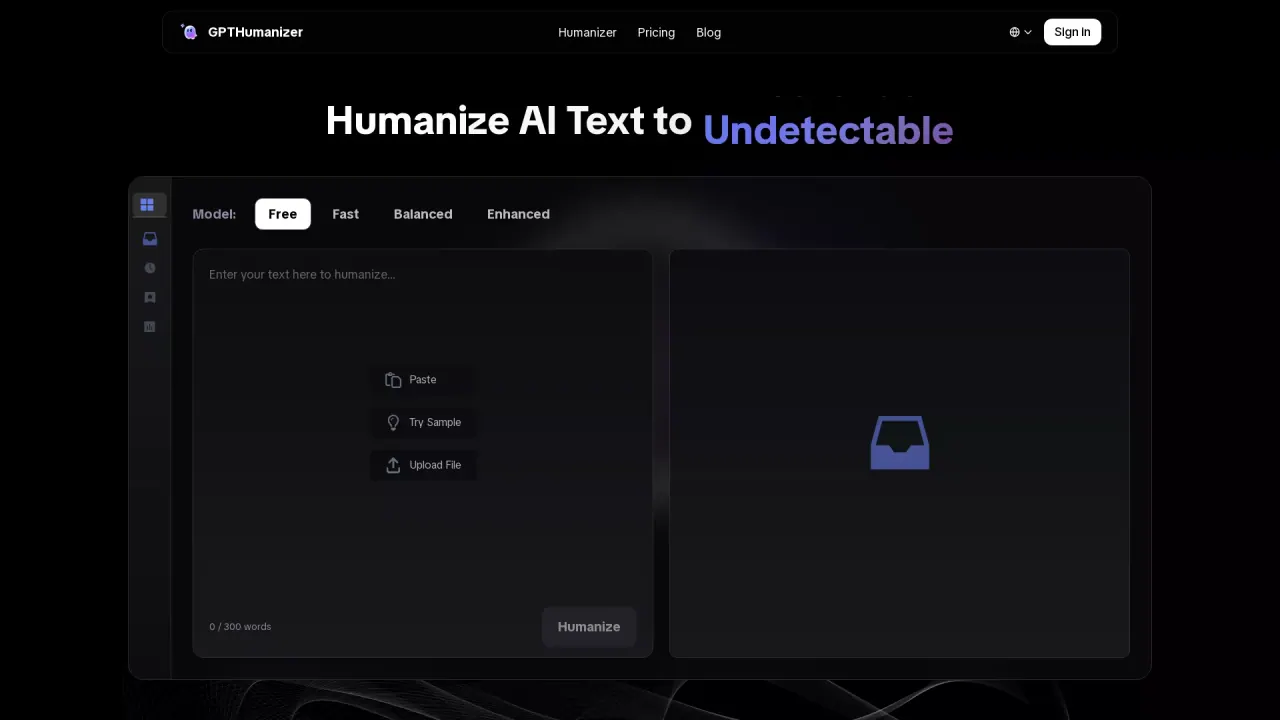
What does GPTHumanizer do?
What is GPTHumanizer?
GPTHumanizer AI is a free AI humanizer that refines and polishes AI-generated text so it sounds more natural, fluent, and human-like while preserving the original meaning. It improves stiff or robotic writing into clearer, more readable content for real-world use, and includes a built-in AI detector as part of the platform.
Is GPTHumanizer free?
Yes. GPTHumanizer offers an unlimited free Lite model with no sign-up required. Paid plans (Pro and Ultra) unlock deeper refinement modes and additional premium features.
How many languages does GPTHumanizer support?
GPTHumanizer supports 11 languages, including English and Spanish, to help humanize AI-generated text in the language you’re writing in.
What are Lite, Pro, and Ultra modes?
GPTHumanizer provides Lite, Pro, and Ultra modes. Lite is a quick, free cleanup option; Pro and Ultra offer deeper rewriting for longer or more demanding drafts. You can also choose from 8 writing styles to match your content, tone, and rewriting depth.
Does GPTHumanizer include a built-in AI detector?
Yes. GPTHumanizer includes a built-in AI detector as part of the platform.
What tools does GPTHumanizer offer?
Core tools include AI Writing Agent, AI Detector, AI Translator, and AI Citation Checker. These are designed to support drafting, analysis, and multilingual refinement within the platform.
What kinds of content can I humanize?
You can humanize blog posts, articles, marketing copy, emails, social media posts, website content, and other written work to improve clarity, flow, and readability while preserving key points and terminology.
How does GPTHumanizer work?
GPTHumanizer uses advanced algorithms to analyze AI-generated text and refine it into more natural, human-like writing. It improves phrasing, sentence variety, and overall language flow while preserving your core meaning.
How do I use GPTHumanizer?
3 simple steps:
- Paste text from ChatGPT, Claude, Gemini, or other AI tools.
- Choose a model (Lite, Pro, or Ultra) and a writing style (from 8 options).
- Click "Humanize," then review and adjust the result as needed.
How do I start using GPTHumanizer for free?
Try the Free GPTHumanizer — No Sign-Up. Paste your text, choose a model, and humanize to see the results.
How should I use GPTHumanizer responsibly?
Use GPTHumanizer as a writing improvement tool, not a substitute for your own judgment. Always review the final text, verify facts, and ensure the result fits your intended use and quality standards.
Is my content private and secure?
Yes. Your content is processed securely, data transmission is encrypted, and GPTHumanizer does not share, sell, or use your data for commercial purposes.
What is the Ethical Use Policy?
AI assists the writing process, but responsibility remains with the user. Detection results are probabilistic, and humanization can improve readability but cannot guarantee how third-party systems will interpret a text. Use GPTHumanizer in line with academic, workplace, and platform policies.
What is GPTHumanizer best for?
GPTHumanizer is suitable for writers, bloggers, SEO teams, and marketers who want clearer, more natural writing while preserving meaning. It helps with articles, blog posts, emails, marketing copy, and other content that benefits from improved readability and flow.
This listing is claimed
Own GPTHumanizer? Sign in with the email used to claim it to manage this listing, or upgrade to Pro for featured-first placement and a newsletter feature.