CodeLanguageConverter
AI Code Language Converter
Instantly convert code snippets between languages with AI Code Language Converter
- Pricing
- Freemium
- Category
- Development
- Listed
- Apr 20, 2023
- Updated
- May 25, 2026
Promoted
 Sidrune AI85% off. Stable Claude API for agent developers. Pay as you go. Invoices & refunds available.
 Pixmax.aiPixmax.ai is an all-in-one AI workspace for videos, visual stories, and marketing content.
 RewindType any X/Twitter handle. Get their year back as a narrated video story. Then ask it anything.
 KurodyneSell the tools from your AI side projects. Listing is free.
 SEOify - Improve your SEO & rankingsBuild links to rank in Google. Improve your DR with links you can start building now.Advertise here270,000+ people visit Dang.ai every month.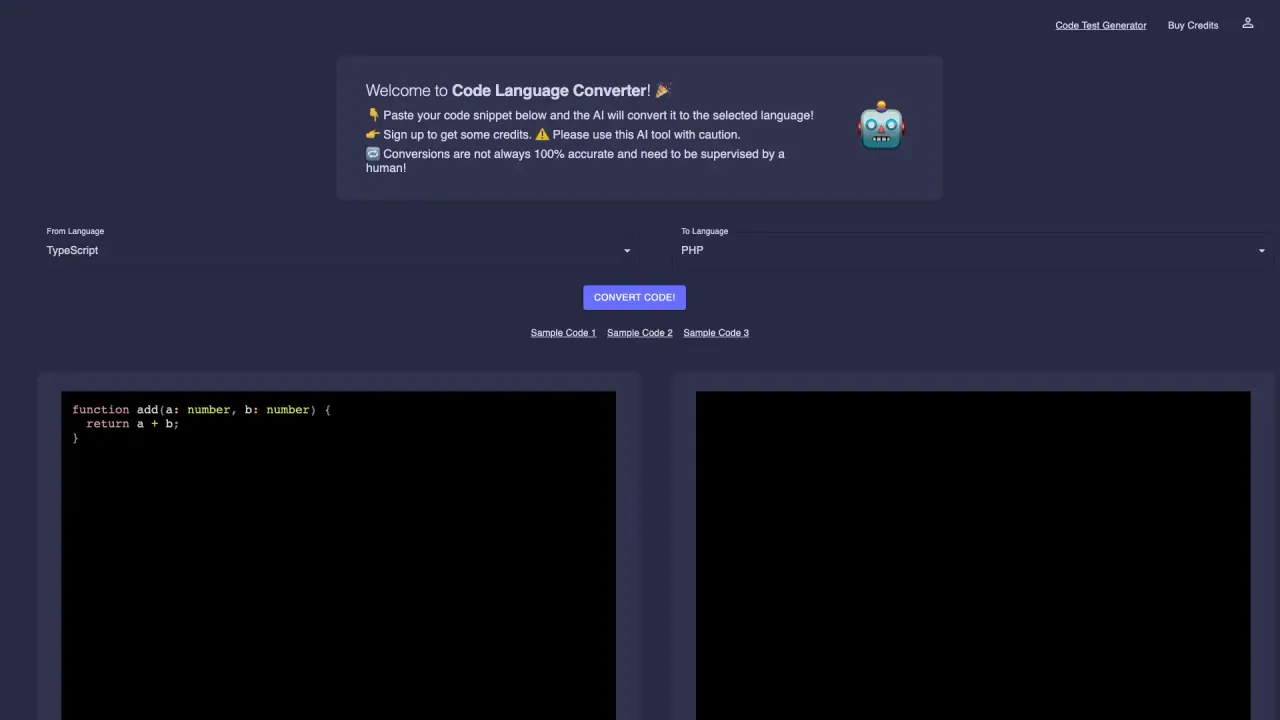
What does CodeLanguageConverter do?
What is CodeLanguageConverter and what does it do?
CodeLanguageConverter is an online tool that lets you transform code from one programming language to another. You paste your source code, select the source and target languages, and the Converted Code panel displays the result for easy copying and pasting into your editor.
Which programming languages does CodeLanguageConverter support?
CodeLanguageConverter supports a wide range of languages, including but not limited to Python, JavaScript, Java, TypeScript, C++, C#, PHP, C, Go, Ruby, Swift, Kotlin, Rust, R, MATLAB, Perl, Dart, Scala, Objective-C, Lua, Haskell, Elixir, Julia, Clojure, Groovy, Visual Basic, Fortran, COBOL, Erlang, F#, and more.
Can CodeLanguageConverter help me learn new programming languages?
Yes. By converting code snippets between languages, you can compare syntax and constructs side by side, which can be a practical way to learn how similar logic is expressed differently across languages.
Do I need an account to use CodeLanguageConverter?
You can use the converter, but to view your conversion history you need to log in. Signing up creates an account and unlocks additional features, including access to your history.
How can I view my conversion history?
Log in to the site to access your Conversion History. Your past conversions are available to you after you sign in.
How do I perform a code conversion?
- Paste your source code into the SOURCE CODE area. 2) Choose the source and target languages. 3) Click Convert to generate the code shown in the CONVERTED CODE panel. You can then copy the converted code from there.
Is there a sample I can try to see how it works?
Yes. The interface includes a Sample section to preview conversions, helping you understand how your code will be transformed.
Where can I learn more about pricing, privacy, and terms?
You can find information on Pricing, Privacy, and Terms by using the links at the bottom of the page.
Is this your tool?
Claim CodeLanguageConverter to manage this listing, or upgrade to Pro for featured-first placement and a newsletter feature.