
ChathubGG
AI Multi Chatbot Tools
ChatHubGG runs multiple AI chatbots at once so you can compare answers, generate images, and analyze uploaded files in one place.
Promoted
 Pixmax.aiPixmax.ai is an all-in-one AI workspace for videos, visual stories, and marketing content.
 RewindType any X/Twitter handle. Get their year back as a narrated video story. Then ask it anything.
 KurodyneSell the tools from your AI side projects. Listing is free.
 Sidrune AI85% off. Stable Claude API for agent developers. Pay as you go. Invoices & refunds available.
 SEOify - Improve your SEO & rankingsBuild links to rank in Google. Improve your DR with links you can start building now.Advertise here270,000+ people visit Dang.ai every month.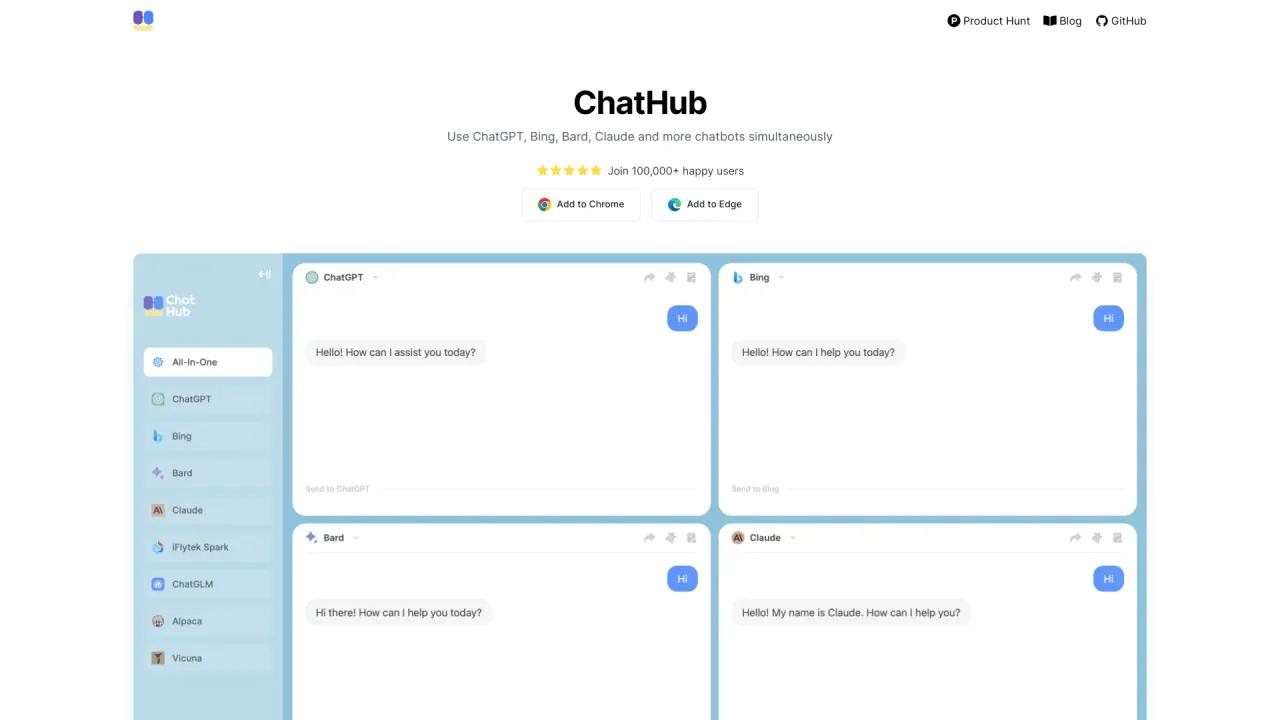
What does ChathubGG do?
ChatHubGG is an AI chat app built for getting stronger results by using multiple AI models simultaneously. Instead of relying on a single chatbot, you can send one question and compare how different models respond—helping you spot differences, reduce uncertainty, and choose the best direction.
ChatHubGG includes access to major models such as GPT-6, Claude 5, Gemini 3, and Llama 4, along with 20+ additional chatbots. Its workflow centers on “one question, multiple AI responses,” so you can evaluate answers that may vary in reasoning, tone, or emphasis.
Beyond chat, ChatHubGG supports AI image generation with models like Nano Banana, FLUX.2, and Stable Diffusion, plus other leading image tools. You can also upload documents, images, PDFs, and spreadsheets to get AI-powered insights and analysis.
Use it on the go or at your desk: it’s available as a web app and browser extension, with native iOS and Android support and desktop applications for Windows and macOS. Pricing includes a free way to get started, with more usage and features available via a premium plan.
What is ChatHubGG best for?
ChatHubGG is designed for comparing multiple AI model answers to the same prompt, so you can choose the response that’s most useful.
Can I chat with more than one AI model at the same time?
Yes. ChatHubGG is built around “one question, multiple AI responses,” letting you view different model outputs together.
Which AI chatbots are available in ChatHubGG?
ChatHubGG supports GPT-6, Claude 5, Gemini 3, Llama 4, and 20+ other chatbots.
Does ChatHubGG offer image generation?
Yes. You can generate images using models such as Nano Banana, FLUX.2, and Stable Diffusion.
What file types can I upload for AI analysis?
You can upload documents, images, PDFs, and spreadsheets for AI-powered insights.
Is ChatHubGG free, and what changes with premium?
You can start for free, but you’ll need to upgrade to the premium plan to access more usage and features.
Is this your tool?
Claim ChathubGG to manage this listing, or upgrade to Pro for featured-first placement and a newsletter feature.