
Memtime
Verified
Automatic Time Tracker
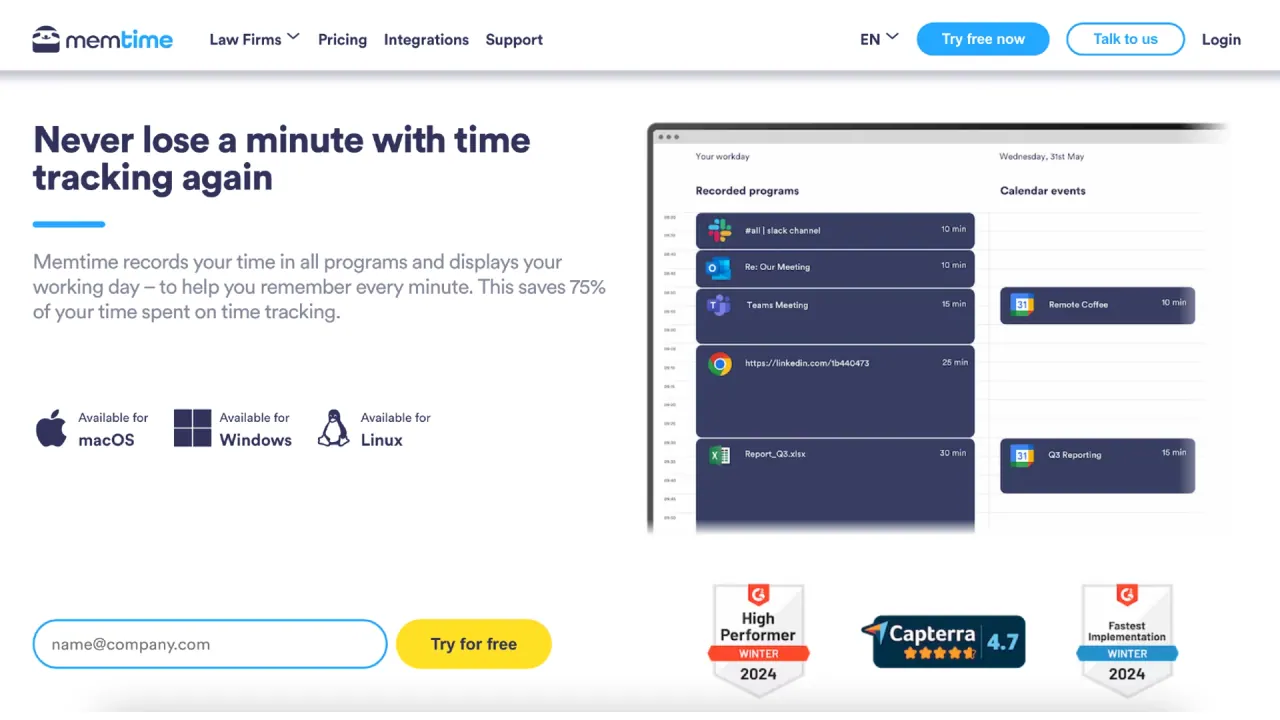
Memtime is a time tracker that acts like a second memory.
- Pricing
- Free trial
- Category
- Productivity
- Listed
- Mar 2, 2024
- Updated
- May 25, 2026
What does Memtime do?
How does Memtime guarantee privacy in time tracking?
Memtime keeps all activity data offline on the user’s device. The data is not sent to any server, and it cannot be accessed by bosses, colleagues, or Memtime itself. Memtime is designed to be privacy-first and not suitable for employee monitoring.
What does Memtime track and how does it record time across windows?
Memtime records time spent in the foreground window—the active window you’re using. When you switch to another window, Memtime records time for that new active window and shows it in your timeline. It can read details like file names, email subjects, or browser tab titles to help identify what you worked on.
On which platforms and environments does Memtime run?
Memtime runs on Windows (including Windows Server 2016, 2019, 2022, and 2025), macOS, and Linux. Chromebooks, iPhones/iPads, and Android devices are not yet supported. It can be installed on Windows Server and used in terminal servers, ASPs, and Citrix.
Can I use Memtime on multiple devices?
Yes. Memtime is licensed per user, not per device, so you can install Memtime on as many devices as you like.
Does Memtime work on terminal servers, ASPs, Citrix, and similar environments?
Yes. Memtime can be installed on Windows Server 2016, 2019, 2022, and 2025 and can operate in terminal servers, ASPs, Citrix, and similar environments.
How do I integrate Memtime with project software?
Create a Memtime account and select your project software from a list during configuration. Then log in to your project software once when you install Memtime. You can export time entries as reports or sync them with your project software.
Can I export time entries to accounting software?
Yes. Memtime supports exporting time entries to accounting software (e.g., Xero, QuickBooks Time, FreshBooks, and others).
Can Memtime read details like file names, email subjects, or browser tab titles?
Yes. Memtime can read information such as file names, email subjects, or browser tab titles to help you identify what you worked on.
Who can see my data? Can bosses monitor employees with Memtime?
Memtime cannot be used for employee monitoring. It is an offline tool with all tracking data stored on the user’s device and never on a server, so bosses or colleagues cannot access it.
Can I review and log time for past days?
Yes. You can go back to any day to remember what you worked on, when, and for how long, and you can log time on projects from that view.
How do I get started with Memtime?
4 simple steps:
- Install Memtime by downloading the desktop app.
- Configure basic settings (e.g., how you want the activity timeline displayed).
- Let Memtime run in the background.
- Review your day in the activity timeline and log time for projects as needed.
Can I try Memtime for free?
Yes. Memtime offers a 14-day free trial with no credit card required. You won’t be auto-charged after the trial ends.
Where can I learn more about Memtime's policies and terms?
You can access Memtime’s Privacy Policy, Terms & Conditions, Data Security, Cookie Settings, and related policy pages on the Memtime site.
Is there a mobile app for Memtime?
Mobile apps are not available yet. Memtime currently supports desktop on Windows, macOS, and Linux. Support for ChromeOS, iOS, and Android will come when those platforms permit activity tracking.
Is this your tool?
Claim Memtime to manage this listing, or upgrade to Pro for featured-first placement and a newsletter feature.