AI Music Splitting Tool
.webp)
How do I sign up or sign in to LALAL.AI?
Click Log In in the upper right corner of the LALAL.AI site page. You can register or log in via email, Google, or Facebook. If you sign in via email, you’ll receive a one-time verification code by email and a temporary authorization link. Enter the code on the site to access your account. The code expires 10 minutes after being sent. If you don’t use it in time, you can request a new code or click the authorization link in the email (the link is valid for 24 hours). If you don’t use the link within 24 hours, you’ll need to re-enter your email address on the site.
What formats does LALAL.AI support for input and output?
Input formats:
- Audio: MP3, OGG, WAV, FLAC, AIFF, AAC
- Video: AVI, MP4, MKV
Output behavior:
- By default, results are provided in the same format as the uploaded file.
- Premium users can choose an output format after processing previews: open the Split in Full flow and select your desired output format from the options.
- For video inputs, you can either keep the video format or select an audio format for the audio stems (MP3, OGG, AAC, AIFF, WAV, FLAC). If you don’t select a format in the preview step, the results will be in the original video format.
What stems can I extract with LALAL.AI?
- Vocal
- Instrumental
- Drums
- Bass
- Piano
- Acoustic Guitar
- Electric Guitar
- Synthesizer
Note: LALAL.AI also offers related features in Voice Cleaner workflows (e.g., De-Echo) that affect how certain stems are processed.
How can I improve stem-splitting quality?
- Ensure your input file is high quality. Higher bitrate (e.g., 320 kbps MP3) captures more detail.
- Use lossless formats when possible (WAV or FLAC) to preserve audio quality.
- Choose tracks where different instruments or vocals are clearly defined and have distinct frequency ranges.
- Use the preview option to evaluate stems before full processing.
- Consider advanced features:
- Enhanced Processing to reduce cross-bleeding or preserve details (choose Clear Cut or Deep Extraction).
- De-Echo in the settings to reduce echo/reverb (especially for Vocal/Voice stems).
- Experiment with the latest available neural networks in Stem Splitter and Voice Cleaner settings.
How do Enhanced Processing and De-Echo work, and how can I use them?
Enhanced Processing:
- Works with the main stem separation networks (Phoenix, Orion, Perseus) to improve separation.
- Two modes: Clear Cut (less cross-bleeding, cleaner output but may suppress some detail) and Deep Extraction (captures more detail but may increase cross-bleeding).
- Available in the settings during upload/preview for stems such as Vocal and Instrumental, Drums, Piano, Acoustic Guitar, and Electric Guitar.
De-Echo:
- Removes echo/reverberation from vocals/voice stems to improve clarity.
- Accessible in the settings during upload/preview. Works with Vocal/Instrumental or Voice and Noise stems.
How does Noise Canceling Level work and how do I adjust it?
Three levels of noise reduction:
- Mild: preserves original character with minimal processing.
- Normal: soft compression to reduce background noise while preserving the main audio.
- Aggressive: stronger compression to reduce background noise, which may alter the overall tone.
To adjust:
- Open the main LALAL.AI site page.
- In the upload area, expand the Stem options, select Voice and Noise stem.
- Open Settings, find Noise Canceling Level, and choose Mild, Normal, or Aggressive.
- Proceed with your upload.
What is the activation key and where can I find it?
Activation key is a unique code for premium features. It can be found in your LALAL.AI profile (you must be logged in) and is also included in your purchase email. The key allows activation on multiple devices/browsers and for API access.
How does pricing and subscription work, including the 50% off sale?
- There is a recurring payment model: monthly or annual billing on the same day each period.
- XMAS SALE: 50% off Annual Subscriptions until 01/09/2026.
Plans (high-level overview):
- Starter: Always Free (basic access)
- 10 Minutes of Free Result Previews
- 200MB Upload File Limit
- Lite: Approximately $3.75 per month when billed monthly (about $45 per year when billed annually)
- 2GB Upload File Limit
- Access to minutes in certain queues (e.g., Fast/Relaxed) as shown in the plan
- Pro: Approximately $7.50 per month when billed monthly (about $90 per year when billed annually)
- 2GB Upload File Limit
- More monthly minutes (higher than Lite)
- Includes new features Early Access
Notes:
- Prices and minute quotas are shown in the plan table and can vary with promotions.
- By purchasing, you agree to the Refund Policy and Privacy Policy.
What are Fast and Relaxed splitting modes, and how do minutes work?
- Fast mode: Immediate access to the server and instant processing.
- Relaxed mode: Files are queued and processed as server time becomes available.
- You cannot switch between modes during a single track; minutes are consumed per file according to the chosen mode and stem separation types.
- Each month, Fast mode processing is used first until its minute limit is reached; after that, processing continues in Relaxed mode automatically.
How are minutes deducted from my account?
Minutes are deducted based on the file length multiplied by the number of stem separation types you select for that file. Example:
- File length: 5 minutes
- Selected separation types: Drums, Piano, Vocal/Instrumental
- Total minutes deducted: 5 minutes × 3 types = 15 minutes
The service offers different separation types per file (e.g., Vocal + Instrumental, Drums, Piano, Bass, etc.).
Where can I see my remaining minutes?
All limits are displayed in your profile. On the site, hover over the minute balance at the top-right; it expands into a window with subscription details and remaining minutes.
Can I extend my Fast mode minutes?
Yes. To add more minutes, contact the support team at support@lalal.ai.
Do you offer enterprise or large-scale pricing or API access?
Yes. For enterprise needs, please contact support@lalal.ai to discuss pricing and options, including API access where applicable.
How do I cancel a subscription, and what happens to my remaining minutes?
- Hover over the minute balance at the top-right to open the subscription window.
- Go to Profile and click Manage Subscription.
- Click Cancel Subscription.
- You can continue to use the service until the expiration date shown in the same window. The remaining minutes and premium features stay usable until then.
What happens to unused Fast minutes at the end of my subscription month?
Fast minutes reset at the beginning of each new subscription period. Unused Fast minutes do not roll over to the next month. Use them before renewal if you want to maximize value.
How can I upload multiple files at once and what are the file-size limits?
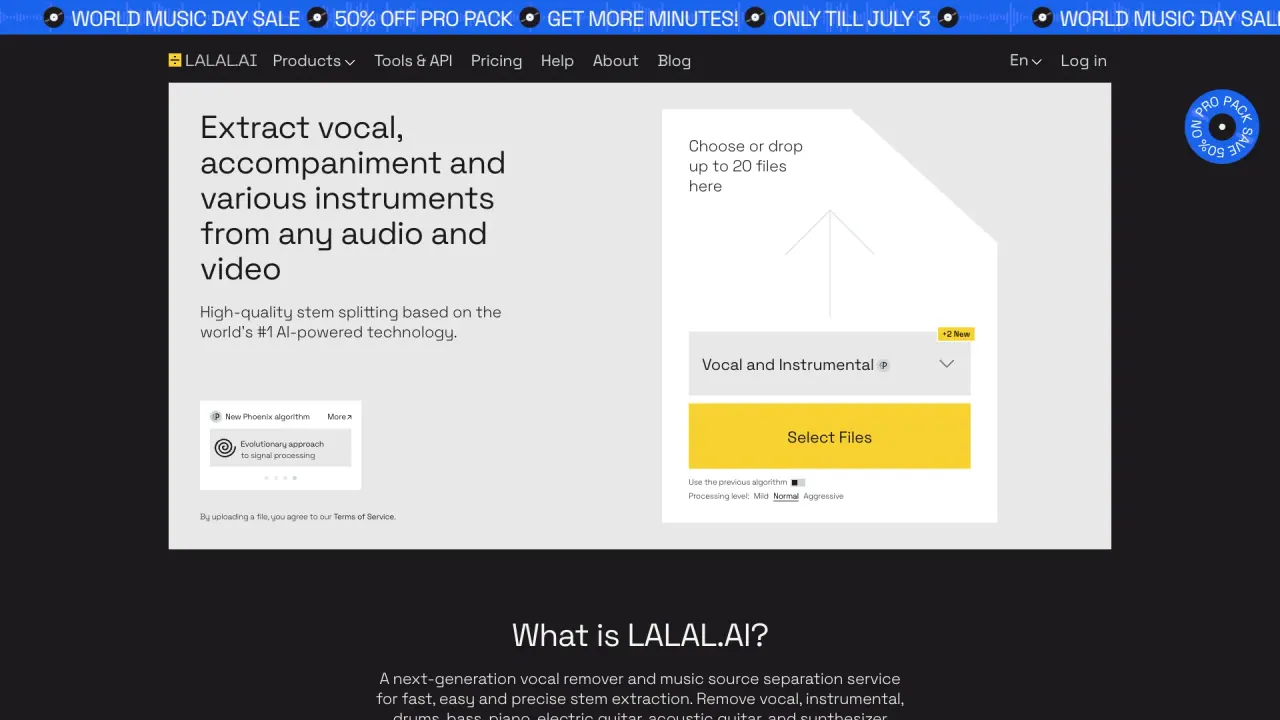
- You can upload up to 20 files at once to split into stems.
- Per-file upload limits depend on your plan:
- Starter: 200MB per file
- Lite/Pro: 2GB per file
Are there platform apps for LALAL.AI?
Yes. You can download and use:
- Desktop app for macOS and Windows
- iOS App
- Android App
- Web access (via the site)
The pages also reference App Store and Google Play for download.
Is there a free trial or starter access, and what does it include?
- Starter plan is Always Free with limited features.
- It includes a limited preview and smaller upload limits, designed to let you try the service before upgrading.
Do I need to agree to Terms of Service to upload files?
Yes. By uploading a file, you agree to LALAL.AI’s Terms of Service.