WritemyPRD
Product Requirement Document AI Writer
Effortlessly draft impactful Product Requirement Documents with an AI-powered writer.
Promoted
 Sidrune AI85% off. Stable Claude API for agent developers. Pay as you go. Invoices & refunds available.
 Pixmax.aiPixmax.ai is an all-in-one AI workspace for videos, visual stories, and marketing content.
 RewindType any X/Twitter handle. Get their year back as a narrated video story. Then ask it anything.
 KurodyneSell the tools from your AI side projects. Listing is free.
 SEOify - Improve your SEO & rankingsBuild links to rank in Google. Improve your DR with links you can start building now.Advertise here270,000+ people visit Dang.ai every month.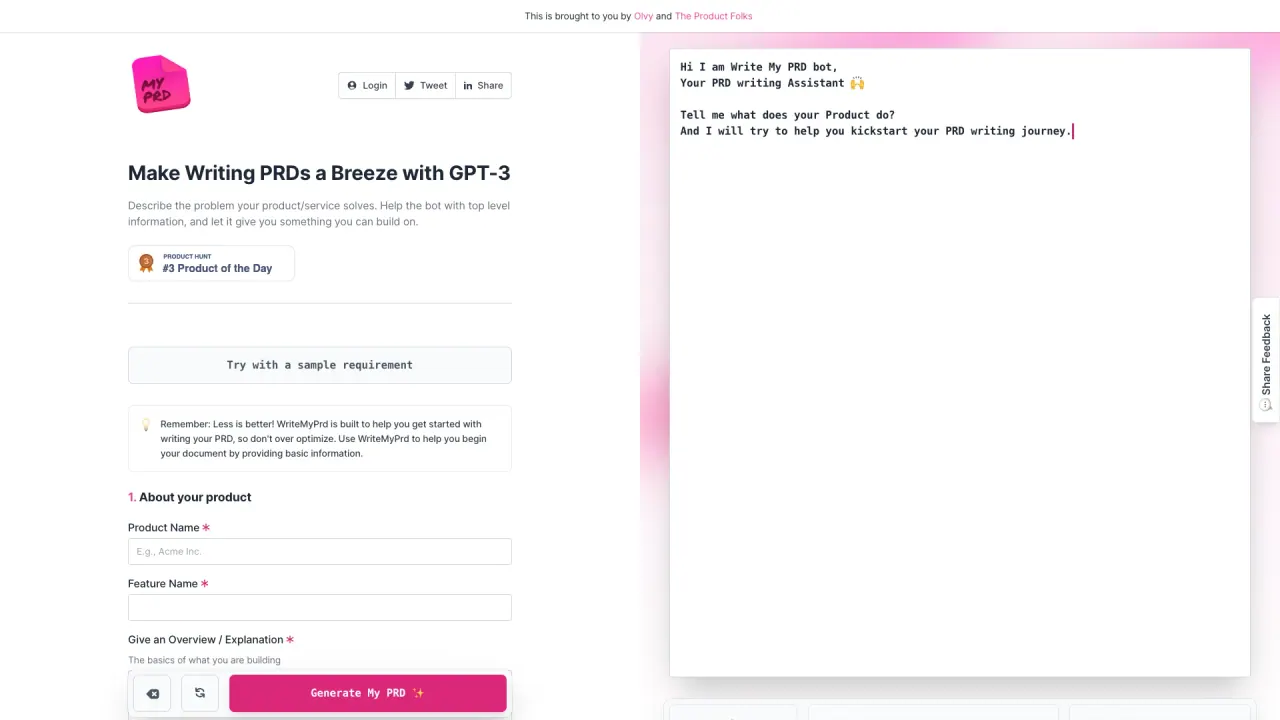
What does WritemyPRD do?
How does WriteMyPRD speed up feedback analysis?
WriteMyPRD utilizes AI technology to accelerate the feedback analysis process by up to 10x. This is achieved through Olvy 3.0, a tool designed to streamline the organization and evaluation of user feedback, helping you quickly identify key insights and actionables for your product.
What resources does WriteMyPRD provide to assist in writing PRDs?
WriteMyPRD offers a range of resources to aid PRD creation, including:
- A step-by-step guide on building an effective PRD (curated by Razorpay)
- A collection of product management templates highlighted in Lenny's Newsletter
- Free PRD templates available for download to start your documentation quickly
What is Olvy 3.0 and how does it assist in product development?
Olvy 3.0 is a tool integrated within WriteMyPRD that drastically speeds up the feedback analysis process using AI. It helps product teams quickly sift through qualitative feedback, delivering faster insights and actionables to improve the product and streamline development.
How do I start creating my PRD with WriteMyPRD?
Start by describing your product and providing top-level information:
- About your product — Product Name, Feature Name, and an Overview
- Define your Requirement — Features, details, and user feedback
- Generate My PRD — Generate the document
After generation, you can copy the PRD, open Slack to share, or download the document.
Can I download free PRD templates to start my document?
Yes. PRD templates are available for free download to help you start quickly.
Is this your tool?
Claim WritemyPRD to manage this listing, or upgrade to Pro for featured-first placement and a newsletter feature.