
HeyGen
AI Video Generator
Instantly generate professional videos with HeyGen, the AI Video Generator. Revamp your content creation with this powerful tool.
Promoted
 Sidrune AI85% off. Stable Claude API for agent developers. Pay as you go. Invoices & refunds available.
 Pixmax.aiPixmax.ai is an all-in-one AI workspace for videos, visual stories, and marketing content.
 RewindType any X/Twitter handle. Get their year back as a narrated video story. Then ask it anything.
 KurodyneSell the tools from your AI side projects. Listing is free.
 SEOify - Improve your SEO & rankingsBuild links to rank in Google. Improve your DR with links you can start building now.Advertise here270,000+ people visit Dang.ai every month.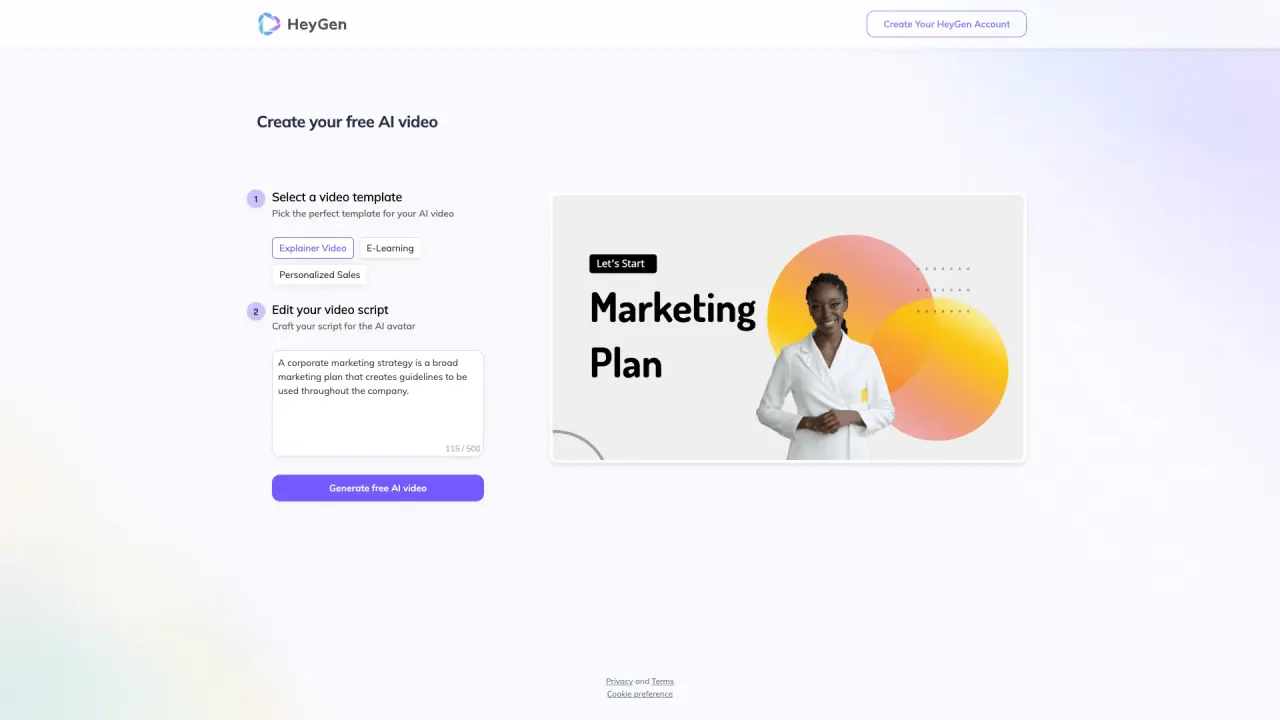
What does HeyGen do?
What is HeyGen and what can I do with it?
HeyGen is an AI video generator that lets you create full AI-powered videos from a text script, an image, or an audio clip. It can include voiceovers, translations, and brand-consistent styles. You can choose from avatars (stock or custom), turn photos into talking visuals, and produce videos in formats that fit your brand and audience.
What inputs can I use to create AI videos?
You can generate AI videos from text and images, stock images, or audio. You can also upload a reference image to animate an avatar or transform a photo into a talking video. HeyGen supports multiple voices, accents, and languages for your narration.
How do I create an AI video of myself?
Upload a short clip or reference image, then type your script in HeyGen. The platform will generate a video with realistic AI motion and voice. You can animate, adjust format, and create explainers, social clips, or other content.
What types of videos can I create with HeyGen?
HeyGen can be used to create explainer videos, marketing and sales promos, product demos, training and onboarding content, personalized outreach videos, and social media clips. It uses realistic AI avatars, natural voices, and multilingual translation to scale production.
Can I customize branding and collaborate with my team?
Yes. You can upload your brand elements (logos, colors, fonts, images, and videos) to keep videos on-brand. You can also collaborate with teammates on the platform by commenting, tagging, and editing together in real time.
Can I translate or dub videos into other languages?
Yes. HeyGen supports 175+ languages and dialects with natural lip-sync and subtitles that preserve voice, tone, and pacing. You can auto-translate videos and localize content at scale, with voice cloning helping to keep a consistent voice across languages.
How does audio and voice work? Can I use my own voice or clone a voice?
HeyGen offers multiple voice styles, languages, and avatars. It supports voice cloning to keep your chosen voice consistent across languages, and it provides lip-sync to match the visuals with the audio.
How long does it take to generate a video?
Many videos generate in about a minute. Longer videos, more scenes, or heavier effects may take a few minutes, but generation is generally fast.
What is Studio Editor and how does it help?
Studio Editor (AI Studio) is a text-based editor designed for a human-first storytelling experience. It lets you direct, refine, and personalize videos from first draft to final, with branding, collaboration, and easy editing capabilities.
What avatar options are available?
HeyGen offers several avatar options, including Avatar IV (the most advanced model), Video Avatar (live-action style from a wearer), Photo Avatar (from a single image with text instructions), and Stock Avatar (over 1,000 AI avatars). You can customize expressions, gestures, clothing, backgrounds, and movements.
Is HeyGen secure and who owns the videos?
Yes. HeyGen prioritizes data safety and ethical avatar use. You own your AI-generated videos and visuals, so you can publish content confidently for marketing or training.
Is there an API to integrate HeyGen into my workflow?
Yes. HeyGen provides an API to bring AI video generation into your creator workflows, making it easy to generate high-quality videos without switching tools. You can explore available integrations.
What are the pricing options? Is there a free plan?
HeyGen offers a free plan that supports text-to-video and AI-generated video creation. Paid plans add advanced AI features, video editor options, and multi-format support. Enterprise pricing exists and is typically handled via sales.
What video formats and resolutions can I export?
HeyGen can generate high-quality videos at 1080p or 4K resolution, with options for voiceovers, visuals, and avatars.
Do you offer enterprise pricing or needs for large organizations?
Yes. Enterprise pricing is available, and you should contact sales for details and a tailored quote.
How do I get started with HeyGen?
Get started for free by signing up. From there, you can choose templates, upload assets, type your script, and begin generating AI videos.
Is this your tool?
Claim HeyGen to manage this listing, or upgrade to Pro for featured-first placement and a newsletter feature.