Tattoos AI
AI Tattoo Design Generator
Unlock your perfect tattoo design with our AI-powered generator. Join now!
What does Tattoos AI do?
How does Tattoos AI work and what inputs do I provide?
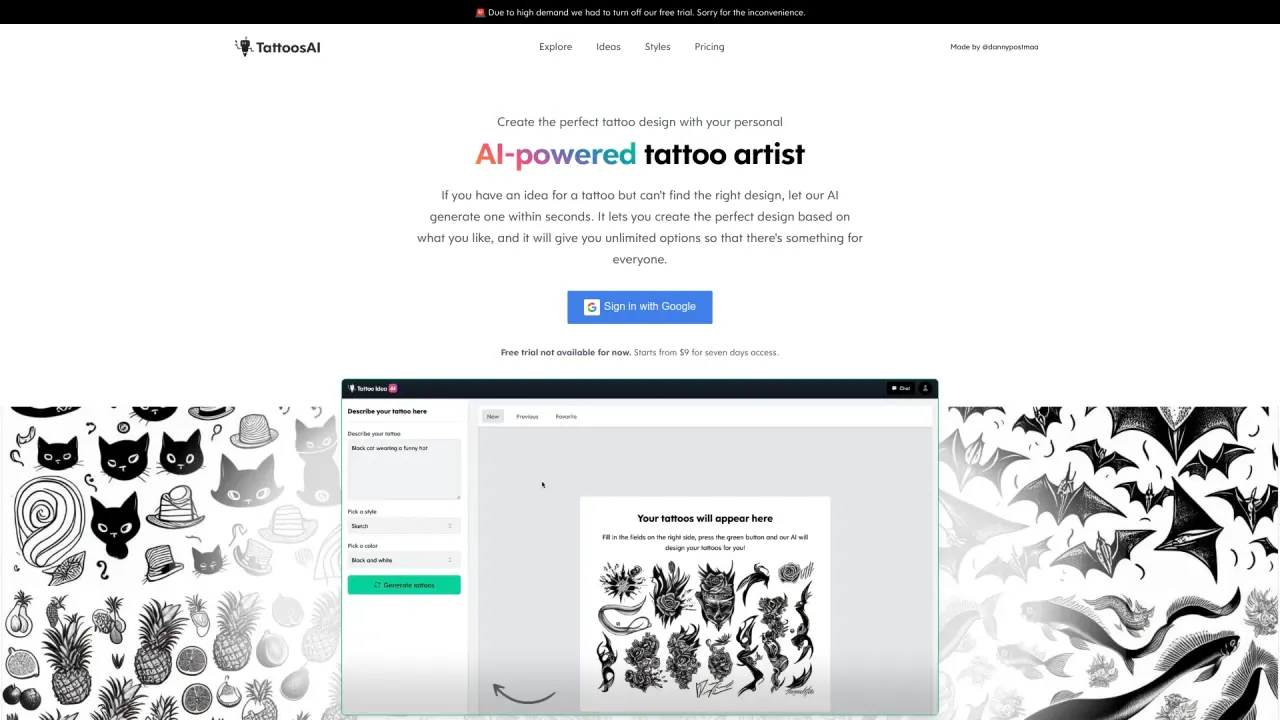
Tattoos AI works like your personal digital tattoo designer. It turns your ideas into designs in 3 easy steps:
- Enter your idea — describe your tattoo in the prompt input field. The more descriptive you are, the better. No concept is too complex.
- Select style and color — choose the style you want from our wide range of options and pick colors.
- Get your tattoo design — the AI generates a few unique concepts based on the inputs you provided.
Beyond the prompts, you can also experiment with different styles and color options to customize your design.
How many styles are available and which styles are included?
Over 18 tattoo styles are available to choose from. Examples include:
- Geometrical
- Watercolor
- Dotwork
- Old School
- Minimalist
- 3D
- Blackwork
- Geometric
- Japanese
- Portrait
- Sketch
- Surreal
- Realistic
- Tribal
- Black and White
- Cartoon
- Lettering
- Color
Can I customize or modify AI-generated designs?
Yes. AI-generated designs can be used as the final output or as a starting point. You can tweak and adjust them to make your tattoo unique and exactly what you want.
Are AI-generated designs unique?
Yes. Each AI-generated tattoo is 100% unique. The AI synthesizes concepts from scratch so no two designs are the same.
How does the AI handle different tattoo styles?
The AI is designed to work across a broad range of styles—from traditional and tribal to watercolor, geometric, and more. You can select the style from the menu to tailor the design to your aesthetic.
Is there a way to preview the tattoo on my body using the AI?
Not at this moment. We are working on a tattoo simulator that would let you preview how a design looks on your skin in the future. Stay tuned for updates.
How do I request changes to a design?
You can generate as many designs as you want. If you don’t like a concept, try another prompt in the input field. Descriptive prompts tend to yield the best results.
Are the designs I create kept private?
On the basic plan, designs are added to the exploration gallery. If you want to keep your designs private, you can upgrade to the pro plan, which allows you to keep designs private.
What are the benefits of Tattoos AI?
- Personalized tattoo design: choose from various categories, themes, styles, and colors to get a design that fits you.
- AI-powered tattoo generator: quickly access abundant ideas and generate designs based on your prompts.
- Vast design library: discover fresh ideas across multiple styles.
- Personal AI Tattoo Designer: chat with the AI for feedback, suggestions, and modifications.
- Design sharing and printing: save, share, or download designs; print on temporary tattoo paper to try the look before committing.
What does the "Surprise me" feature do?
There is a "surprise me" option for style selection. This feature adds an element of spontaneity, offering unexpected and exciting results for your tattoo design.
What are the pricing options and how much do they cost?
- Free Trial: Sign in with Google to access eight tattoo designs via the AI-powered tattoo generator. You also gain access to old designs. This plan does not include a personal AI tattoo designer.
- 7-Day Pass: $9.99 for 7 days of access, unlimited tattoo designs, and includes a personal AI tattoo designer.
- Subscription: $14.99 per month or $99.99 per year, with unlimited design options, a personal AI tattoo designer, access to old designs, and more features.
What can I do with the final design (save, share, print)?
Once you finalize a design, you can save it for future reference, share it with friends, or download it. Tattoos AI even supports printing the design on temporary tattoo paper so you can try it on your skin before committing to a permanent tattoo.
Is this your tool?
Claim Tattoos AI to manage this listing, or upgrade to Pro for featured-first placement and a newsletter feature.