
Audio Enhancer
Verified
AI Audio Enhancer - Remove Background Noise
Enhance audio with AI—reduce noise, boost clarity, and optimize sound for music, podcasts, and voice recordings.
Promoted
 Sidrune AI85% off. Stable Claude API for agent developers. Pay as you go. Invoices & refunds available.
 Pixmax.aiPixmax.ai is an all-in-one AI workspace for videos, visual stories, and marketing content.
 SEOify - Improve your SEO & rankingsBuild links to rank in Google. Improve your DR with links you can start building now.Advertise here270,000+ people visit Dang.ai every month.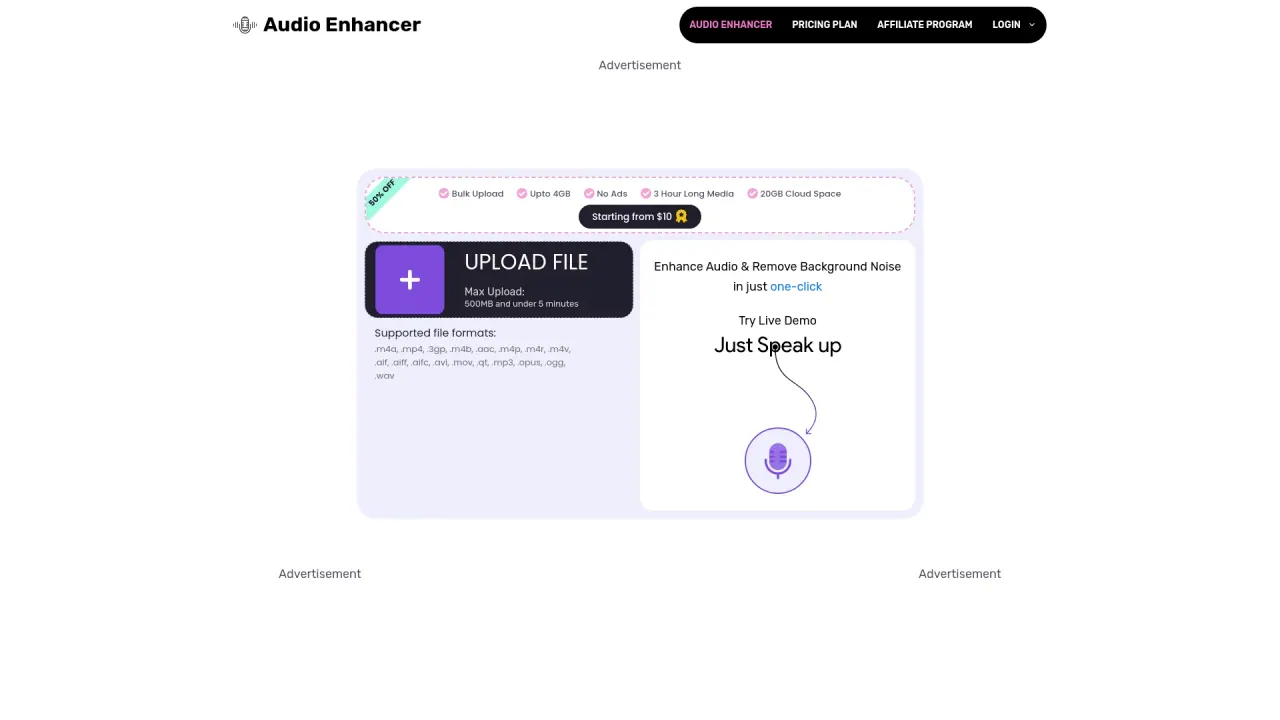
What does Audio Enhancer do?
What audio file formats are supported by Audio Enhancer?
Audio Enhancer supports a wide range of audio and video formats, including .m4a, .mp4, .3gp, .m4b, .aac, .m4p, .m4r, .m4v, .aif, .aiff, .aifc, .alac, .amr, .avi, .caf, .flac, .flv, .m4a, .m4b, .m4p, .m4r, .m4v, .mkv, .mov, .mp3, .mp4, .mpeg, .ogg, .opus, .qt, .ts, .vob, .wav, .webm, .wmv, and .wma.
How does Audio Enhancer improve audio quality in podcasts and videos?
Audio Enhancer uses AI technology to improve audio clarity and reduce unwanted background noise. It helps enhance vocal emphasis while removing sibilance, hum, and echo, making podcasts and video content more clear and professional.
What tools are available in Audio Enhancer?
Audio Enhancer offers a suite of tools, including Noise Remover, Echo Remover, Hum Reduction, Sibilance Reduction, Mouth Click Reduction, Vocal Remover, and other utility tools. The platform also features Stem Splitter, BPM Finder, Voice Changer, Loudness Meter, Audio File Analyzer, Mic Test, Music Mastering, and Audio Recorder.
How do I use Audio Enhancer?
- Drop your audio or video file into the enhancer (Drop Audio/Video to Enhance).
- Choose to Upload or Record.
- The tool processes the file to remove noise and improve clarity.
- Download the enhanced file.
What is the maximum upload limit for files under 10 minutes, and can I increase it?
Max upload limit is 150 MB for files under 10 minutes. Upgrading to a premium plan increases limits (e.g., larger file size and longer duration allowances as described in the plan details).
Is there a free option to use Audio Enhancer?
Yes, Audio Enhancer offers a free option to get started with AI audio enhancement.
What does the Premium plan include, and how much does it cost?
Premium Plan costs $50 per year (80% off $240). It includes up to 720 minutes per year, up to 2 GB file size, 60-minute long files, 5 GB of cloud storage, bulk upload, and an ad-free experience.
Where can I find pricing and plan details?
Pricing and plan details are available on the Pricing Plan page of Audio Enhancer.
How can I contact support if I need help?
You can reach support at help@audioenhancer.ai.
Do you support drag-and-drop and recording for input?
Yes. You can drop audio/video files to enhance, or use the Upload or Record options to input your media.
This listing is claimed
Own Audio Enhancer? Sign in with the email used to claim it to manage this listing, or upgrade to Pro for featured-first placement and a newsletter feature.