
PostPlanify
AI Social Media Scheduling Tool
Social media scheduling tool with AI captions, post previews, Canva integration, and more.
- Pricing
- Free trial
- Category
- Scheduling
- Listed
- Jul 11, 2025
- Updated
- May 25, 2026
Promoted
 KurodyneSell the tools from your AI side projects. Listing is free.
 Sidrune AI85% off. Stable Claude API for agent developers. Pay as you go. Invoices & refunds available.
 Pixmax.aiPixmax.ai is an all-in-one AI workspace for videos, visual stories, and marketing content.
 RewindType any X/Twitter handle. Get their year back as a narrated video story. Then ask it anything.
 SEOify - Improve your SEO & rankingsBuild links to rank in Google. Improve your DR with links you can start building now.Advertise here270,000+ people visit Dang.ai every month.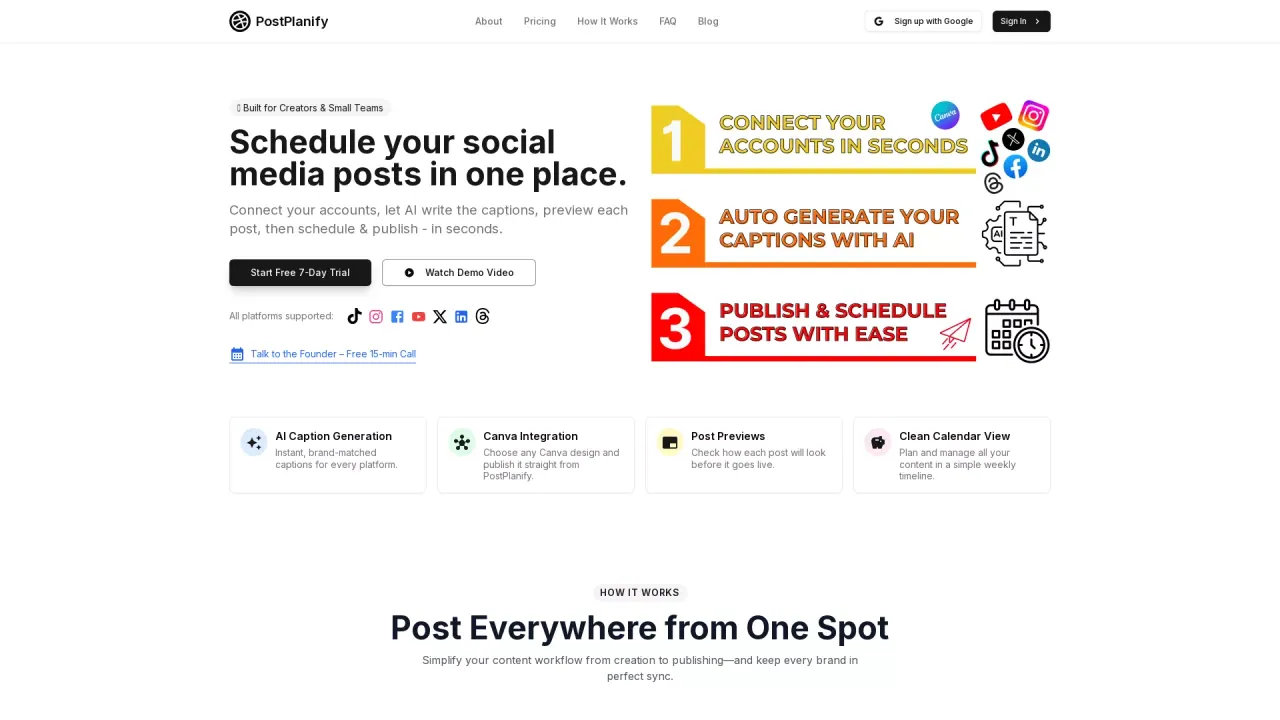
What does PostPlanify do?
What is PostPlanify, and who is it for?
PostPlanify is a social media scheduler built for creators, agencies, and teams. It helps you create, schedule, and publish posts across major platforms from a single dashboard. It’s designed for both solo creators and teams to stay consistent without the chaos.
Which social platforms does PostPlanify support?
PostPlanify supports Instagram, X (Twitter), Facebook, LinkedIn, YouTube, TikTok, Threads, Pinterest, and Bluesky. Google Business is listed as coming soon.
What are the main features of PostPlanify?
Key features include:
- Simple Calendar for a clean, unified planning view
- AI captions tailored to your brand
- Detailed Analytics to track performance
- Team Collaboration with shared calendars and post approvals
- Bulk Scheduling for multiple posts at once
- Canva & Google Drive Integration
- Post Previews to see how posts will look before publishing
- Hashtag Manager to optimize reach
- Progress streaks and rewards to stay motivated
How does the Canva & Google Drive integration work?
The Canva & Google Drive integration lets you import media directly from Canva and Google Drive with one-click, avoiding manual downloads. It supports bulk uploads and saves time by keeping your assets in sync and ready to publish.
How does the AI caption generator work?
The AI caption feature generates captions in your brand voice, fixes grammar, improves readability, and can rephrase or adjust tone. It’s available for TikTok, Instagram, and X (Twitter), with other platforms coming soon.
Can I preview my posts before publishing?
Yes. Post previews are available for all platforms, so you can verify how each post will look before it goes live.
What media types can I schedule and publish?
You can schedule and publish images, videos, carousels, stories, and text.
Can I schedule posts to multiple platforms at once?
Yes. You can schedule posts to multiple platforms in one go.
Do I need a credit card to start the free trial?
No. PostPlanify offers a 7-day free trial with no credit card required.
Do you offer yearly billing, and are discounts available?
Yes. Yearly billing is available and includes a discount equivalent to 2 months free.
What are the pricing plans and how many social accounts do they include?
- Starter: $19/month, 3 social accounts
- Growth: $39/month, 10 social accounts (Most Popular)
- Premium: $69/month, Unlimited social accounts
What is included in Starter, Growth, and Premium plans?
- Starter (Best for individuals): Unlimited scheduled posts, AI Assistant, Post Previews, Canva & Google Drive Integration, Hashtag Manager, 3 social accounts
- Growth (Best for creators): All Starter features plus Bulk Scheduling, Schedule 1st Comments & Threads, 10 social accounts
- Premium (Best for agencies & teams): All Growth features plus Team Members + Post Approvals, Analytics, Priority Human Support, Unlimited social accounts
Are carousels and other media supported in scheduling?
Yes. Bulk Scheduling supports images, videos, carousels, stories, and text. Post previews and platform support apply to these media types.
Is my data safe with PostPlanify?
Yes. PostPlanify states that your data and social media account information are safe.
Can I invite team members and set post approvals?
Yes. The Team Collaboration features include unlimited team members, a shared content calendar, editors/clients, and post approval workflows.
What analytics are available?
PostPlanify provides detailed performance metrics to track engagement and reach, helping you make data-driven decisions.
This listing is claimed
Own PostPlanify? Sign in with the email used to claim it to manage this listing, or upgrade to Pro for featured-first placement and a newsletter feature.