
NextStep
AI Process Management
Create and run step-by-step repeatable SOPs, workflows and checklists.
- Pricing
- Free trial
- Category
- Project Management
- Listed
- Jul 14, 2025
- Updated
- May 25, 2026
Promoted
 KurodyneSell the tools from your AI side projects. Listing is free.
 Sidrune AI85% off. Stable Claude API for agent developers. Pay as you go. Invoices & refunds available.
 Pixmax.aiPixmax.ai is an all-in-one AI workspace for videos, visual stories, and marketing content.
 RewindType any X/Twitter handle. Get their year back as a narrated video story. Then ask it anything.
 SEOify - Improve your SEO & rankingsBuild links to rank in Google. Improve your DR with links you can start building now.Advertise here270,000+ people visit Dang.ai every month.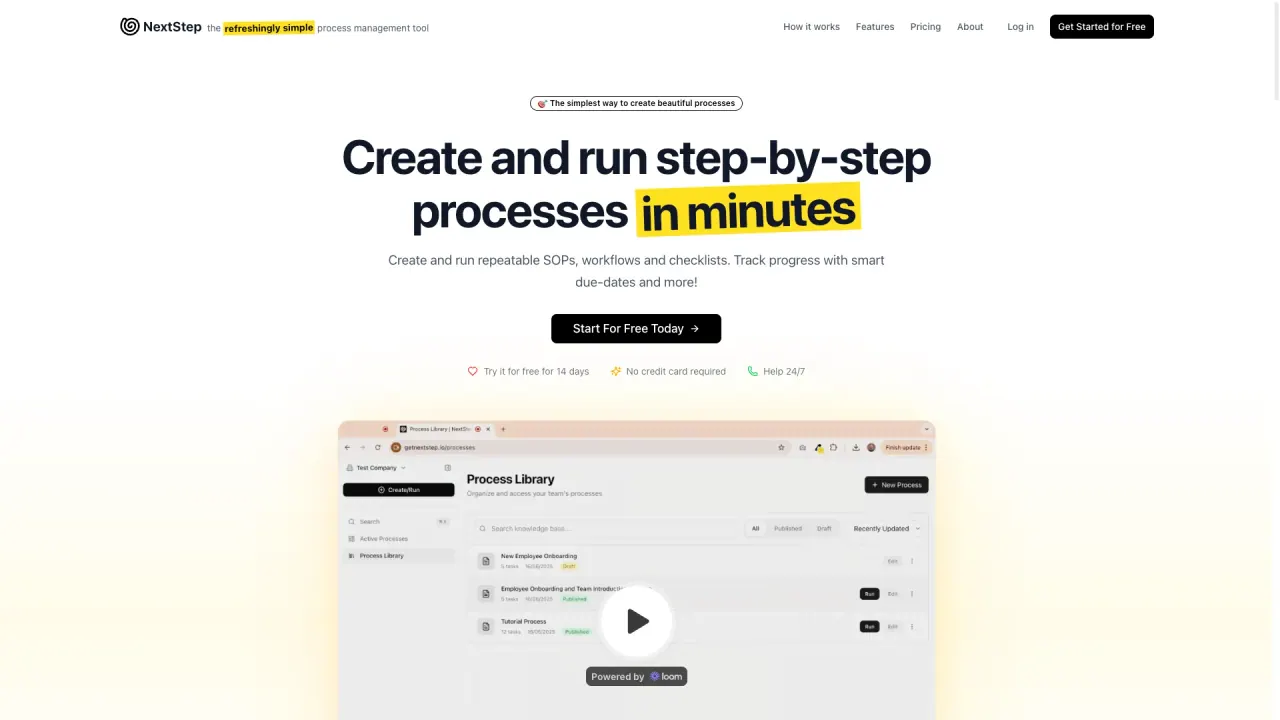
What does NextStep do?
What is NextStep and how does it help my team?
NextStep is the refreshingly simple process management tool that lets you create and run step-by-step processes in minutes. Use it to build repeatable SOPs, workflows, and checklists, and track progress with smart due dates and real-time analytics.
How does NextStep's process workflow work?
- Step 1: Create your process. You can start from scratch or use AI to jumpstart your workflow. Add content, inputs, dependencies, and dynamic due dates, using a drag-and-drop, no-code builder.
- Step 2: Run your process, the right way, every time. Launch the process and guide your team through each task with structure, reminders, and automations. Benefit from dynamic due dates and built-in alerts.
- Step 3: Track what's working and improve what's not. Monitor usage with real-time analytics and team progress, then update processes for future runs.
What are the key features of NextStep?
- Dynamic Due Dates: Calculate deadlines based on when previous tasks are completed, with support for months, days, hours, and minutes, plus business-day options.
- Customizable Form Fields: Collect exactly what you need with rich text, dropdowns, checkboxes, and more; with required field validation and drag-and-drop form builder.
- Conditional Logic: Lock tasks until prerequisites are met, with visual dependency indicators to prevent skipping critical steps.
- Run processes from a Link: One-click execution via a link; guests can run without an account; easy integration with other workflows.
- Share Running Processes: Real-time collaboration with guest access controls; internal and external sharing.
- Schedule Processes: Create recurring processes (daily, weekly, monthly, yearly) with custom patterns; pause, edit, and manage active schedules.
- Real-time Analytics & Progress Tracking: See how runs are used and how your team is performing to continuously improve.
How does AI-assisted process creation work?
NextStep lets you start from scratch or use AI to jumpstart your workflow, then you can further customize with the drag-and-drop builder. You can add content, inputs, dependencies, and dynamic due dates to tailor the process to your team.
How can I start using NextStep?
You can start with a 14-day free trial that does not require a credit card. Sign up, create an account, and begin building editable workflows with drag-and-drop, AI-assisted creation if you choose, and access to real-time analytics.
What are the pricing plans and what do they include?
- 1 Creator — $10/month: 1 process creator & manager, unlimited processes, unlimited guest participants, email support.
- 3 Creators — $30/month: Great for small teams; 3 process creators & managers, unlimited processes, unlimited guest participants, team management, priority support.
- 5 Creators — $50/month: Ideal for growing teams; 5 process creators & managers, unlimited processes, unlimited guest participants, advanced team management, priority support.
All plans allow unlimited guest participants to be invited for free via links or direct invites. If you need more than 5 creators, you can contact NextStep for options.
What is the difference between a Creator and a Guest?
- Creator: Create and edit processes, delegate tasks and processes to your team, manage team and permissions, view analytics and insights, schedule processes, run and participate in processes.
- Guest: Create and edit processes, delegate tasks and processes to your team, manage team and permissions, view analytics and insights, schedule processes, run and participate in processes. No account is required for guests.
- Key practical difference: Guests do not require an account, and you pay for the creators who build/manage processes. You can share published and running processes with unlimited guests for free via links or direct invites.
Can I run processes or share with others without them having an account?
Yes. You can run processes from a simple link, and guests can run without an account. You can also share published and running processes with unlimited guests for free via links or direct invites.
Can I schedule recurring processes?
Yes. Schedule recurring processes daily, weekly, monthly, or yearly, with custom repeat patterns and weekday options. You can pause, edit, and manage active schedules.
How can I monitor and improve processes with analytics?
NextStep provides real-time analytics to monitor each run and track team progress. Use these insights to update and optimize processes for future use.
What support options are available?
NextStep offers help 24/7 with email support to assist you whenever you need it.
This listing is claimed
Own NextStep? Sign in with the email used to claim it to manage this listing, or upgrade to Pro for featured-first placement and a newsletter feature.