
AI HomeDesign
Verified
Real Estate Photo Editing Tools
AI tools to empower property listings, renovate with ease, and design with joy!
- Pricing
- Freemium
- Category
- Interior design
- Listed
- May 8, 2024
- Updated
- May 25, 2026
Promoted


What does AI HomeDesign do?
What is AI HomeDesign?
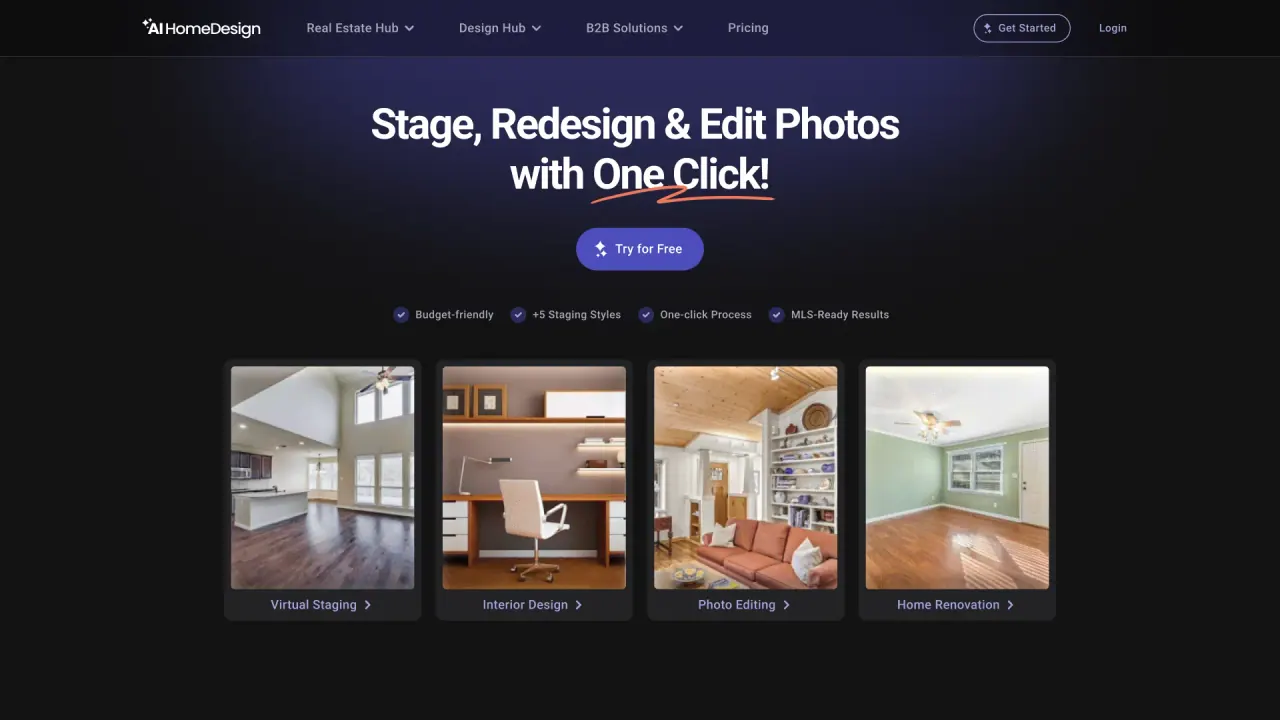
AI HomeDesign is an AI-powered toolbox for editing, staging, and enhancing real estate photos in seconds. It helps real estate agents, teams, and homeowners quickly create listing-ready visuals, renovation previews, and design variations without technical or design skills. Simply upload a photo, choose a tool, and generate realistic results instantly.
How do I use AI HomeDesign?
AI HomeDesign works in three simple steps: upload a photo, choose a tool, and generate results in seconds. The AI processes your image automatically, applying edits like virtual staging, object removal, or lighting changes. You stay in control of the final look while the platform handles the heavy lifting.
Do new users get free credits to try the tools?
Yes. New users receive free credits to try AI HomeDesign before choosing a plan. No credit card is required to start.
How long does it take to see my results?
Results are typically ready in around 30 seconds after you upload a photo and select a tool. Once generated, you can download the image immediately or regenerate variations if needed.
What image formats does AI HomeDesign support, and what photos work best?
AI HomeDesign accepts standard real estate photos in common formats such as JPG and PNG. For best results, use photos with good lighting and a clear view of the space; wide-angle shots that show the full room tend to perform best.
What tools does AI HomeDesign offer?
- Virtual Staging: transform vacant rooms into furnished spaces, remove existing furniture, apply interior design styles across room types, and adjust furnishings.
- Item Removal: remove all items in one step or remove specific objects.
- Image Enhancement: refine and enhance images, adjust lighting and skies, and apply multiple enhancements in one edit.
- Day to Dusk: convert daytime exteriors to twilight lighting and remove shadows for a natural evening look.
- Renovation tools: AI Interior Designer, AI Furniture Restyle, AI Wall Change, AI Floor Change, AI Ceiling Change, AI Backsplash Change, AI Under Construction.
Can I regenerate or edit results after they’re generated?
Yes. You can regenerate variations of the same photo with the same settings to explore different looks. Each regeneration produces a new result.
Are the final images usable for MLS and major listing platforms?
Yes. You can download final images for MLS listings and major platforms (e.g., Zillow, Realtor.com). The images are designed to be listing-ready and meet common platform standards.
How much does AI HomeDesign cost?
AI HomeDesign uses a credit-based pricing model. Pricing starts at $0.24 per photo. New users receive free credits to try the tools before committing to a plan.
Do you offer enterprise features like SSO, API access, and custom solutions?
Yes. AI HomeDesign offers Single Sign-On (SSO) access for teams, API integration to automate workflows, and Custom Solutions to tailor features to your operational needs.
How can I contact AI HomeDesign support?
Support is available at support@aihomedesign.com.
Who uses AI HomeDesign?
AI HomeDesign is used by real estate teams across listings worldwide, including brokers and agents, to accelerate the creation of listing-ready visuals.
This listing is claimed
Own AI HomeDesign? Sign in with the email used to claim it to manage this listing, or upgrade to Pro for featured-first placement and a newsletter feature.