
Interior Decorator AI
AI Interior Design Tool
Transform any interior or exterior space by uploading a photo and generating instant AI design concepts across 26 styles.
- Category
- Interior design
- Listed
- Aug 4, 2023
- Updated
- Oct 20, 2026
Promoted
 Pixmax.aiPixmax.ai is an all-in-one AI workspace for videos, visual stories, and marketing content.
 AI Checker PlusAI detector that highlights which passages AI wrote. Free check, no sign-up. Plagiarism too.
 RewindType any X/Twitter handle. Get their year back as a narrated video story. Then ask it anything.
 KurodyneSell the tools from your AI side projects. Listing is free.
 Sidrune AI85% off. Stable Claude API for agent developers. Pay as you go. Invoices & refunds available.
 SEOify - Improve your SEO & rankingsBuild links to rank in Google. Improve your DR with links you can start building now.Advertise here270,000+ people visit Dang.ai every month.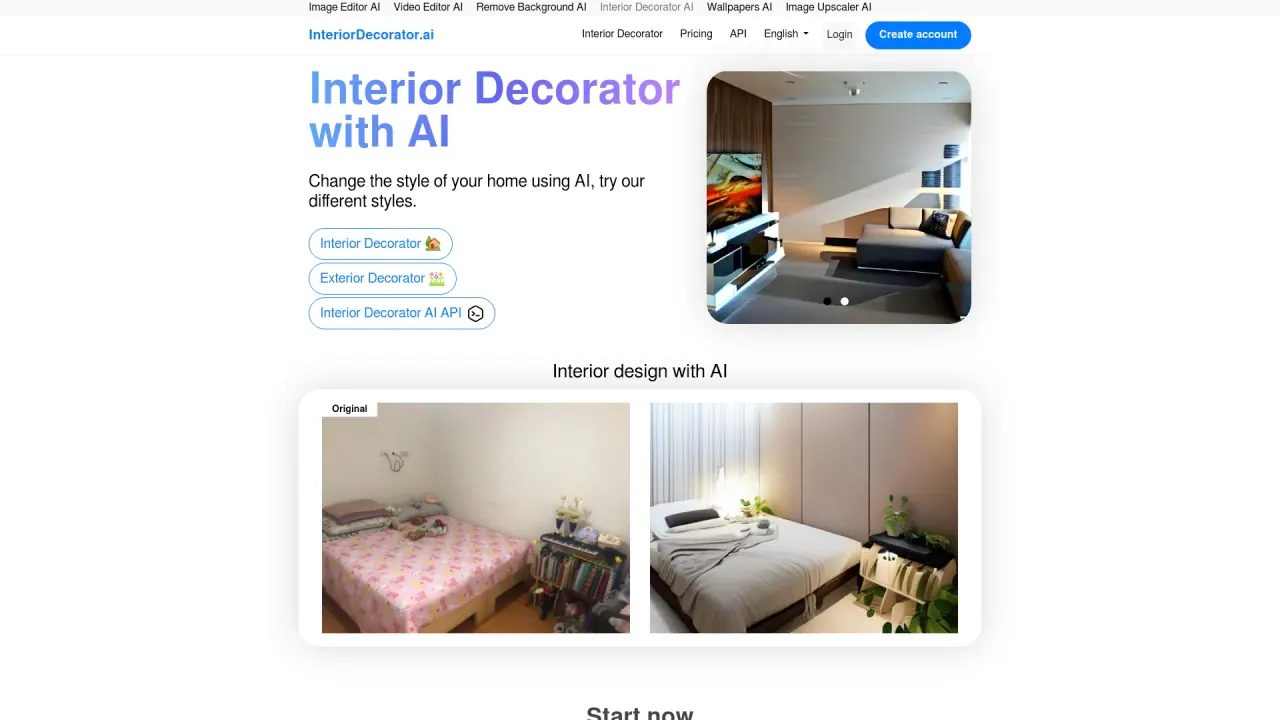
What does Interior Decorator AI do?
InteriorDecorator.ai is an AI interior design tool that turns your ideas into professional-looking decoration concepts for both indoor and outdoor spaces. Upload a room or exterior photo, choose a design style and room type, and get AI-generated redesigns in seconds—helping you explore new looks quickly and confidently.
Use it for room redesign, including virtual staging for real estate by filling empty rooms with furniture and decor instantly. You can also convert hand-drawn sketches and floor plans into photorealistic 3D visualizations with Sketch to Render, making it easier to move from concept to visual planning.
InteriorDecorator.ai supports a broad range of aesthetics (including Modern, Scandinavian, Minimalist, Industrial, Bohemian, and Japanese) and offers many room and space types for personalization. It’s suitable for homeowners, designers, and anyone planning a refresh—whether you’re imagining a new living room style, upgrading a home office, or reworking house fronts, patios, gardens, and other exterior areas.
You can start for free with no signup required. After you upload a photo and select your style and room type, the tool generates your transformed design immediately.
What can InteriorDecorator.ai help me redesign?
You can redesign both interiors and exteriors. Upload a photo of a room or outdoor space and generate style-based alternatives to explore new directions.
How do I create an AI redesign?
Upload a room photo (or take one with your phone), choose a design style and a room type, then let the AI transform your image in seconds.
Does it support virtual staging for real estate?
Yes. Use the virtual staging feature to fill empty rooms with furniture and decor instantly for presentation purposes.
Can I use my own sketches or floor plans?
Yes. Sketch to Render turns hand-drawn sketches and floor plans into photorealistic 3D visualizations.
What design styles are available?
The tool includes 26 design styles such as Modern, Scandinavian, Minimalist, Industrial, Bohemian, and Japanese, plus many more.
Do I need to sign up to start?
No. You can start designing for free with no signup required.
Is this your tool?
Claim Interior Decorator AI to manage this listing, or upgrade to Pro for featured-first placement and a newsletter feature.