
Zoomscape
AI Zoom Background Images
Create stunning AI Zoom backgrounds in seconds, with 200 HD images and unlimited gallery downloads—no subscription.
- Pricing
- Free
- Category
- Interior design
- Listed
- Apr 20, 2023
- Updated
- Oct 19, 2026
Promoted
 RewindType any X/Twitter handle. Get their year back as a narrated video story. Then ask it anything.
 KurodyneSell the tools from your AI side projects. Listing is free.
 Sidrune AI85% off. Stable Claude API for agent developers. Pay as you go. Invoices & refunds available.
 Pixmax.aiPixmax.ai is an all-in-one AI workspace for videos, visual stories, and marketing content.
 SEOify - Improve your SEO & rankingsBuild links to rank in Google. Improve your DR with links you can start building now.Advertise here270,000+ people visit Dang.ai every month.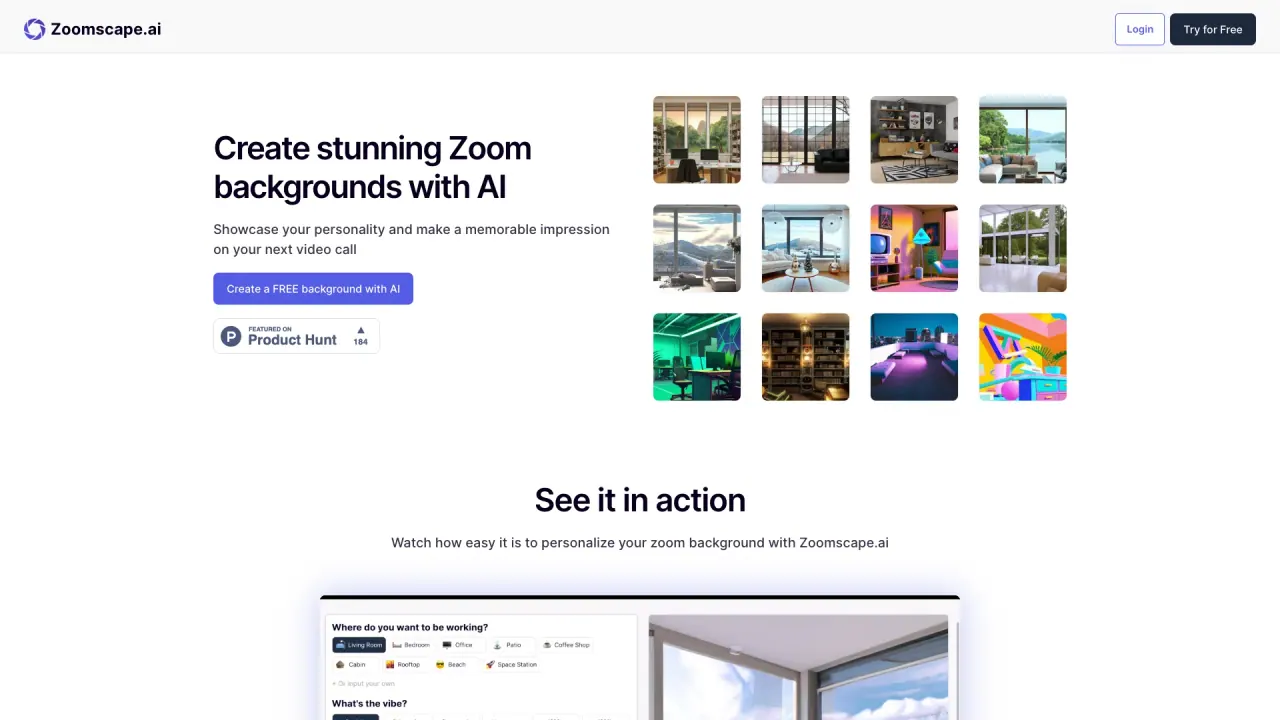
What does Zoomscape do?
Zoomscape helps you generate unique, fun, and creative backgrounds for your Zoom calls using AI. Instead of sticking with generic virtual backdrops, you can showcase your personality (and even brand messaging) while you work, meet, or present.
The workflow is simple: define the background you want, let the AI create it, download your favorites, and then upload them to Zoom. Zoomscape includes 200 AI-generated backgrounds in HD quality and offers unlimited gallery downloads, with instant delivery—so you can get started quickly and keep refreshing your look.
It’s a great fit for remote employees, teams, and content creators who want a more engaging meeting presence. Zoomscape is also positioned for businesses, including the ability to integrate custom text and slogans to represent your brand’s voice and aesthetic, with options for a home office or in-office setting.
Pricing is a one-time payment of $10 with no subscription. If you sign up before March 1, 2025, you can receive early bird access when the next launch happens later in spring, including upcoming features like uploading your own logo for branded backgrounds.
How much does Zoomscape cost?
Zoomscape is $10 as a one-time payment with no subscription.
Does Zoomscape only work with Zoom?
Zoomscape is specifically designed to create backgrounds for Zoom video calls, with a download-and-upload flow to use your images in Zoom.
What’s included with a Zoomscape purchase?
You get 200 AI-generated backgrounds in HD quality and unlimited gallery downloads for those generated assets.
How fast can I get my AI backgrounds?
Delivery is instant, typically within seconds after you create your backgrounds.
How do I upload a Zoomscape background to Zoom?
Create your background in Zoomscape, download your favorites from the gallery, then upload those images inside your Zoom virtual background settings.
Is there a way to add my brand (like a logo) to backgrounds?
Logo upload and seamless logo integration are listed as an upcoming feature. Custom text and slogans for branding are available for business use.
Is this your tool?
Claim Zoomscape to manage this listing, or upgrade to Pro for featured-first placement and a newsletter feature.