
Yomu AI
AI Writing Editor
AI powered writing editor for writing papers faster.
Promoted
 Sidrune AI85% off. Stable Claude API for agent developers. Pay as you go. Invoices & refunds available.
 Pixmax.aiPixmax.ai is an all-in-one AI workspace for videos, visual stories, and marketing content.
 RewindType any X/Twitter handle. Get their year back as a narrated video story. Then ask it anything.
 KurodyneSell the tools from your AI side projects. Listing is free.
 SEOify - Improve your SEO & rankingsBuild links to rank in Google. Improve your DR with links you can start building now.Advertise here270,000+ people visit Dang.ai every month.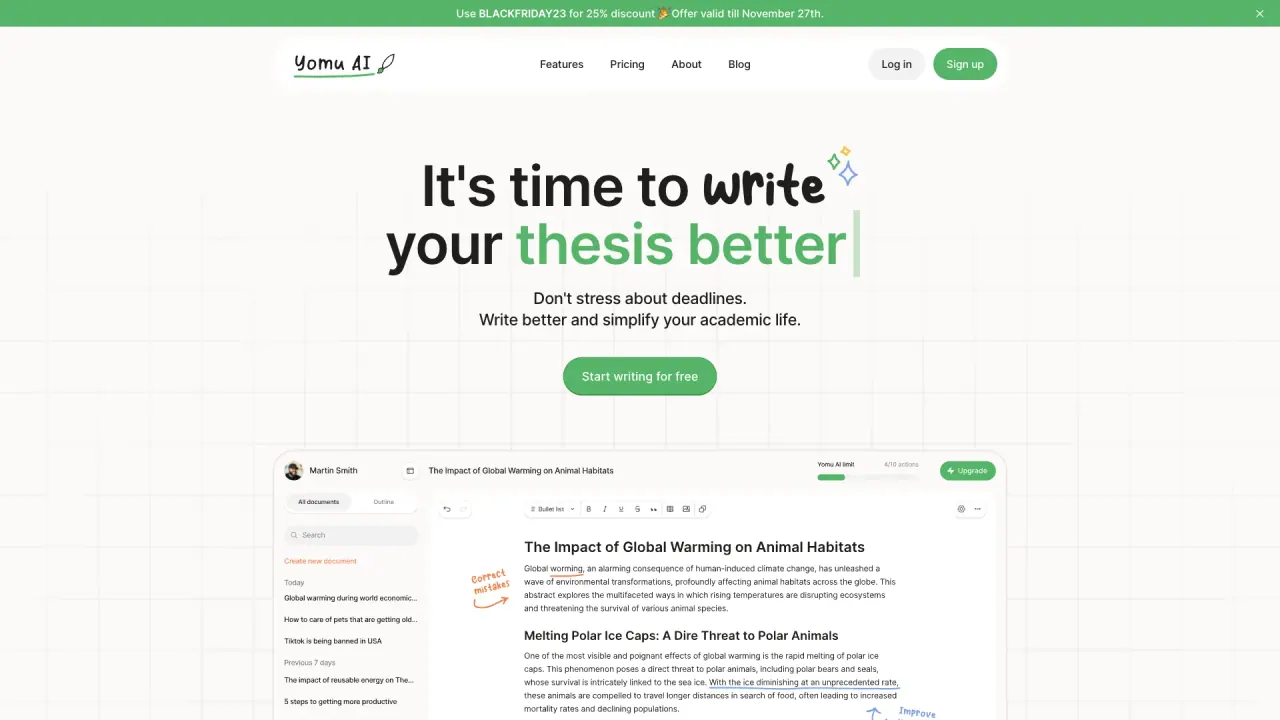
What does Yomu AI do?
How does Yomu AI work?
Yomu AI is an AI-powered writing assistant that helps you write better essays, papers, and academic writing. Simply start typing and Yomu will generate suggestions for you to use in your writing. You can also use Yomu to generate entire paragraphs or sections. Yomu also helps find citations, references, and sources for you to use in your writing. You can make sure that your writing is plagiarism-free by using Yomu's plagiarism checker.
What are the main features Yomu AI offers for academic writing?
- Document Assistant that helps write entire sections and provides feedback
- AI autocomplete to complete sentences and paragraphs
- Editing tools to paraphrase, expand, shorten, summarize, and transform bullet points into detailed text
- AI-powered citation tool (powered by Sourcely) to find, include, and format citations
- Advanced plagiarism checker to maintain originality (with an Ethics Statement)
- Save sources to a personal library and reuse them across documents
- Chat with Yomu 24/7 for answers about academic writing, research, and citations
- Chat supports PDFs, images, web search, and advanced reasoning models
- Support for adding, captioning, and referencing figures and tables in the text
What is the Document Assistant?
An intelligent Document Assistant that helps you write entire sections and provides feedback to improve your draft.
What is AI autocomplete and how does it help me write?
An AI autocomplete that finishes your sentences and paragraphs, accelerating your writing workflow and helping you maintain style and flow.
What editing capabilities does Yomu provide?
- Paraphrase, expand, shorten, and summarize text
- Transform bullet points into detailed, prose-style content
- Brainstorm and refine your paper to improve clarity and quality
How does the citation tool work?
Yomu includes an AI-powered citation tool (Sourcely) to help you find, include, and format citations in your paper, streamlining your reference process.
How does the plagiarism checker help maintain originality?
Yomu provides an advanced plagiarism checker to help ensure your work is original and authentic, complemented by an Ethics Statement on usage and integrity.
Can I save sources and reuse them across documents?
Yes. You can save sources to your personal library and reuse them across multiple documents for faster, more efficient writing.
Can I add and reference figures and tables in my writing?
Yes. Yomu lets you easily add, caption, and reference figures and tables within the text.
What can I chat with Yomu about, and what chat capabilities are available?
- Get instant answers about academic writing, research, and citations
- Chat with PDFs, images, web search results, and advanced reasoning models
- Available 24/7 for continuous assistance
Is Yomu available 24/7?
Yes. Yomu offers around-the-clock chat and assistance.
How do I get started with Yomu?
Begin by signing up and starting to write. Use the Document Assistant to begin writing sections, or use the AI autocomplete to draft as you go.
Where can I find pricing information?
Pricing details are not provided directly in this content. Please visit the Pricing page on the Yomu site for the latest options and plans.
Does Yomu train on user data or use ChatGPT?
The site content does not specify whether Yomu trains on user data or uses ChatGPT. For authoritative details, refer to the site’s official disclosures or contact Yomu support.
This listing is claimed
Own Yomu AI? Sign in with the email used to claim it to manage this listing, or upgrade to Pro for featured-first placement and a newsletter feature.