
SubEasy
AI Speech-to-Text and Translation Tool
Transcribe, translate, summarize videos and audio with AI.
Promoted
 Sidrune AI85% off. Stable Claude API for agent developers. Pay as you go. Invoices & refunds available.
 Pixmax.aiPixmax.ai is an all-in-one AI workspace for videos, visual stories, and marketing content.
 SEOify - Improve your SEO & rankingsBuild links to rank in Google. Improve your DR with links you can start building now.Advertise here270,000+ people visit Dang.ai every month.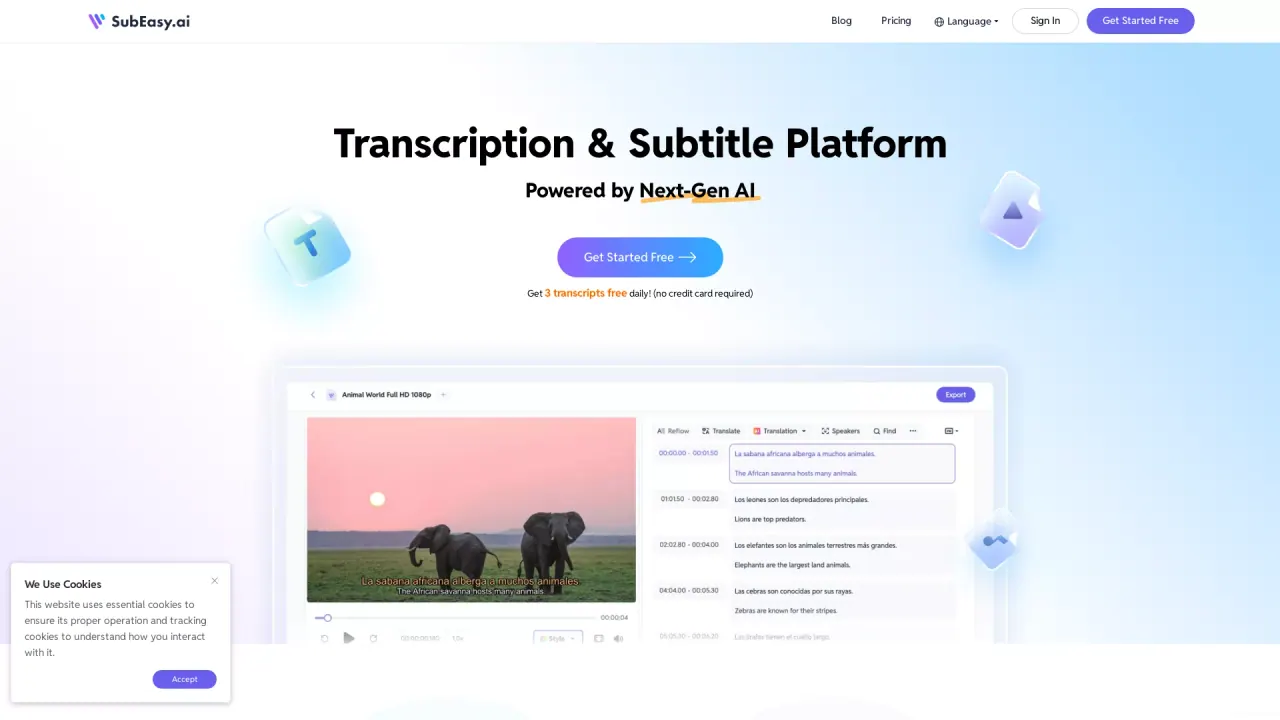
What does SubEasy do?
Is there a free tier and do I need a credit card to start using SubEasy?
Yes. SubEasy offers a free tier that includes 3 transcripts FREE every day. You can Get Started Free, and no credit card is required to begin.
How many languages does SubEasy support?
SubEasy supports 100 languages. The site highlights languages such as English, Spanish, French, German, Italian, Japanese, Korean, and Chinese, with a note to “See All 100 Languages.”
What services does SubEasy offer?
SubEasy provides a full suite of transcription, captioning, translation, and dubbing tools, plus an AI Companion and an API. Core services include:
- Audio Transcription
- Video Transcription
- AI Translation
- AI Dubbing
- Audio to Text Converter
- Video to Text Converter
- Video Translator
- Audio Translator
- Subtitle Translator
- Captions Translator
- API
Can I switch between subtitle view and transcript view?
Yes. You can easily switch between Subtitle View and Transcript View, editing in Subtitle View and then copying the changes into Transcript View to prepare both the subtitles and the transcript.
What is AI Companion and what can it do?
AI Companion helps you derive value from your transcripts. It can:
- Generate summaries and detailed notes from transcripts
- Instantly repurpose transcripts into summaries, notes, blog posts, meeting minutes, and more
- Allow you to ask questions about the transcript using ChatGPT
- Correct misheard speech to improve accuracy
Do SubEasy’s AI features include dubbing and video translation?
Yes. SubEasy offers Studio-Quality AI Dubbing (including voice swap and voice over) and Video Translation to deliver native-quality translations and natural-sounding voices.
What formats can I import and export?
Import formats: MP3, MP4, M4A, MOV, AAC, WAV, OGG, OPUS, MPEG, WMA, YouTube Export formats: VTT, Word, Text, MD, LRC, JSON, ASS, CSV, STL, PDF
How accurate is SubEasy's transcription?
SubEasy claims up to 99% accuracy in transcription.
Is there an API?
Yes. SubEasy provides an API for integration with your workflows.
How do I get started with SubEasy?
Click Get Started Free on the site. You can sign up without a credit card, and you’ll have access to the free tier (3 transcripts per day) to begin.
Where can I see SubEasy's pricing?
Pricing details are available on the Pricing page, including the free tier and subscription options for premium features.
This listing is claimed
Own SubEasy? Sign in with the email used to claim it to manage this listing, or upgrade to Pro for featured-first placement and a newsletter feature.