
SparkReceipt
Verified
AI Receipt Data Extraction and Categorization Tool
AI-powered preaccounting, receipt scanning and expense tracking tool for freelancers and small business owners.
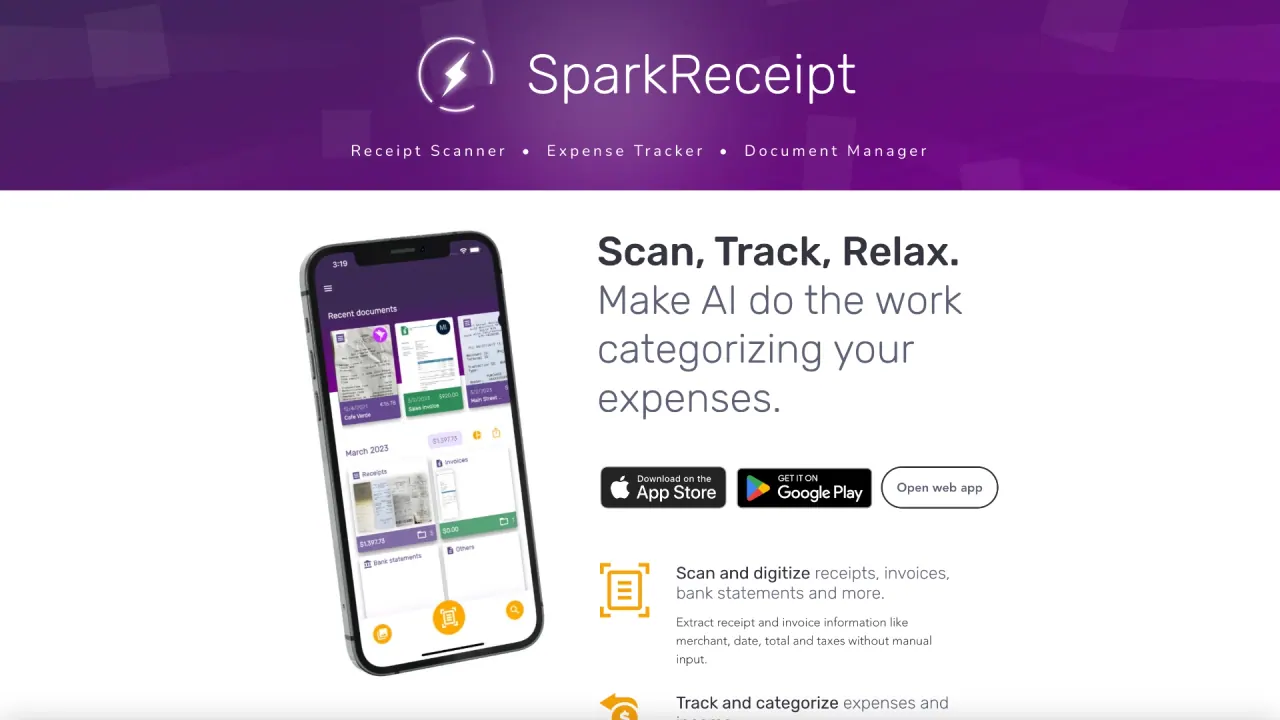
What does SparkReceipt do?
What are the key features of SparkReceipt that make it user-friendly?
SparkReceipt uses AI to extract data from receipts and invoices, categorize expenses, and automatically match them to your bank and card statements to give you organized, accurate records. It works with receipts in multiple languages and 150+ currencies, and lets you export expense reports to PDF or Excel with totals, categories, and tax details. It integrates with tools you already use (such as QuickBooks and Google Drive), and lets you share data with your accountant for free (no extra seat required). You can forward email receipts, have SparkReceipt scan them automatically, and build reports that are ready for tax time. The platform also promotes easy collaboration and fast processing through features like receipt scanning, expense tracking, and organization.
How does collaboration and sharing work for small teams?
SparkReceipt supports team collaboration by inviting members to a centralized account. Multiple users can scan, track, and categorize expenses under one account, and you can share data with team members or your accountant. You can add your accountant for free, with no extra seat required, helping speed up close processes.
In which languages does SparkReceipt operate and can I work with multiple currencies?
SparkReceipt supports scanning receipts in multiple languages and can track expenses in 150+ currencies. It is designed to handle local tax rules wherever your business operates.
How does SparkReceipt's receipt scanner work, and how accurate is it?
SparkReceipt uses AI to extract data from receipts and invoices, categorize expenses, and link transactions to bank/credit card statements. The site describes AI-driven extraction and fast processing, but it does not publish a numeric accuracy percentage.
Can SparkReceipt categorize line items from receipts?
Yes. SparkReceipt can categorize individual line items from receipts as part of its expense categorization and line-item capabilities.
What types of receipts can SparkReceipt scan?
SparkReceipt can scan receipts and invoices, and it can process bank and credit card transactions as part of linking expenses. It is designed to handle receipts from diverse sources, including emails forwarded to the system.
Can I export my scanned receipts and expense reports?
Yes. SparkReceipt offers one-click exports for accounting and can generate expense reports that can be exported to PDF or Excel with totals, categories, and tax details already filled in.
Can I track income in addition to expenses?
Yes. SparkReceipt supports tracking income in addition to expenses, helping you build comprehensive financial records.
Can I organize receipts separately for different businesses, projects, or side-hustles?
Yes. SparkReceipt allows you to organize receipts separately for different businesses, projects, or side-hustles, helping keep portfolios or clients distinct.
Who is SparkReceipt for?
SparkReceipt is designed for individuals, freelancers, and small business owners who want an AI-assisted way to auto-categorize expenses and income and to keep organized, tax-ready records.
What pricing plans are available, and do they include a lifetime pricing offer?
SparkReceipt offers a tiered pricing structure with a free plan and paid plans:
- FREE: 1 user, 15 AI scans per month, 50 consumable credits per month, 5 SparkAgent messages per month.
- PRO: $5.75 USD per month (billed annually at $69/year); 1 user; 50 AI scans per month; 100 consumable credits; 20 SparkAgent messages (plus other features indicated on the pricing page).
- ELITE: $8.25 USD per month (billed annually at $99/year); 1 user; 500 AI scans per month; 200 consumable credits; 100 SparkAgent messages (plus other features indicated on the pricing page).
There is an early-bird lifetime pricing offer for a limited number of users: $5.75 per month billed annually, with price-lock for life for the first 15,000 users. Prices for existing customers are not raised. A 60-day money-back guarantee applies.
Is there a money-back guarantee?
Yes. SparkReceipt offers a 60-day money-back guarantee.
Do you price-lock pricing for existing customers?
Yes. The pricing is locked for existing customers; SparkReceipt commits not to raise prices for current subscribers.
What support options are available, including founder-led support?
SparkReceipt emphasizes founder-led support, with real help from a founder (Joel)—not bots or scripts. Support is available, and the company emphasizes direct, personal assistance when needed.
How can I contact SparkReceipt support?
You can reach SparkReceipt support at support@sparkreceipt.com.
What integrations and data exports are available?
SparkReceipt integrates with common workflows (e.g., QuickBooks, Google Drive) and supports data exports to assist your accounting and reporting processes.
Is this your tool?
Claim SparkReceipt to manage this listing, or upgrade to Pro for featured-first placement and a newsletter feature.