
ShmoozAI
AI Personal Assistant For Whatsapp
Boost your WhatsApp conversations with the ultimate AI personal assistant - Shmooz AI!
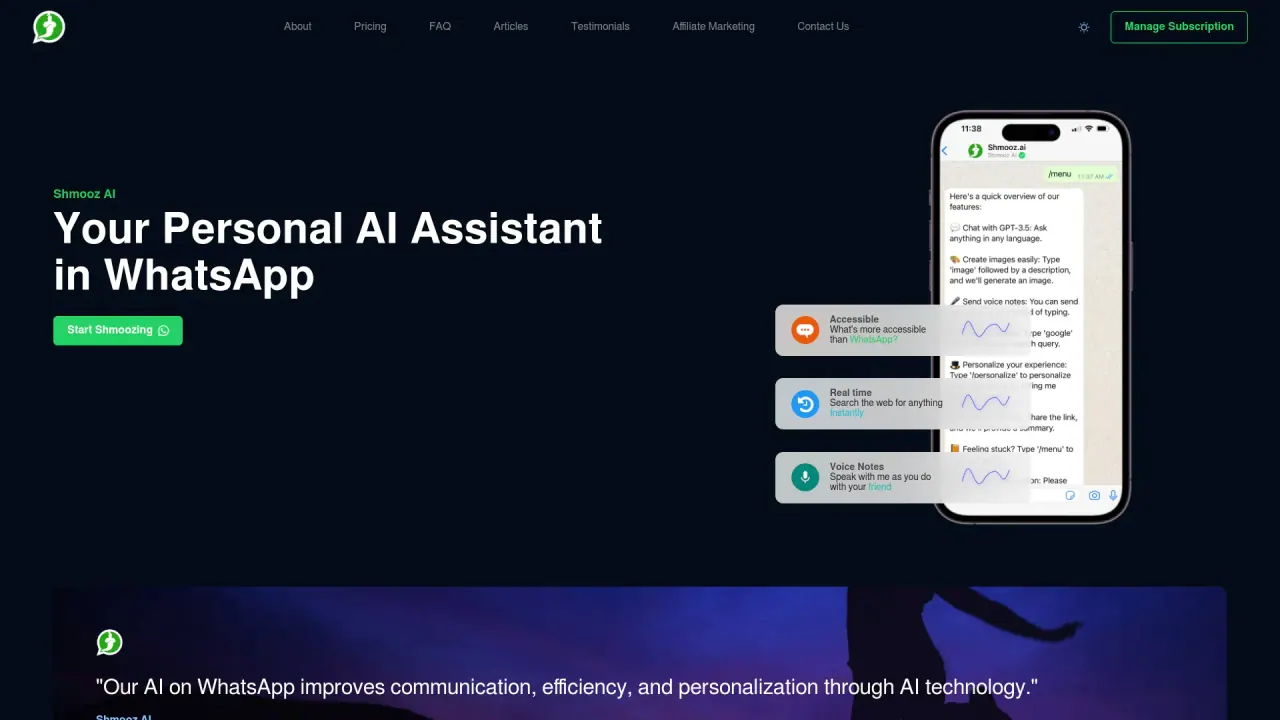
What does ShmoozAI do?
What features does Shmooz AI offer to enhance user experience?
Shmooz AI delivers a collection of capabilities to make AI accessible and task-friendly across WhatsApp and the web. Core features include image generation with advanced AI models, multi-model support for handling different file types, real-time web search, text-to-voice, text-to-music, image-to-image transformation, and easy file interaction. It also provides live information access, the ability to summarize files and websites, and 24/7 availability for ongoing assistance.
How is Shmooz AI priced and what are the subscription plans?
Shmooz AI offers three subscription plans:
- Basic — $3.99 per month, includes 100 messages, image generation, 24/7 availability, Google search, and file summarization. Start on WhatsApp or Telegram for free.
- Standard — $7.99 per month, includes 500 messages plus the same features as Basic.
- Premium — $9.99 per month, includes unlimited messages plus the same features as Basic.
All plans grant 24/7 availability, and you can start on WhatsApp or Telegram for free.
On which platforms can I access Shmooz AI?
Shmooz AI is available on WhatsApp and the Web App. You can also start using Shmooz via Telegram, with free start options on both WhatsApp and Telegram.
What languages does Shmooz AI support?
The site UI shows language options including English, Hebrew, and Arabic. The content further references supported languages such as English, Spanish, French, German, Portuguese, and Hindi, indicating broad language support in various areas of the platform.
Can Shmooz generate images based on my message?
Yes. Shmooz AI includes image generation as one of its primary features and can produce images based on user prompts.
Can Shmooz search Google?
Yes. Google Search is one of the features included in the active plans.
Can Shmooz summarize URLs that I share with it?
Yes. Shmooz AI can summarize URLs that you share.
How does Shmooz summarize URLs?
Shmooz AI includes URL summarization capabilities, enabling you to obtain a concise summary of linked content. The specific method is not detailed on the site.
Can Shmooz listen to voice notes, and what can it do with them?
Yes. Shmooz supports voice note interactions, allowing you to communicate and receive responses via voice.
How can I manage my subscription with Shmooz?
Subscription management is available through the platform’s Subscription management options, such as the Manage Subscription area on the Web App and related interfaces associated with your WhatsApp/Telegram usage.
Can I cancel my Shmooz subscription at any time, and will I receive a refund?
Not specified on the site. Please refer to the Terms of Service or contact support for details.
Will my subscription automatically renew, and how can I change my renewal settings?
Not specified on the site. Check the billing or subscription section in your account for renewal details.
What happens if I miss a payment or my payment is declined?
Not specified on the site. For billing issues, contact support.
How often is Shmooz updated with new information?
The site shows recent updates and mentions features like Flux AI integration, but it does not specify a fixed update frequency.
Who is responsible for the answers provided by Shmooz? Is it private and secure?
Not specified on the site. Users should review the privacy policy and terms of service for details on data handling and security.
Can Shmooz summarize and answer questions about documents I upload?
Yes. The platform lists file interaction and document summarization as features, enabling you to interact with and derive insights from documents.
What is Flux AI integration?
Flux AI integration has been added, providing access to advanced image-generation models on Shmooz, available via WhatsApp and the Web App.
How do I start using Shmooz AI?
Visit the Shmooz AI website and choose to get started on the Web App or connect via WhatsApp. On WhatsApp, send a message to begin, and you’ll receive a welcome message with guidance. If you need help, you can type /help at any time. You can also start via Telegram and begin using Shmooz there as well.
Is this your tool?
Claim ShmoozAI to manage this listing, or upgrade to Pro for featured-first placement and a newsletter feature.