OpenL
AI Language Translator
OpenL is an AI translation workspace for text, images, documents, audio, and websites across 100+ languages with fast, context-aware results.
- Category
- Copywriting
- Listed
- Aug 4, 2023
- Updated
- Nov 20, 2026
Promoted
 AI Checker PlusAI detector that highlights which passages AI wrote. Free check, no sign-up. Plagiarism too.
 RewindType any X/Twitter handle. Get their year back as a narrated video story. Then ask it anything.
 KurodyneSell the tools from your AI side projects. Listing is free.
 Pixmax.aiPixmax.ai is an all-in-one AI workspace for videos, visual stories, and marketing content.
 SEOify - Improve your SEO & rankingsBuild links to rank in Google. Improve your DR with links you can start building now.Advertise here330,000+ people visit Dang.ai every month.
What does OpenL do?
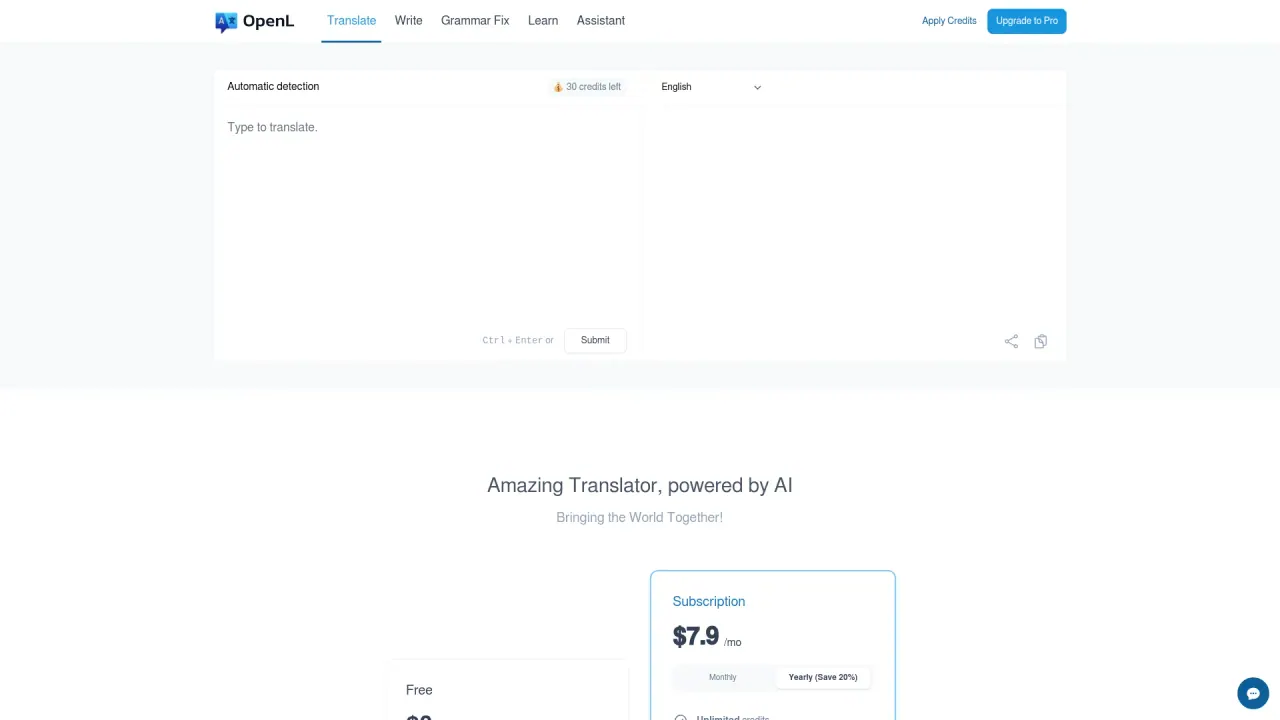
OpenL is an AI-powered translation workspace for turning real-world content into clear, natural-sounding translations. Translate quickly by selecting text for instant results, or use the Side Panel when you need to work through longer sections without losing your flow. You can also browse and translate websites directly, helping you keep reading in your preferred language.
Beyond plain text, OpenL supports multi-format translation in one place. Translate images and screenshots, PDFs (including scanned PDF translations), Word files, and audio—so you can handle day-to-day materials without switching tools. It’s designed to help preserve content integrity while you translate different formats, from quick snippets to full documents.
After translating, OpenL also includes writing support such as AI grammar and rewrite suggestions to help you improve clarity and polish. If you want to explore its Translate Agent, there’s a free Translate Agent trial available daily, along with credit-based usage across plans.
Choose a plan based on how much you translate and what you need limits for. Yearly-billed subscriptions are available as Starter ($8.9/month), Pro ($9.9/month), and Ultimate ($29.9/month). Each plan includes “Unlimited Fast Credits,” plus additional limits for characters per request, upload sizes, and image-to-image translations per day. Students and educators can get 30% off with a .edu email (one discounted application per year).
What can I translate with OpenL?
You can translate everyday text, images and screenshots, PDFs (including scanned PDFs), Word files, audio, and websites by selecting text or using the Side Panel.
How do I translate longer content in OpenL?
Select text for instant translation, or use the Side Panel to translate longer sections while keeping your workflow moving.
Does OpenL support scanned PDF translation?
Yes—scanned PDF translations are supported on the Starter, Pro, and Ultimate plans.
What are the limits for characters and file uploads?
Starter supports up to 30,000 characters at once with up to 30 MB uploads; Pro supports up to 100,000 characters with up to 100 MB uploads; Ultimate supports up to 150,000 characters with up to 100 MB uploads.
How many image-to-image translations can I do per day?
Starter includes 3 image-to-image translations per day, Pro includes 10 per day, and Ultimate includes 30 per day.
Do students and educators get a discount?
Yes. Students and educators can get 30% off with a .edu email, with one discounted application available each year.
Is this your tool?
Claim OpenL to manage this listing, or upgrade to Pro for featured-first placement and a newsletter feature.