
MeetGeekAI
AI Help Center
The ultimate AI Help Center - Experts and answers at your fingertips!
Promoted
 Pixmax.aiPixmax.ai is an all-in-one AI workspace for videos, visual stories, and marketing content.
 Sidrune AI85% off. Stable Claude API for agent developers. Pay as you go. Invoices & refunds available.
 SEOify - Improve your SEO & rankingsBuild links to rank in Google. Improve your DR with links you can start building now.Advertise here270,000+ people visit Dang.ai every month.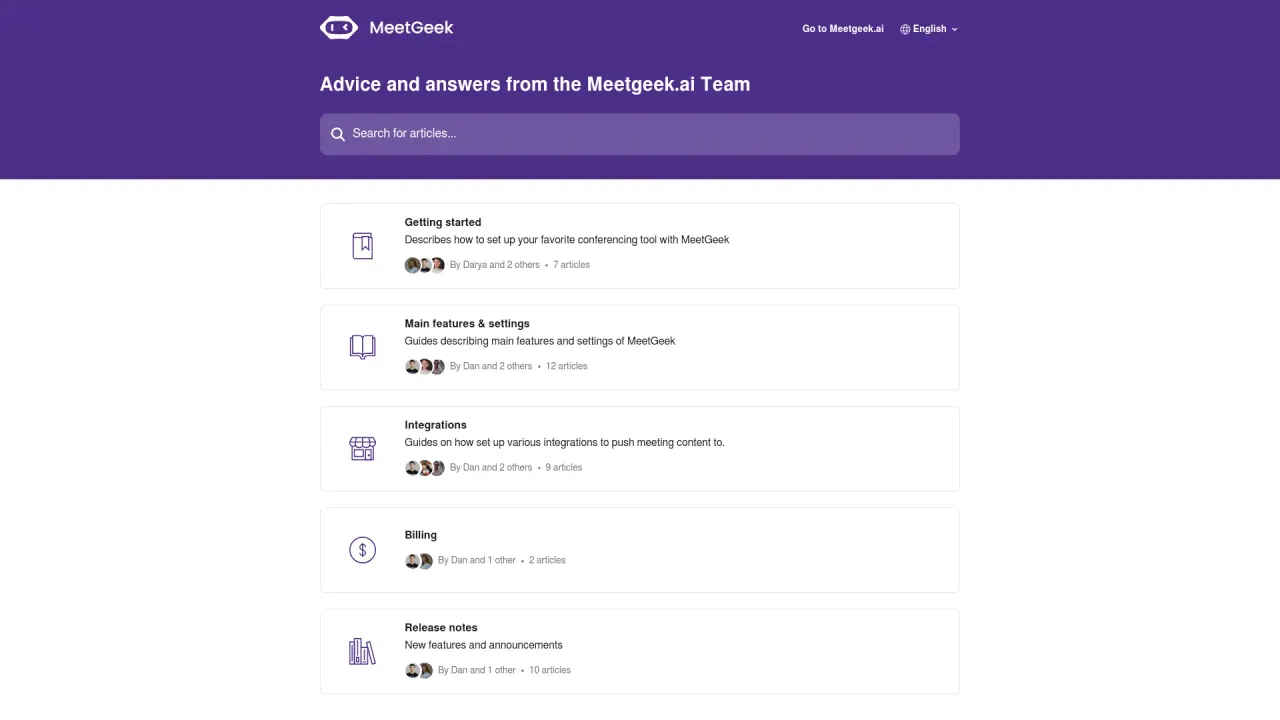
What does MeetGeekAI do?
What plans does MeetGeekAI offer and what do they include?
Basic (Free): 5 hours of transcription per month; 3 months of transcript storage; 1 month of audio storage; Zoom, Google Meet, and Teams transcription; AI meeting summaries; global search; sharing meetings and highlights; playbacks; integrations; ability to upload past calls.
Pro ($19 per user per month): 20 hours of transcription per month; 1 year of transcript storage; 6 months of video storage; all Basic features; HD video recording; download transcripts and Google Docs; download video and caption files; Zapier integration; automated workflows; editing recurring meetings; user management; flexible sharing options; meeting insights and tips.
Business ($39 per user per month): 100 hours of transcription per month; unlimited transcript storage; 12 months of video storage; all Pro features; custom dictionary; drill-down insights per team; templates (meeting templates and individual); team collaboration; forthcoming meeting comments; private meetings; custom bot name; priority support.
Enterprise (Custom Pricing): Unlimited transcription; unlimited transcript storage; custom video storage; all Business features; branded emails; organization-wide settings and integrations; custom data retention policies; payment by invoice; onboarding sessions; dedicated account manager; custom speech models.
How do I sign up for MeetGeekAI?
- Visit the MeetGeek website and click Get Started For Free.
- Sign up with your Google or Outlook account and follow the prompts to link your account.
- After linking, you’ll access the MeetGeek dashboard to view upcoming meetings and customize settings.
- To learn more, watch a quick overview video.
How do I integrate MeetGeekAI with my conferencing tools?
Getting started describes how to set up your favorite conferencing tool with MeetGeekAI. MeetGeekAI supports popular platforms like Zoom, Google Meet, and Microsoft Teams. Once integrated, MeetGeekAI can automatically record and transcribe meetings.
What are the main features of MeetGeekAI?
- Automatic video recording
- Transcription services
- Meeting summarization
- Extraction of insightful highlights
- Global transcript search
- Voice commands
- Customization options
- Zapier integration for automated workflows
- HD video recording (available on Pro and higher plans)
- Playbacks and easy sharing of meetings and highlights
What integrations are available with MeetGeekAI?
MeetGeekAI supports integrations to push meeting content into Slack, Trello, HubSpot, and other collaborative and productivity tools, enabling you to access insights where you need them.
Do MeetGeekAI’s team and collaboration features require a higher plan?
Yes. Business and Enterprise plans include expanded collaboration features such as team collaboration, private meetings, meeting templates, drill-down insights per team, custom dictionary, forthcoming meeting comments, custom bot name, and priority support. These features enhance coordination and governance across teams.
Is there a free plan or free trial?
Yes. MeetGeekAI offers a Basic plan that is Free, with limited transcription hours and storage. You can start on the free plan and upgrade to Pro or Business as your needs grow.
Where can I find release notes and product updates?
Release Notes are published in the MeetGeek site’s Release Notes section, alongside new features and announcements.
How can I contact MeetGeek support?
MeetGeek provides support via Intercom. You can reach the team through the Intercom widget on the MeetGeek site.
Is this your tool?
Claim MeetGeekAI to manage this listing, or upgrade to Pro for featured-first placement and a newsletter feature.