
Childbook
AI Children's Book Writer
Create personalized children's books with our AI Children's Book Writer. Personalize characters, pictures, and story effortlessly.
Promoted
 Sidrune AI85% off. Stable Claude API for agent developers. Pay as you go. Invoices & refunds available.
 Pixmax.aiPixmax.ai is an all-in-one AI workspace for videos, visual stories, and marketing content.
 SEOify - Improve your SEO & rankingsBuild links to rank in Google. Improve your DR with links you can start building now.Advertise here270,000+ people visit Dang.ai every month.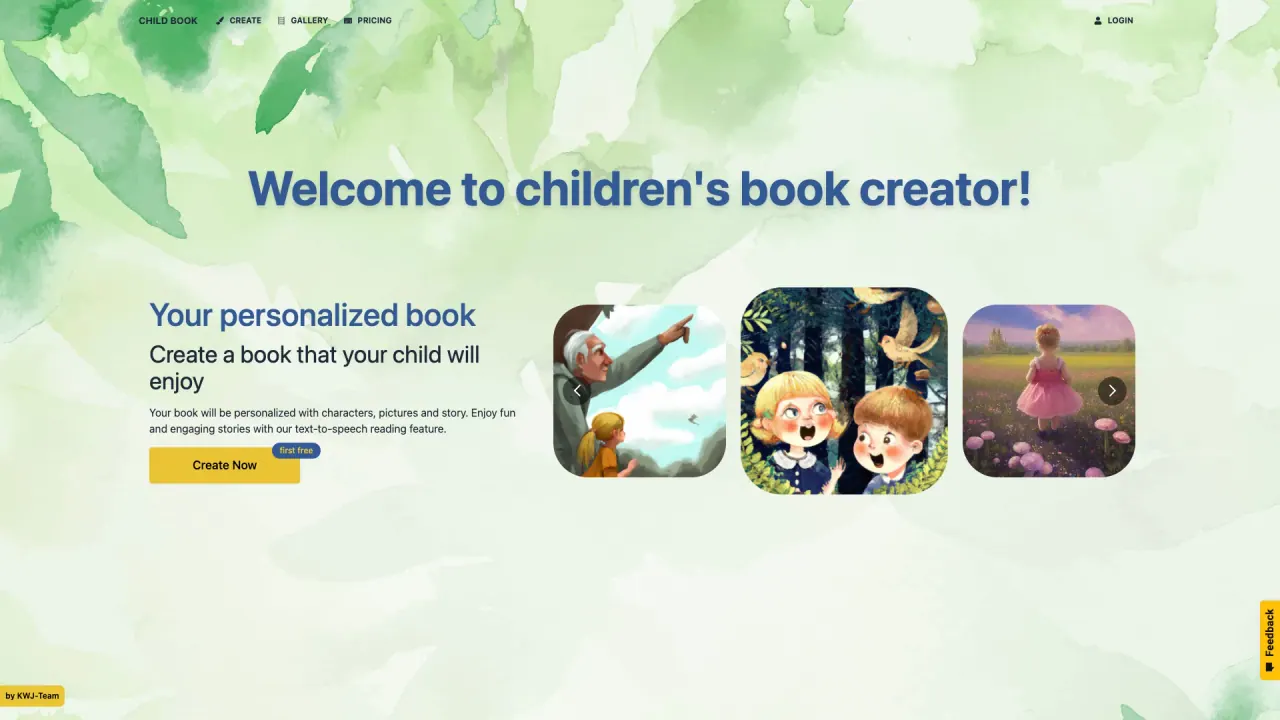
What does Childbook do?
How do I order a printed version of my personalized children's book?
To order a printed version, log into your private gallery, select the book you want to print, and click the cart button above the book to start the order. You can order a printed copy for a tangible keepsake, and there is an option to add a hardcover upgrade for an extra cost.
What customization options are available for creating a personalized children's book?
You can:
- Create personalized characters (upload your photo to appear as the main character)
- Replace or edit characters and illustrations
- Edit the book text
- Use ready-made templates to speed up creation
- Change the book cover with Canva or Adobe Express add-ons
- Add a dedication and customize in multiple languages
- Illustrate or refine content with the Illustrator feature
- Export or print as needed
How do I start: templates versus creating from description?
You can either:
- Use ready-made book templates and replace the character with your own, or
- Create a book from a short description by using the Create button
How does the Illustrator feature work?
Using the Illustrator feature, you can illustrate your own book or refine an existing one. Whether you import existing text or type your own, the AI will suggest possible illustrations. You can specify what you want to see, and the tool will generate the illustration. Results include illustrations you can download and the book available for download as a PDF.
Do I own the rights to my AI-generated book?
Yes. You own your story. You can print it, share it, or even sell it.
Can I download or export my book, and in what formats?
Yes. The book is available for download in PDF format, and illustrations can be downloaded as well.
Can I edit the content or illustrations after generation?
Yes. You can edit the book content and edit illustrations. For advanced illustration edits, you can use the Masking Feature.
How can I change the book cover, and can I use Canva or Adobe Express?
You can edit the book cover using Canva and Adobe Express Add-Ons. The platform also offers a Canva App integration for easier editing.
In what languages can I create a book?
You can create a book in any language.
What are the page and illustration limits per book, by plan?
- Single credit: 1 personalized book (24 pages, 12 illustrations)
- Hobby plan: up to 32 pages per book (16 illustrations per book)
- Business plan: up to 48 pages per book
(These page/illustration limits are per book and reflect the plan-specific capabilities shown on the site.)
What plans does Childbook offer and what do they include?
- Single credit: $2.5 per credit; 1 personalized book (24 pages, 12 illustrations); features include unique characters, Canva integration for editing, TTS, multilingual support.
- Hobby plan: $15 per month (billed annually: $180; 7 days money back); Up to 20 books/month, 100 illustrations/month; 32 pages (16 illustrations) per book in Creator mode; 50% rollover credits; Access to Childbook Illustrator.
- Premium plan: $24 per month (billed annually: $288; 7 days money back); All Hobby features plus expanded limits; Up to 50 books/month, 250 illustrations/month; 40 pages per book; Premium book cover generation & layouts; Monthly printed book delivered; Hardcover upgrade +$5/month.
- Business plan: $82 per month (billed annually: $984; 7 days money back); Up to 200 books/month, 2000 illustrations/month; 48 pages/book; Commercial license; Export without watermark; Upload your own illustrations; Priority queue for faster AI generation.
Is there a trial or money-back guarantee?
Yes. Most plans include a 7-day money-back guarantee.
Is there a monthly printed book option?
Yes. The Premium plan includes a monthly printed book delivered to your door (softcover; full-color illustrations). A hardcover upgrade is available for an additional $5 per month.
What is the Masking Feature?
Masking is an advanced way to edit illustrations. Use it to refine or modify generated artwork beyond standard edits.
Can I upload my own illustrations or assets?
Yes. The Business plan includes the ability to upload your own illustrations.
How do I access and manage my books?
All books are managed in your private gallery. You can view, edit, download, or order printed copies from there.
How can I contact support?
You can reach out via the site’s Contact Us option.
Is this your tool?
Claim Childbook to manage this listing, or upgrade to Pro for featured-first placement and a newsletter feature.