
AgentGPT
AI Agent Creator And Deployer
Create and deploy autonomous AI Agents with the innovative tool: AgentGPT.
What does AgentGPT do?
How do I create and deploy an AI agent in AgentGPT?
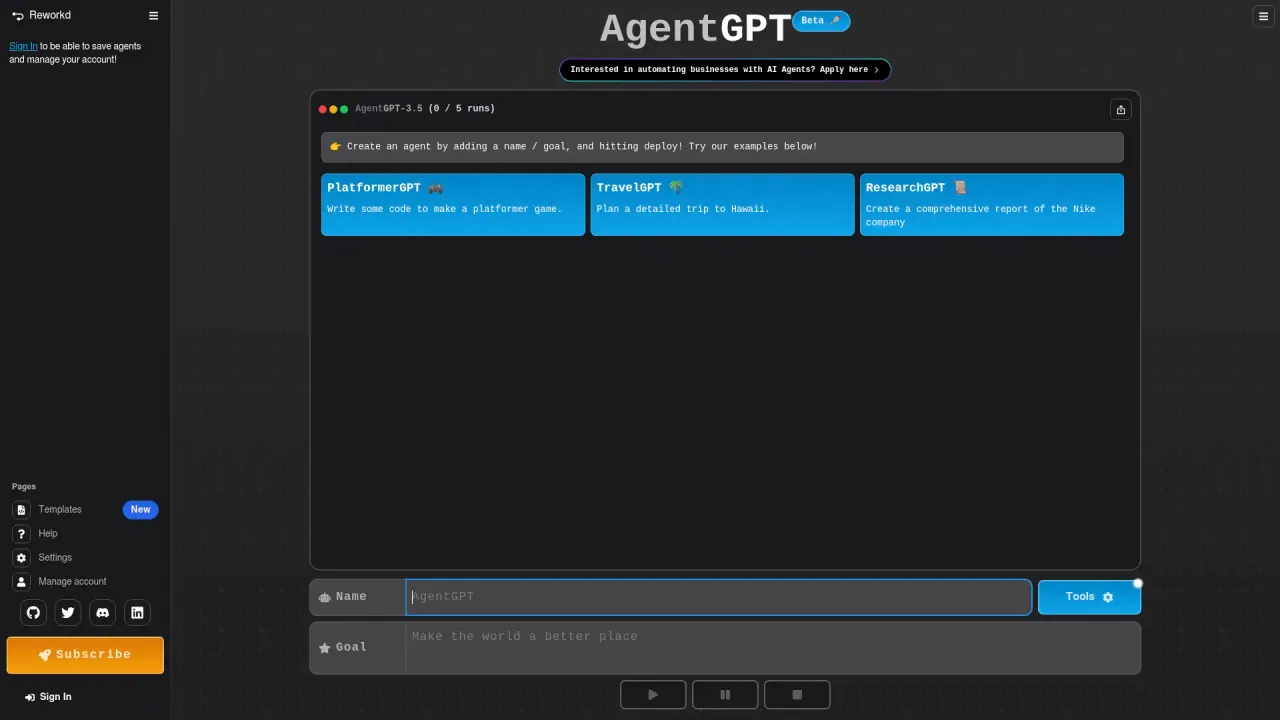
To create an AI agent, name your custom AI and set a specific goal. Once you’ve defined the name and goal, deploy the agent by clicking the deploy button. The agent will think of tasks, execute them, and learn from the results as it works toward the designated goal. You can try examples like ResearchGPT, TravelGPT, and StudyGPT.
Do I need to sign in to save agents?
Yes. Sign In to be able to save agents and manage your account.
What are the benefits of using AgentGPT for autonomous AI agents?
AgentGPT lets you configure and deploy autonomous AI agents that can independently work toward predefined goals. Benefits include customizing the AI to your needs, automating complex tasks, learning from task execution, and improving performance over time. It’s useful for web scraping, data processing, and planning tasks like research, travel, and study plans.
Is AgentGPT currently in beta or is there a trial version?
Yes, AgentGPT is currently available as a Beta version.
What examples are available to help you get started?
Try examples such as ResearchGPT (Create a comprehensive report of the Nike company), TravelGPT (Plan a detailed trip to Hawaii), and StudyGPT (Create a study plan for a History 101 exam about world events in the 1980s). You’ll find these examples in the interface.
Where can I learn more about AgentGPT (documentation, roadmap, FAQ)?
To learn more about AgentGPT, its roadmap, FAQ, etc., visit AgentGPT's Documentation.
Is this your tool?
Claim AgentGPT to manage this listing, or upgrade to Pro for featured-first placement and a newsletter feature.