
Juice Labs
Gpu Resource Optimization Tool
Maximize GPU power with Juice Labs' GPU resource optimization tool
Promoted
 Pixmax.aiPixmax.ai is an all-in-one AI workspace for videos, visual stories, and marketing content.
 Sidrune AI85% off. Stable Claude API for agent developers. Pay as you go. Invoices & refunds available.
 SEOify - Improve your SEO & rankingsBuild links to rank in Google. Improve your DR with links you can start building now.Advertise here270,000+ people visit Dang.ai every month.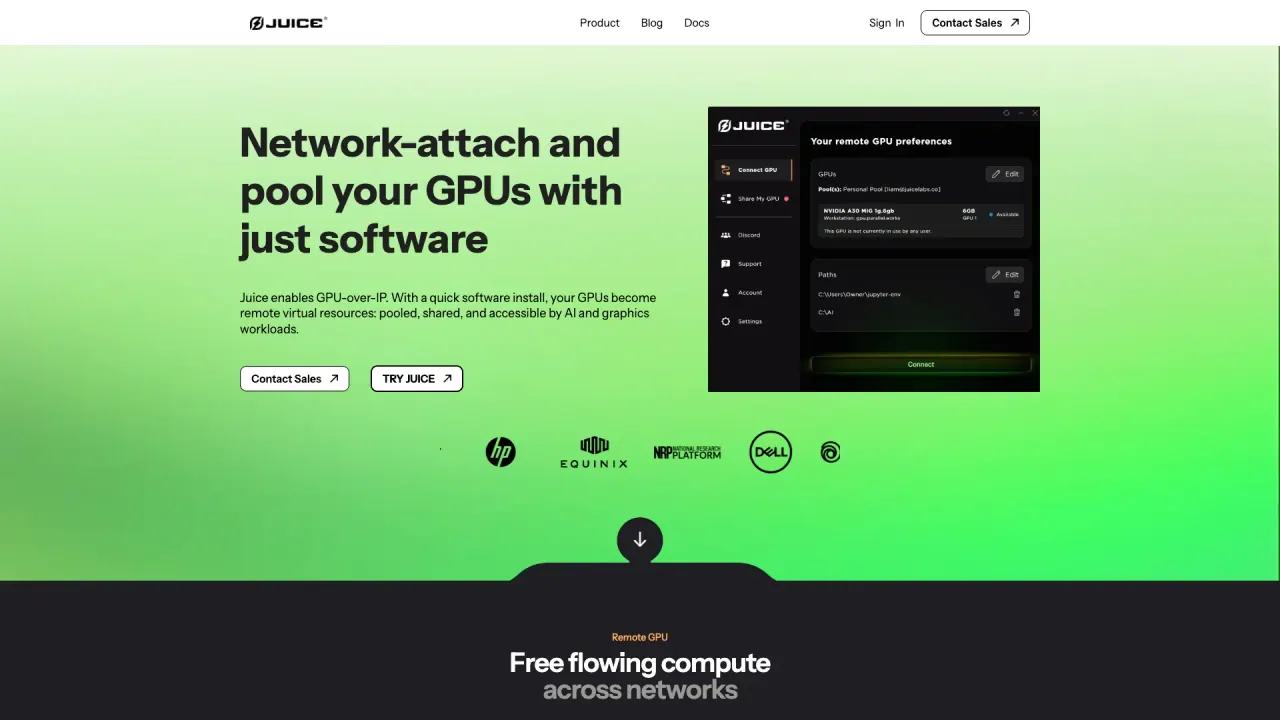
What does Juice Labs do?
What is Juice Labs and what does it do?
Juice Labs is a GPU-over-IP software platform that turns GPUs into remote, pooled resources that can be shared and network-attached to AI and graphics workloads. It decouples the application process from the physical GPU, so workloads run on remote GPUs with no changes to your apps or hardware. It supports DirectX, Vulkan, and CUDA workloads, works over LAN and WAN, and is hardware-agnostic across NVIDIA GPUs (including consumer cards). The Juice Desktop Client enables bringing remote GPU power to creative and engineering tools.
How does Juice enable dynamic GPU allocation and maximize utilization?
Juice uses dynamic sharing and pooling to allocate VRAM and compute to workloads on demand. This enables on-the-fly GPU access and higher utilization compared to static partitions, allowing workloads to share GPUs across machines and over networks without rigid hardware limits.
What workloads can I run with Juice?
Juice supports running graphics and AI workloads together. You can run heavy graphical workloads (DirectX 12, Vulkan) and ML compute (CUDA) simultaneously. The Juice Desktop App also enables creative apps (e.g., CATIA, Blender, Unreal Engine) to use remote GPUs with minimal setup and no code changes to your applications.
What platforms and GPUs does Juice support?
Juice works with any NVIDIA GPU (including consumer RTX and workstation cards) and is hardware-agnostic. It offers full Windows support (desktop experience) and Linux-based server support, with cross-platform compatibility between client and host. It also enables cross-OS workflows and cross-architecture bridging.
What is the Juice Desktop App and what can it do for creative apps?
The Juice Desktop App brings remote GPU power to your creative and engineering tools. It supports automatic GPU discovery, profile management for different workflows, real-time latency and performance monitoring, and secure authentication integration. To use it, download and install the client, authenticate with your organization credentials, and run applications with the juice run prefix.
How do I get started with Juice?
- Download and install the Juice Client binaries for your operating system.
- Authenticate with your organization credentials.
- Run your application using the juice run prefix to attach a remote GPU (for example, juice run <application>).
What plans are available and what do they include?
- Juice Free: $0/month. Up to 10 hours of total GPU time per month, pool up to 3 GPU agents, use any NVIDIA GPU up to 40GB VRAM.
- Juice Pro: $30/month. Unlimited GPU time per month, pool up to 3 GPU agents, use any NVIDIA GPU up to 40GB VRAM.
- Juice Enterprise: Contact sales. Unlimited GPU time, pool unlimited GPU agents, use any NVIDIA GPU of any size.
How is data security and privacy handled with Juice?
Juice emphasizes data locality and secure access: customer data remains at the CPU node (data gravity kept in your control), and remote GPU usage occurs over encrypted connections. The architecture supports TLS-based encryption for data in transit and keeps data from resting on provider systems.
Can I use Juice with HPC clusters and SLURM?
Yes. Juice positions itself as HPC-friendly and SLURM-ready, enabling seamless scheduling so you can request Juice resources as if they were local hardware, without complex job modifications.
Can Juice be used across cloud providers or hyperscalers?
Yes. Juice supports multi-cloud arbitrage (AWS, GCP, Azure) and lets you keep your data and control plane in one environment while bursting to neoclouds for compute. You can access H100s and A100s on providers like CoreWeave, Nebius, or Lambda when native capacity is unavailable. No Terraform or Kubernetes federation is required—just point your local Juice client to a remote agent IP.
Where can I learn more or get started?
- Read the official Documentation
- Download the Juice Client and install
- Authenticate and start running applications with juice run
- Contact Sales for Enterprise plans or additional support
Does Juice support cross-architecture setups (e.g., ARM edge devices to x86 GPUs)?
Yes. Juice offers cross-architecture bridging that connects ARM-based edge devices to powerful x86 data-center GPUs, enabling a unified remote-GPU workflow across different hardware architectures.
Is this your tool?
Claim Juice Labs to manage this listing, or upgrade to Pro for featured-first placement and a newsletter feature.