
Edensign
Verified
AI Virtual Staging
AI-powered virtual staging that instantly elevates real estate listings
- Pricing
- Freemium
- Category
- Interior design
- Listed
- Sep 8, 2025
- Updated
- May 25, 2026
Promoted
 Sidrune AI85% off. Stable Claude API for agent developers. Pay as you go. Invoices & refunds available.
 Pixmax.aiPixmax.ai is an all-in-one AI workspace for videos, visual stories, and marketing content.
 SEOify - Improve your SEO & rankingsBuild links to rank in Google. Improve your DR with links you can start building now.Advertise here270,000+ people visit Dang.ai every month.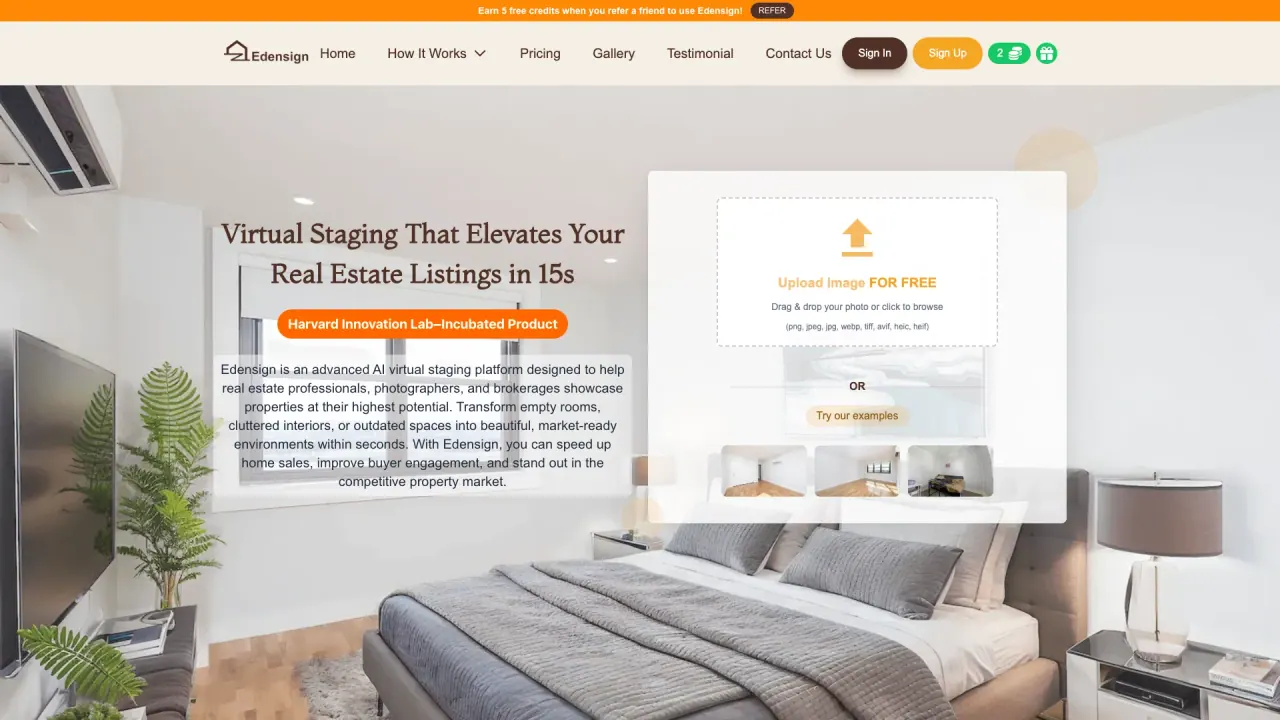
What does Edensign do?
What is Multi-View Virtual Staging and how does Edensign keep furniture placement consistent across multiple views?
Edensign offers AI-powered Multi-View Virtual Staging that lets you showcase a property from multiple angles while preserving consistent furniture placement and layout. This ensures spatial alignment and visual continuity across views, so all angled images feel cohesive and realistic for listings.
How fast does Edensign generate staged listing photos?
Edensign delivers HD-quality virtually staged images in seconds. The platform emphasizes rapid processing, with staging described as happening in just 10 seconds in the How It Works flow.
What services does Edensign offer?
Edensign provides a suite of services to transform listing media, including:
- Virtual Staging and Multi-View Virtual Staging
- Decluttering and furniture removal
- AI Furniture Editing
- Furniture Replacing
- Batch Processing
- AI Listing Script Generation
- Day to Dusk
- 2D to 3D Floor Plan
- Photo Enhancement
- Interior Renovation
- Vacant Lot House
What file formats are supported for uploads?
Edensign accepts and supports uploads in: png, jpeg, jpg, webp, tiff, avif, heic, and heif.
What are the pricing plans and what do they include?
Starter Plan
- 180 photos/year
- $1.33 per photo
- Great for agents testing virtual staging
- Includes: Virtual staging, interior renovation previews, furniture removal, multi-angle staging (all room types & styles), AI furniture editing, unlimited edits & downloads, no watermark, instant turnaround, batch processing (multiple listings or photo sets), image storage forever
Professional Plan
- 600 photos/year
- $0.90 per photo
- Designed for active realtors and photographers
- Includes all Starter features plus: furniture replacement using your reference images, Day to Dusk, 2D to 3D floor plan, photo enhancement for listing media, AI-generated listing descriptions (MLS-ready), business account with team collaboration, invite agents/marketing staff under one account, centralized billing and usage tracking
Premium Plan
- 1800 photos/year
- $0.77 per photo
- Tailored for brokerages and real estate teams with high-volume needs
- Includes everything in Professional plus expanded usage for high-volume workflows (pricing shown is per-year)
Enterprise Plan
- API access for virtual staging, decluttering, and furniture editing
- Platform-level workflow integration (MLS, CRM, listing systems)
- Priority support and onboarding
- Let’s Chat to customize high-volume options
- Includes everything in Premium and adds dedicated API and integration capabilities
How do I get started with Edensign? What are the basic steps?
The usage flow is:
- STEP 1: Upload a Photo
- STEP 2: Choose Room Type and Style
- STEP 3: Get Stunning Listing Photos in Seconds
You can also explore related actions like Decluttering or applying AI edits within the same workflow.
What is Decluttering and how does it work?
Decluttering lets you remove existing furniture from a photo. Steps:
- STEP 1: Upload Your Cluttered Photo
- STEP 2: Choose Remove Existing Furniture
- STEP 3: Get Empty Room Photo in Seconds
What is AI Furniture Editing and how do I use it?
AI Furniture Editing provides precise room edits without Photoshop. Steps:
- STEP 1: Enter Edit Mode
- STEP 2: Select and Input Prompt
- STEP 3: Apply the Edit
What is Furniture Replacing and how does it work?
Furniture Replacing enables you to swap in new furniture using your own images. Steps:
- STEP 1: Enter Edit Mode
- STEP 2: Select & Replace with Your Own Furniture Picture
- STEP 3: Apply the Edit
What is Batch Processing?
Batch Processing allows you to upload multiple room photos and process them together for efficiency. Steps:
- STEP 1: Upload Multiple Room Photos
- STEP 2: Select Room Type & Process Batch Photos
- STEP 3: Download the best photos
What is AI Listing Script Generation?
AI Listing Script Generation helps you produce MLS-ready listing scripts. Steps:
- STEP 1: Click ‘Share’ and fill in Listing Information
- STEP 2: Generate Script for Listing
- STEP 3: Share listing information to social media
What is Day to Dusk?
Day to Dusk is a feature included starting with Professional and higher plans that helps create listing media representing day and dusk lighting scenarios.
What is 2D to 3D Floor Plan?
2D to 3D Floor Plan is a feature that converts or complements photos with floor plan visualizations to enhance listing media.
What is Photo Enhancement?
Photo Enhancement improves listing media quality for photos used in listings.
What is Interior Renovation?
Interior Renovation provides previews or edits to show improvements within a space.
What is Vacant Lot House?
Vacant Lot House refers to services or visuals applicable to vacant or raw spaces, helping you envision furnished possibilities.
Is there a referral program and what does it offer?
Yes. Edensign runs a referral program offering 5 free credits when you refer a friend to use Edensign. (Refer a friend to earn credits.)
Is API access included, and which plan should I choose for API needs?
API access is included with the Enterprise Plan (and can be a consideration for those needing platform-level integrations). The Enterprise Plan covers API access for virtual staging, decluttering, and furniture editing, along with integration capabilities and priority support.
Can I invite teammates (agents or marketing staff) to collaborate under one account?
Yes. The Professional and higher plans include business accounts with team collaboration and the ability to invite agents and marketing staff under one account, with centralized billing and usage tracking.
This listing is claimed
Own Edensign? Sign in with the email used to claim it to manage this listing, or upgrade to Pro for featured-first placement and a newsletter feature.