
AITwo
AI Interior Design & Redesign Tool
Redesign your space effortlessly with AITwo, the AI interior design & redesign tool.
- Pricing
- Freemium
- Category
- Interior design
- Listed
- Apr 20, 2023
- Updated
- May 25, 2026
What does AITwo do?
How does AI Two work?
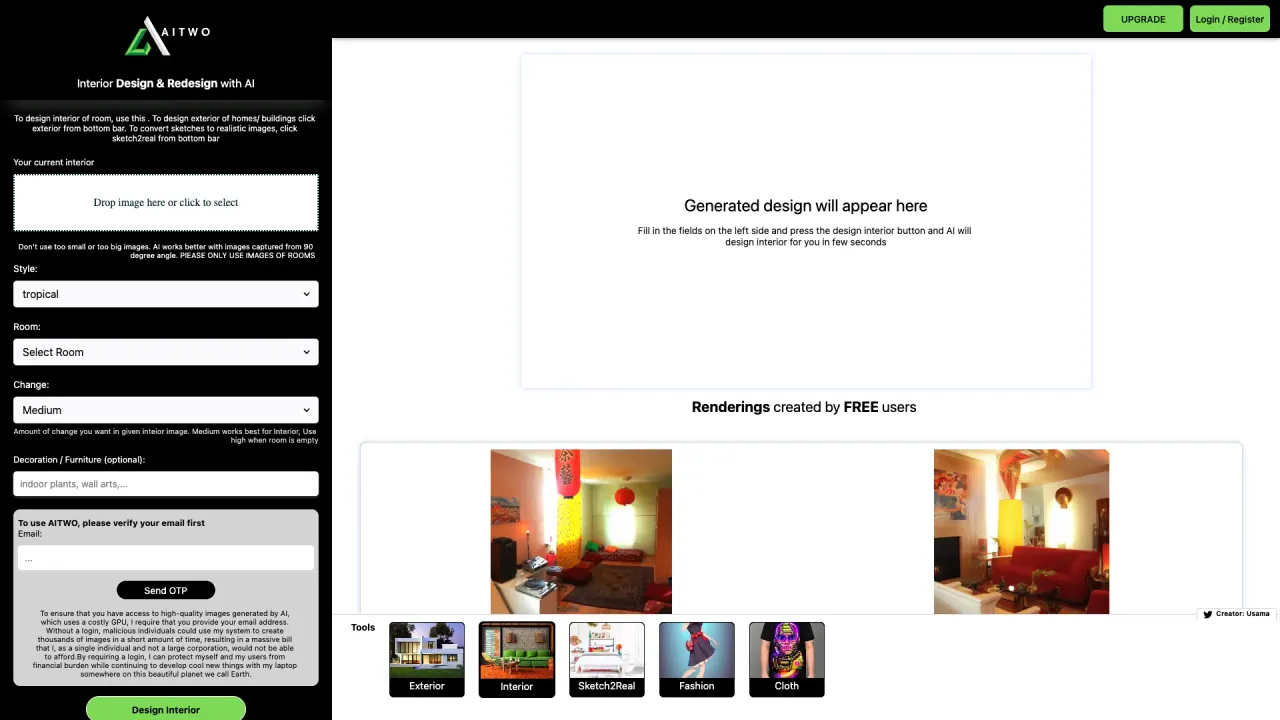
AI Two uses artificial intelligence to help you design and remodel interior, exterior, and architectural spaces. You can start by uploading your own image or choosing from a gallery of images provided by AI Two. Then you customize by selecting a design style, theme, color, and other parameters. You can add, remove, or edit elements like furniture and textures, and preview your design from different angles and resolutions. Finally, you can save, share, or download your design. The platform emphasizes realistic renderings to help you visualize ideas quickly.
What types of spaces can I design with AI Two, and what tools are available for architects and real estate pros?
You can design interiors (design new rooms and remodel existing ones) and exteriors (remodel exterior of houses and buildings). Architect-focused tools include AI Architecture Design, Sketch to Reality (convert sketches into realistic images), and Render & ReRender AI For Architecture. Other tools cover room design, virtual staging, landscaping, and exterior design. This enables professionals and property listings to visualize remodeling, architecture, and staging concepts.
How accurate are the AI-generated designs?
AI Two aims to produce visually realistic renderings and helpful design visualizations. The results are designed to give you a realistic sense of how ideas will look, but as with any AI-generated visuals, final outcomes depend on input quality and styling choices.
Can I use the designs commercially?
The available content does not specify commercial-use rights. Please review AI Two’s terms of service and licensing details for clarity on commercial use of generated designs.
Do I need design experience?
No design experience is required. AI Two is marketed as accessible to users without prior design experience, with tools crafted to simplify the design process.
How fast are designs generated?
Designs render quickly, with an average speed around 30 seconds for many outputs.
How many design styles are available?
There are 60+ design styles, with new styles added every month. You can also request custom design styles.
What are the pricing options and is there a free trial?
AI Two offers a free start with the first two designs free. Pricing shows weekly, monthly, and yearly options with Premium Credits included per plan, and access to all AI design tools. Plans describe canceling anytime and continuing access to tools, with different credit allocations per week. The platform emphasizes a low-friction, ongoing subscription rather than long-term commitments.
Do I need to sign up to start designing?
Yes. You sign up to access the tools, and there is a Start For Free option to begin designing right away.
Can I design on any device?
Yes. AI Two states it works on all devices, allowing you to design from desktop, tablet, or mobile.
What security protections does the platform have?
AI Two advertises SSL encryption and protection for payments and data.
What specialized features exist for real estate and staging?
Key features include Virtual Staging AI (room staging using AI), Remodel AI (interior and exterior remodeling), and Landscaping AI (exterior outdoor design). There are also tools like Paint AI for color and paint ideas, and Exterior AI/Interior AI for comprehensive space design.
Is this your tool?
Claim AITwo to manage this listing, or upgrade to Pro for featured-first placement and a newsletter feature.