
Deepnote
AI Data Science Notebook
Revolutionize data exploration with Deepnote's AI-powered notebook. Seamlessly combine Python, SQL, and more.
What does Deepnote do?
What is Deepnote?
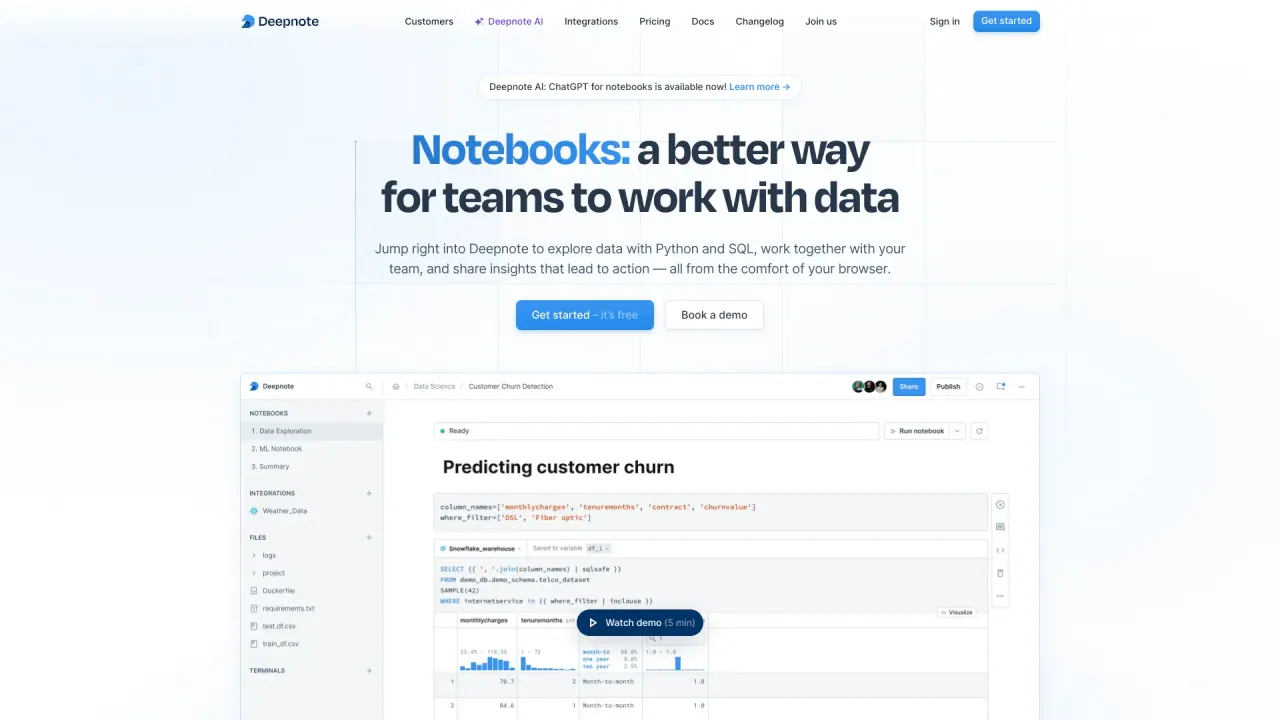
Deepnote is a cloud-based, open-source data workspace described as a Jupyter notebook for the AI era. It combines notebooks, data apps, and dashboards; supports Python, SQL, and R (with a no-code option); and includes AI-powered features to help you query, analyze, and interpret data. It connects to Snowflake, BigQuery, and 60+ data sources, supports scheduling and deploying notebooks as APIs, and is built for collaboration with strong security controls.
Which languages and coding options does Deepnote support?
You can write and run Python, SQL, and R in Deepnote notebooks. There is also a no-code option. Deepnote includes AI-assisted capabilities such as code generation, code explanations, refactoring, code completion, and debugging assistance.
What AI capabilities does Deepnote provide?
Describe what you want to do and Deepnote will automagically query, analyze, and interpret data for you. It understands your business context and data stack to deliver high-quality analyses quickly. It can generate code, explain code, refactor, and help with coding tasks, powered by AI within the IDE.
How many data sources and integrations does Deepnote support?
Deepnote connects to Snowflake, BigQuery, and 60+ data sources, with 100s of built-in integrations for warehouses, databases, and lakehouses. It also supports dbt metadata and lets you run queries with Jinja in SQL blocks, browsing metrics alongside your warehouse schema. You can also drag and drop CSVs as data sources.
What can I build with Deepnote?
Deepnote supports quick explorations, notebooks, data apps, dashboards, ETL pipelines, data catalogs, knowledge bases, and more. You can arrange content into custom layouts, visualize data with no-code configurable charts, schedule notebooks, deploy notebooks as APIs, and run on CPUs or GPUs for heavier workloads.
How does collaboration work in Deepnote?
Deepnote runs in the cloud to enable collaboration across teams. Team members can comment on blocks to ask questions and provide feedback, review and version work, and share via links or email invites. Projects can be organized into folders in a library to help teammates find information quickly.
How do I share work and control access?
You can share by simple link or email invite, with advanced permission models. Deepnote supports role-based access control (RBAC), single sign-on (SSO) via SAML or OIDC, and directory synchronization to manage who can view, comment, code, or access data.
What security and compliance features does Deepnote provide?
Deepnote encrypts all data and credentials and remains compliant with HIPAA, SOC 2, GDPR, and more. It offers audit logs and notebook version history, RBAC, SSO, and directory sync. It also provides secure data source connections (including SSH tunnels) and options for secure, compliant deployments. Custom deployments are available, and you can book a demo to learn about deployment options.
What deployment options does Deepnote offer?
Deepnote runs in the cloud with a secure, managed environment, and there are custom deployments available. To learn about all deployment options, you can book a demo.
Is Deepnote open-source?
Yes. Deepnote is now open-source and released under Apache 2.0.
Is there an Education plan?
Yes. Deepnote offers an Education plan that is completely free for eligible students, teachers, and researchers. You can sign up using your educational email address.
How much does Deepnote cost?
Deepnote offers a free plan. There is also an Education plan that is free for eligible educational institutions. For Team and Enterprise pricing, see the Pricing page or book a demo for a personalized quote.
Is this your tool?
Claim Deepnote to manage this listing, or upgrade to Pro for featured-first placement and a newsletter feature.