
AdsBot
Ppc Automation And Optimization Tool With AI For Google Ads Campaigns
Boost your Google Ads campaigns with Adsbot: the AI-powered PPC automation and optimization tool
- Listed
- Aug 4, 2023
- Updated
- May 25, 2026
Promoted
 Pixmax.aiPixmax.ai is an all-in-one AI workspace for videos, visual stories, and marketing content.
 RewindType any X/Twitter handle. Get their year back as a narrated video story. Then ask it anything.
 KurodyneSell the tools from your AI side projects. Listing is free.
 Sidrune AI85% off. Stable Claude API for agent developers. Pay as you go. Invoices & refunds available.
 SEOify - Improve your SEO & rankingsBuild links to rank in Google. Improve your DR with links you can start building now.Advertise here270,000+ people visit Dang.ai every month.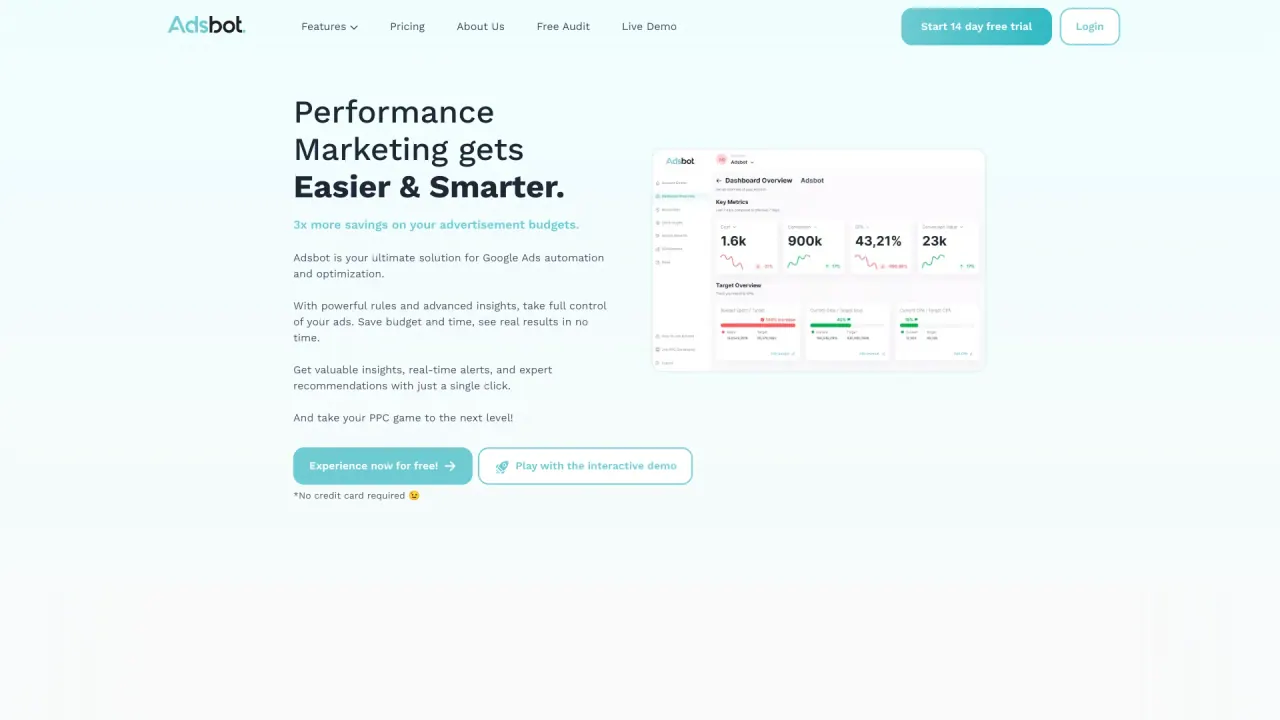
What does AdsBot do?
How does AdsBot enhance PPC campaign performance?
AdsBot helps you run smarter, more cost-efficient campaigns. It promises 3x more savings on ad budgets by automating optimization, delivering 24/7 recommendations, and enabling one-click changes to Google Ads, Meta Ads, TikTok Ads, LinkedIn Ads, and more. The Automated AI Audit analyzes performance across Google Ads, Meta Ads, TikTok Ads, and Google Search Console to identify risk areas and growth opportunities, then provides a prioritized list of recommended actions. Key capabilities include New Keyword Ideas, Non-Converting Keywords detection and pausing, Low-Performing Placement identification and exclusion, and Negative Keyword Suggestions. You also get budget control, KPI tracking, and automated reporting.
Which platforms does AdsBot support?
AdsBot is built for Google Ads, Meta Ads, TikTok Ads, and LinkedIn Ads (with mention of “and more” in the content, indicating additional platforms may be supported).
What pricing plans are available for AdsBot?
AdsBot offers several plans:
- Basic: $99 per month, or $79 billed annually; 1 Workspace, 1 User
- Pro: $199 per month, or $159 billed annually; 2 Workspaces, 2 Users
- Agency: $499 per month, or $399 billed annually; 10 Workspaces, 5 Users
- Custom: Custom Workspaces and Flexible Users (book a meeting for details)
Is there a free trial for AdsBot?
Yes, AdsBot offers a 14-day free trial.
What is One Click Optimization and how does it work?
One Click Optimization is AdsBot’s on-demand optimization flow. The Optimization tab continuously scans your account (24/7) to generate optimization recommendations. You can review these recommendations in detail and push changes directly to ad channels with a single click.
What is Automated AI Audit and what does it do?
Automated AI Audit analyzes your complete performance across Google Ads, Meta Ads, TikTok Ads, and Google Search Console. It identifies critical risk areas where budgets are being wasted, uncovers new growth opportunities, and delivers a simple, prioritized list of recommended actions.
What automation capabilities does AdsBot offer?
AdsBot provides a Rule Engine for custom automation across Google Ads, Meta Ads, and LinkedIn Ads. Automations can automatically:
- Add new keywords
- Pause campaigns
- Set alerts
- Add negative keywords
- Dynamically increase or decrease budgets
- Exclude placements
- Change bid strategies
All of this is designed to run in real time to keep spend efficient.
What keyword optimization features does AdsBot provide?
- New Keyword Ideas: identify high-performing terms not yet in your account and add them as keywords
- Non-Converting Keywords: automatically detect and pause keywords that consume budget without conversions
- Negative Keyword Suggestions: uncover irrelevant queries and add them to your negative keyword list
How does Budget Control work in AdsBot?
Budget Control visualizes your budget data with advanced total budget tracking options and helps you maintain precise control over total spending, reducing guesswork and maximizing advertising effectiveness.
How does reporting work?
AdsBot provides automated reporting that eliminates hours of manual data entry. You can schedule weekly or monthly reports, customize them with your agency or brand logo, and choose multi-channel or single-channel views to deliver insights automatically.
What dashboards does AdsBot provide?
- All In One Dashboard: a single view of your marketing channels
- Overview Dashboard: quick understanding of your channels in one tab
- KPI Tracking: visualizations of your key metrics
These dashboards are designed to simplify monitoring across platforms.
Is AdsBot suitable for agencies and larger teams?
Yes. The Agency plan is designed for agencies, offering 10 Workspaces and 5 Users, with scalable options. The platform also supports multiple workspaces and users under other plans to fit growing teams.
Where can I learn more or get support?
You can explore Resources such as Blog, Free Audit, Support, Sitemap, and Success Stories. You can also book a demo or start a Free Audit to see AdsBot in action.
Is this your tool?
Claim AdsBot to manage this listing, or upgrade to Pro for featured-first placement and a newsletter feature.