
Turbo0
Verified
Content Creation for Free
The most popular content creation products for content creators
What does Turbo0 do?
What is Turbo0?
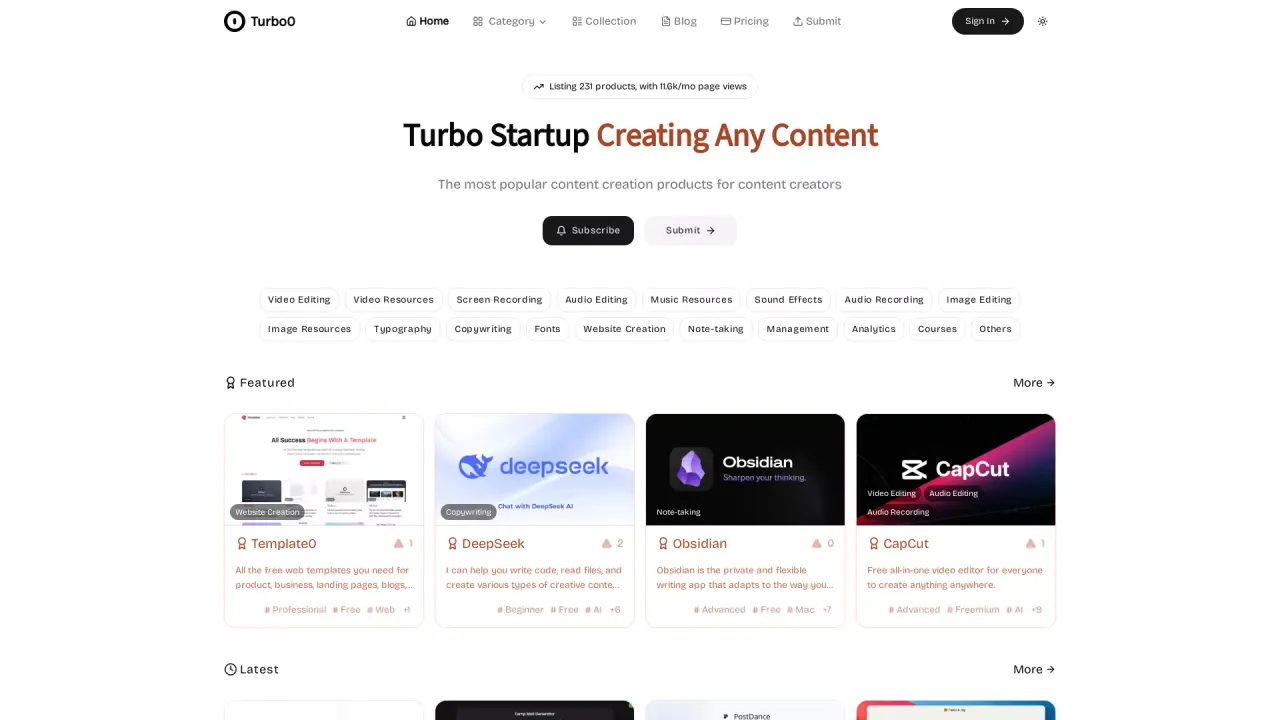
Turbo0 is a directory of content creation tools for content creators. It showcases tools across categories such as Video Editing, Audio Editing, Image Editing, Website Creation, Note-taking, Management, Growth, Inspiration, Platforms, and Others. Tools can be filtered by categories and tags, and listings are supported by features like OG preview images, voting, and manual reviews to ensure accuracy and usability.
What types of content creation tools does Turbo0 offer?
Turbo0 offers a broad range of tools including video editing, audio editing and recording software, image editing tools, and website creation resources. It also features specialized tools for copywriting, note-taking, typography, management, growth, inspiration, platforms, and others. Listings are categorized by attributes such as beginner-friendly, free, open-source, AI-enhanced, and online availability.
How does Turbo0 categorize and filter content creation tools?
Turbo0 uses a structured system with 18 professional categories and 18 tags (such as AI-driven, multi-language support, and cross-platform compatibility) to help users search and filter tools according to their needs.
How many categories does Turbo0 use and what are some examples?
Turbo0 uses 18 professional categories. Examples include Video Editing, Audio Editing, Image Editing, Website Creation, Note-taking, Management, Growth, Inspiration, Platforms, and Others. There are also 18 tags to refine results (e.g., AI-driven, multi-language support, cross-platform compatibility).
How does Turbo0 help me discover content creation tools?
Turbo0 provides multi-dimensional sorting (by time, popularity, and alphabetical order), OG preview images for better visual presentation, voting on favorite projects, and manual reviews of all listed products to ensure quality and accuracy.
Do listed tools get reviewed before appearing on Turbo0?
Yes. All listed products undergo manual reviews to verify information and usability, helping ensure high-quality resources for users.
Can I vote for projects or listings on Turbo0?
Yes. You can vote for your favorite projects, contributing to the platform’s ranking and visibility.
What information is shown for each listing on Turbo0?
Each listing is clearly labeled with:
- Supported operating systems (e.g., Mac/Windows/iOS, etc.)
- Language interface (e.g., Chinese/English/multi-language)
- License type (open-source/freemium/paid)
- Core feature identifiers (such as AI enhancement, browser plugins)
How can a tool be listed on Turbo0?
Tools can be submitted via the Submit option. All listings are subject to manual review before appearing on the site.
Where can I find pricing and sign-in options?
Turbo0 has a Pricing page and a Sign In option in the header. For details, visit Pricing or Sign In on the site.
How many products are listed on Turbo0?
Turbo0 lists thousands of products; the current listing header shows around 2.3k products, indicating a large and evolving directory.
What is OG preview image and how does Turbo0 use it?
OG stands for Open Graph. Turbo0 uses OG preview images to enhance visual presentation when listings are shared on social platforms.
What categories exist on Turbo0?
In addition to core categories like Video Editing, Audio Editing, Image Editing, Website Creation, Note-taking, and others, Turbo0 includes categories such as Inspiration, Growth, Platforms, Management, and Others to cover a wide range of content-creation tools.
How can I contact Turbo0 or learn more?
You can reach Turbo0 through the channels listed in the site’s footer or support area, including GitHub, Twitter, and Email.
Is this your tool?
Claim Turbo0 to manage this listing, or upgrade to Pro for featured-first placement and a newsletter feature.