
Olvy
AI User Feedback Optimization
Optimize user feedback with Olvy- the AI tool for user-centric product teams.
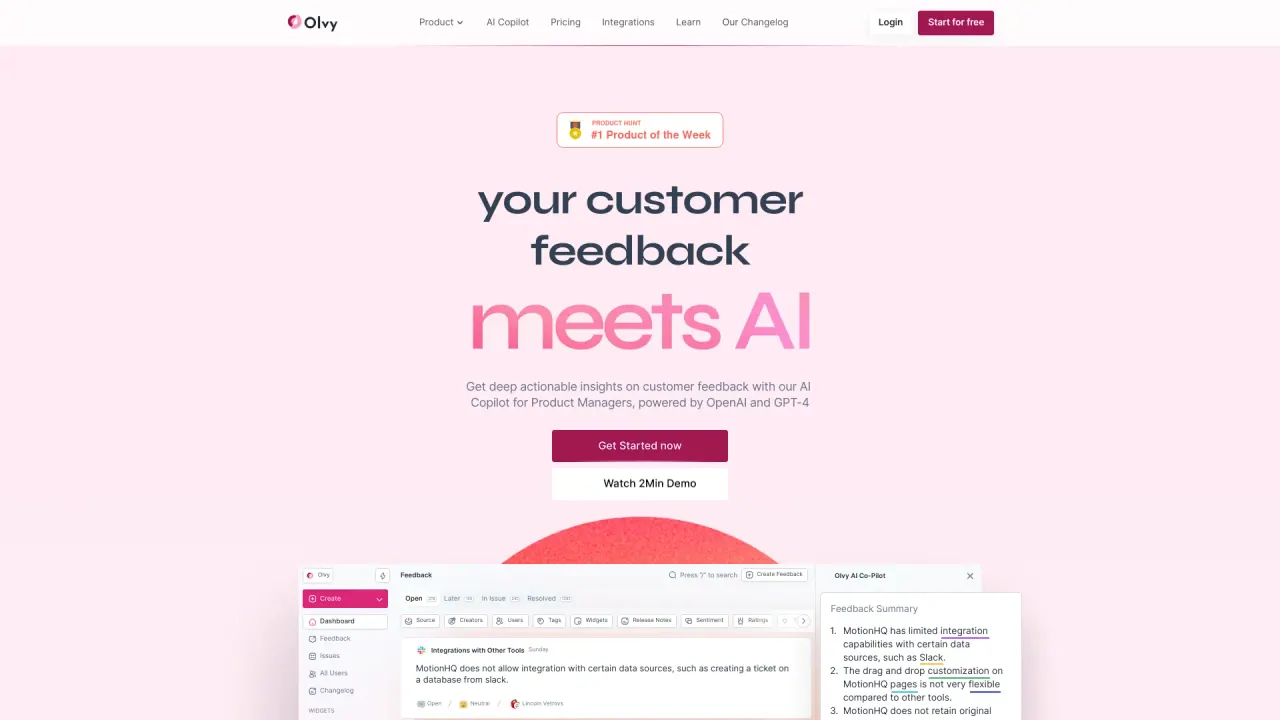
What does Olvy do?
What is Olvy AI and what does it do?
Olvy AI consolidates customer feedback from surveys, interviews, reviews, support tickets, and sales calls into one workspace and turns it into actionable insights using AI. It helps product teams stay close to users’ needs, prioritize work, and make data-driven decisions faster.
What data sources and channels does Olvy support for collecting feedback?
Olvy collects feedback from:
- Data sources: surveys, interviews, reviews, support tickets, and sales calls
- Channels and integrations: Slack, Discord, Twitter, Telegram, Play Store, Google PlayStore, Zendesk, Intercom
- External apps: Zapier integration to bring in feedback from 1000+ apps
- API access: Olvy API to programmatically control data from outside your Olvy workspace
This setup lets you unify customer voices from many places in one place.
What AI-powered capabilities does Olvy provide?
Olvy uses AI to:
- Generate concise, actionable summaries from large volumes of feedback
- Perform sentiment analysis to gauge user feelings
- Automatically identify feedback types to prioritize actions
- Conduct thematic/intent analysis to surface key themes
- Produce AI-generated reports and summarize large data sets
- Enable autofill with custom properties and multilingual feedback translation
What is the Auto Listener and how does it work?
Olvy’s Auto Listener is an AI-driven importer that intelligently identifies and imports genuine feedback from all integrated platforms, filtering out noise so you capture useful insights instead of unrelated chatter.
Does Olvy translate feedback for global audiences?
Yes. Olvy includes Feedback Translation, allowing you to listen to users around the globe in any language.
What integrations does Olvy offer for data import and connectivity (including Zapier and PM tools)?
Olvy supports a broad set of integrations to connect feedback across tools and systems:
- Native channels: Slack, Discord, Twitter, Telegram, Play Store, Google PlayStore
- Customer apps: Zendesk, Intercom
- App ecosystem: Zapier integration to connect 1000+ apps
- Project management and other tools: Olvy provides seamless integration with project management tools (for workflow synchronization)
- API: Olvy API to programmatically control data from outside your Olvy workspace
Does Olvy offer an API?
Yes. Olvy provides an API (the Olvy API) that lets you control and access data from outside your Olvy workspace, enabling custom integrations and workflows.
What are the pricing plans and what’s included?
As listed:
- Free Plan: 1 builder, unlimited release notes, SEO settings, analysis of up to 100 feedbacks, and more
- Essentials Plan: $48/month (with a 20% discount); includes everything in Free plus 3 builders, analysis of up to 5,000 feedbacks, advanced customization, and more
- Business Plan: $240/month (with a 20% discount); includes everything in Essentials plus 5 builders, analysis of up to 10,000 feedbacks, feedback summarization, and more
- Enterprise Plan: Customized pricing; includes tailored limits and features, with pricing available on request
Is there a free plan, and what can I do with it?
Yes. The Free Plan provides a starting point to try Olvy, including 1 builder, unlimited release notes, SEO settings, and basic feedback analysis up to 100 feedback items. More advanced features and higher usage require paid plans.
How does Olvy handle privacy and data security?
Olvy follows its Privacy Policy to protect user data. Key aspects include:
- Data collection: personal information such as names, email addresses, phone numbers, company names, and countries when engaging with the platform
- Data use: information is used to deliver services (feedback management, issue management, changelog management)
- Data protection: Olvy is committed to safeguarding personal information and upholding data privacy rights
- Consent: usage implies consent to the handling of personal information as described in the policy
Are there any common issues or limitations reported by users?
Some users have noted areas for improvement, such as:
- Widget design and UX concerns (e.g., previewing new widgets, auto-show behavior for new releases)
- Feedback with screenshots and its display/availability
- Integration nuances with third-party apps like Discord and GitHub
- General usability considerations around multimedia in notes and certain data import scenarios
Does Olvy integrate with project management tools?
Yes. Olvy supports seamless integration with project management tools to help you act on insights within your existing workflows.
Is this your tool?
Claim Olvy to manage this listing, or upgrade to Pro for featured-first placement and a newsletter feature.