DigiCORD
No longer active
AI Powered Chatbot Discord
The most advanced AI-powered chatbot in Discord.
DigiCORD is no longer available
What does DigiCORD do?
What is DigiCord AI?
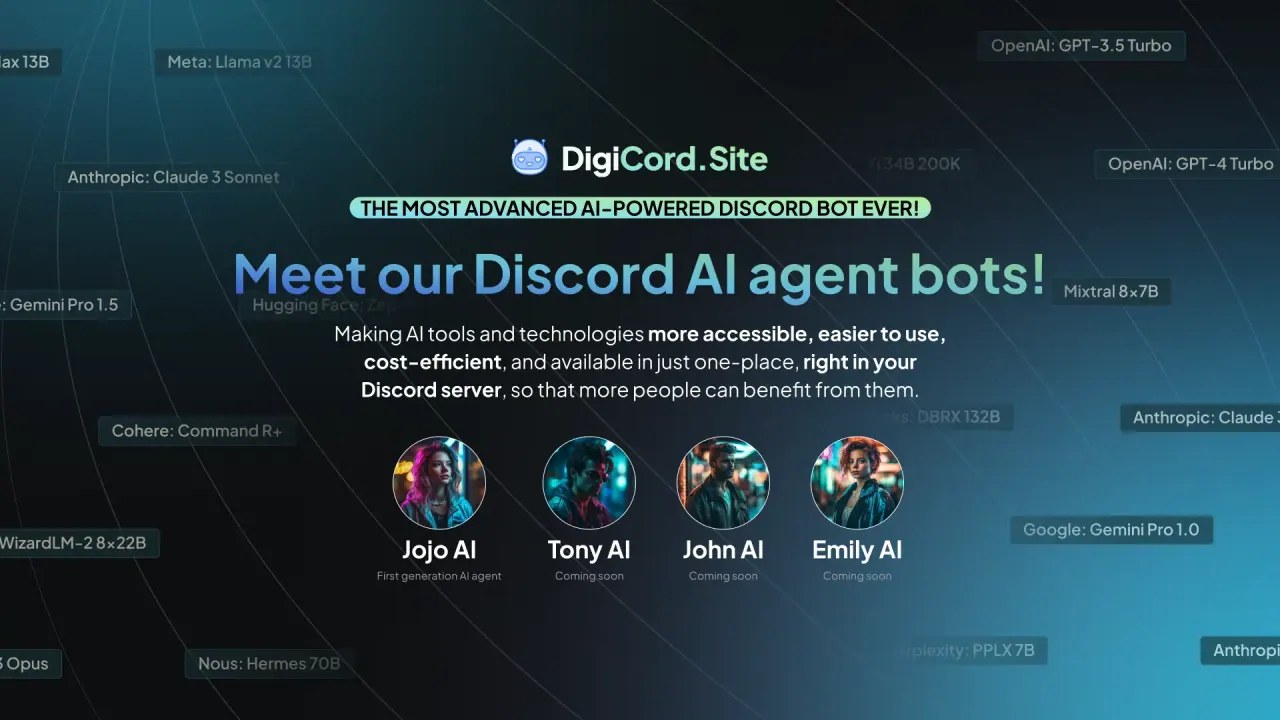
DigiCord AI is a Discord bot that brings AI-powered tools and models directly into your Discord server. It combines multiple AI services in one place to help with conversations, content generation, summarization, translation, image and video tasks, and more—so more people can benefit from AI without leaving Discord.
How do I get started with DigiCord AI?
Invite DigiCord AI to your Discord server, watch the demo, and start interacting by mentioning the bot (e.g., @JojoAI) or by typing commands. The bot supports natural onboarding and a wide set of commands to begin using AI right away.
How do I use DigiCord AI in a Discord server? What commands are available?
DigiCord AI provides a variety of commands to manage and use AI features, including:
- Basic interaction and ongoing participation: /watch, /unwatch, /recap
- AI prompts and prompts management: /ask, /prompt
- Channel and server configuration: /channel-config, /set-server-limit, /role-create, /default-role
- Creation of AI personas and roles: role switching and default roles
- Content generation and summarization: /draw, /write, /summarize-web, /summarize-youtube, /summarize-doc
- Searches and image tools: /search, /image-search
- Vision and analysis: /vision (for image analysis)
- Text-to-speech and speech-to-text: /speech, /transcript
- Usage and payments: /usage, /topup, /server-info, /donate
You can start with natural language prompts or use these commands to access specific capabilities.
What AI models does DigiCord AI support?
DigiCord AI supports 80+ AI models, including well-known options like GPT-3.5, GPT-4 (and GPT-4o), Claude (Sonnet/Haiku/Opus), Google Gemini, Meta Llama, Mixtral, Leonardo AI, and other open-source LLMs. This broad model support enables a wide range of tasks from content creation to analysis and translation.
How does pricing and billing work?
DigiCord AI uses a pay-as-you-use model. The service is free to use with no recurring fees or subscriptions; you only pay for what you actually use. Credits are managed via a balance that you top up as needed. The pricing is marketed as being very cost-efficient, with credits and server-level costs managed through a credits system.
How do credits, server credits, and top-ups work?
- Your credit balance shows how many AI requests you can make.
- You can top up your credits at any time.
- Server credits let you monitor usage across a Discord server.
- Donations can be sent to a server to allow others to use the bot with donated credits.
What payment methods are supported?
DigiCord AI supports multiple payment methods, including credit cards, bank transfers, and PayPal, to top up credits and manage usage.
Can I see usage analytics and control costs?
Yes. You can monitor your credit balance, review usage, and set limits per channel or per server. The system provides usage analytics and cost controls to help you manage spend effectively.
How can I generate images and art with DigiCord AI?
DigiCord AI offers image generation options:
- /draw powered by Leonardo AI for production-quality visuals
- /dall-e (OpenAI DALL-E) for image generation
These tools help you create visual assets directly in Discord.
How can I summarize or process content with DigiCord AI?
DigiCord AI offers several summarization options:
- /summarize-web to summarize web pages
- /summarize-youtube to summarize long YouTube videos
- /summarize-doc to summarize documents (Plain text, PDFs, Word, Excel)
How do I create AI personas or role-play?
You can define AI personas and roles using /role-create and /default-role, allowing you to set system prompts and characteristics for different AI agents. You can also switch between AI roles as needed.
How do I customize per-channel AI settings?
Use /channel-config to set default AI models, roles, language, and other settings for each Discord channel.
How do I analyze conversations or keep the AI from interrupting?
- /watch lets the AI respond in a group chat
- /unwatch stops the AI from answering messages
- /recap provides a private recap of conversations
How do I handle privacy and data with DigiCord AI?
DigiCord AI provides a privacy-focused experience and has a dedicated privacy policy. For specifics on data handling and privacy details, refer to the Privacy Policy documentation.
How does DigiCord AI compare to other AI chatbots or assistants?
DigiCord AI consolidates multiple AI models and tools into a single Discord bot, aiming to be a more accessible, cost-efficient, and centralized solution for AI tasks within Discord—addressing collaboration, content generation, and information access in one place.
Are there any limitations or restrictions on DigiCord AI's capabilities?
Like any AI system, there are limitations and constraints on what DigiCord AI can do. For specifics, consult the official documentation and capabilities guidance.
How does safety and content filtering work?
DigiCord AI includes safety and content filtering measures to help ensure appropriate use. For details on safety features and policies, refer to the safety and policy documentation.
What's on the roadmap for new features?
DigiCord AI has a roadmap with planned enhancements and new features. For specifics and updates, check the official announcements and feature pages.
Is there a plan to support other platforms, such as Telegram or Slack?
The current documentation focuses on Discord. There is a frequently asked question about future platform support, but there is no confirmed public plan for Telegram or Slack at this time.
Stay up to date
Sign up for the DigiCord AI newsletter to receive updates about features, pricing, and improvements.
How can I get support or report issues with DigiCord AI?
You can contact the team via chat on the site or by emailing hi@digicord.site. You can also follow and reach out via the project’s social channels.