
Seaart AI
AI Art Generator
SeaArt AI is an all-in-one platform for generating images, videos, characters, and more from text prompts or photos.
- Pricing
- Free trial
- Category
- Art
- Listed
- Aug 4, 2023
- Updated
- Aug 9, 2026
Promoted
 Sidrune AI85% off. Stable Claude API for agent developers. Pay as you go. Invoices & refunds available.
 Pixmax.aiPixmax.ai is an all-in-one AI workspace for videos, visual stories, and marketing content.
 SEOify - Improve your SEO & rankingsBuild links to rank in Google. Improve your DR with links you can start building now.Advertise here270,000+ people visit Dang.ai every month.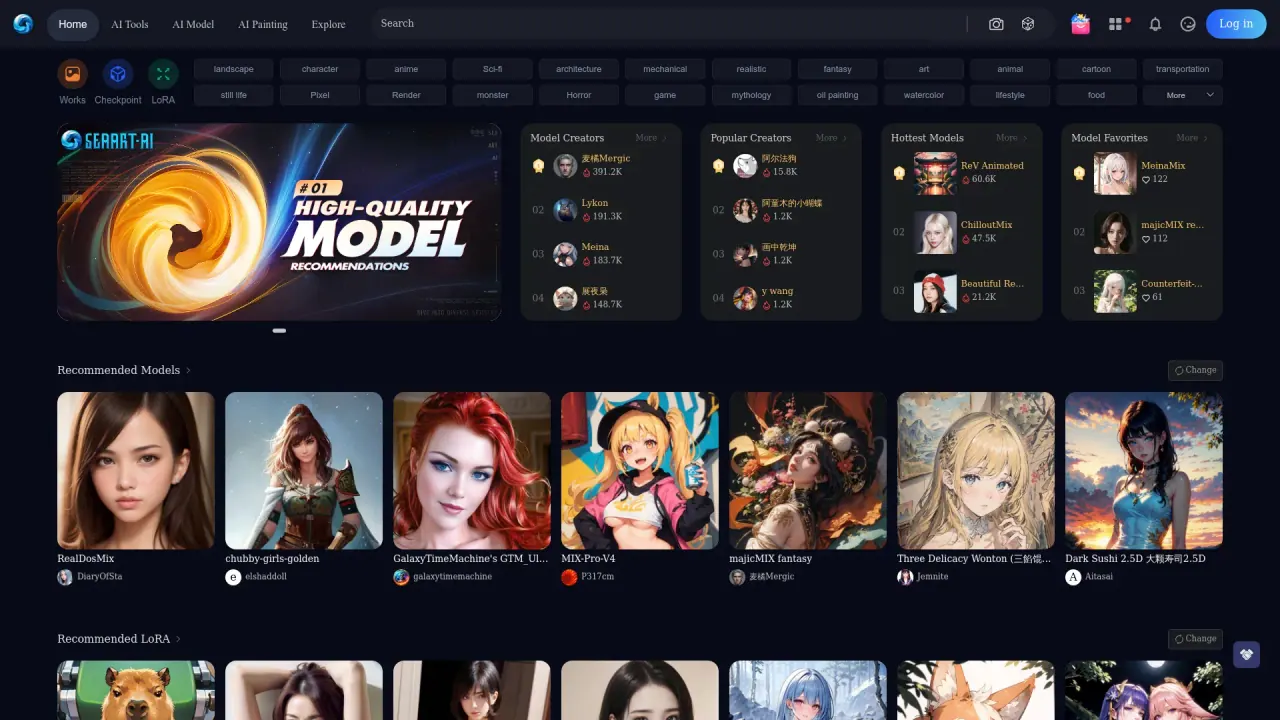
What does Seaart AI do?
SeaArt AI is an all-in-one creation platform and community where you can turn ideas into images, videos, and AI characters in minutes. Create, remix, and share what you make, and explore trending tools and templates designed to help you generate fast.
Use text prompts, uploaded images, or prebuilt models to generate creative results. You can also edit and refine your outputs with tools like AI upscaling, AI filters, background removal, and AI erasers—and try workflows such as inpainting on the EditBoard for targeted changes.
If you want more control, SeaArt also supports model training and running Stable Diffusion–based models online. You can further expand your workflow with advanced options like ComfyUI Workflow for step-by-step parameter control, and video creation features that include motion styles, face swapping, and lip sync.
SeaArt also includes Cyberpub for creating and interacting with AI characters, and a mobile app available via App Store and Google Play.
What can I create with Seaart AI?
You can generate images, videos, audio, and chat with AI characters. You can also create, remix, and share creations with the community.
Can Seaart AI generate images from my photos?
Yes. Upload an image and SeaArt analyzes it to help derive a starting point for further customization, including experimentation with models and edits like inpainting.
What image editing tools are available?
SeaArt includes tools such as AI upscaler, AI filters, AI eraser, and background remover, plus inpainting via EditBoard for modifying parts of an image.
Does Seaart AI let me train or run my own models?
Yes. SeaArt supports training and running Stable Diffusion–based models online, and trained models can be hosted so you don’t need high-end local hardware.
What is Cyberpub?
Cyberpub is SeaArt’s space for creating and interacting with AI characters, which you can use for storytelling and interactive experiences.
How do I get the Seaart app?
Download it from the official App Store or Google Play, or use the QR code available on the SeaArt site.
Is this your tool?
Claim Seaart AI to manage this listing, or upgrade to Pro for featured-first placement and a newsletter feature.