
Vimcal
AI Scheduling Assistant
Vimcal - The AI Scheduling Assistant. Your lightning fast calendar on steroids. Start saving time now!
- Listed
- Jul 22, 2023
- Updated
- May 25, 2026
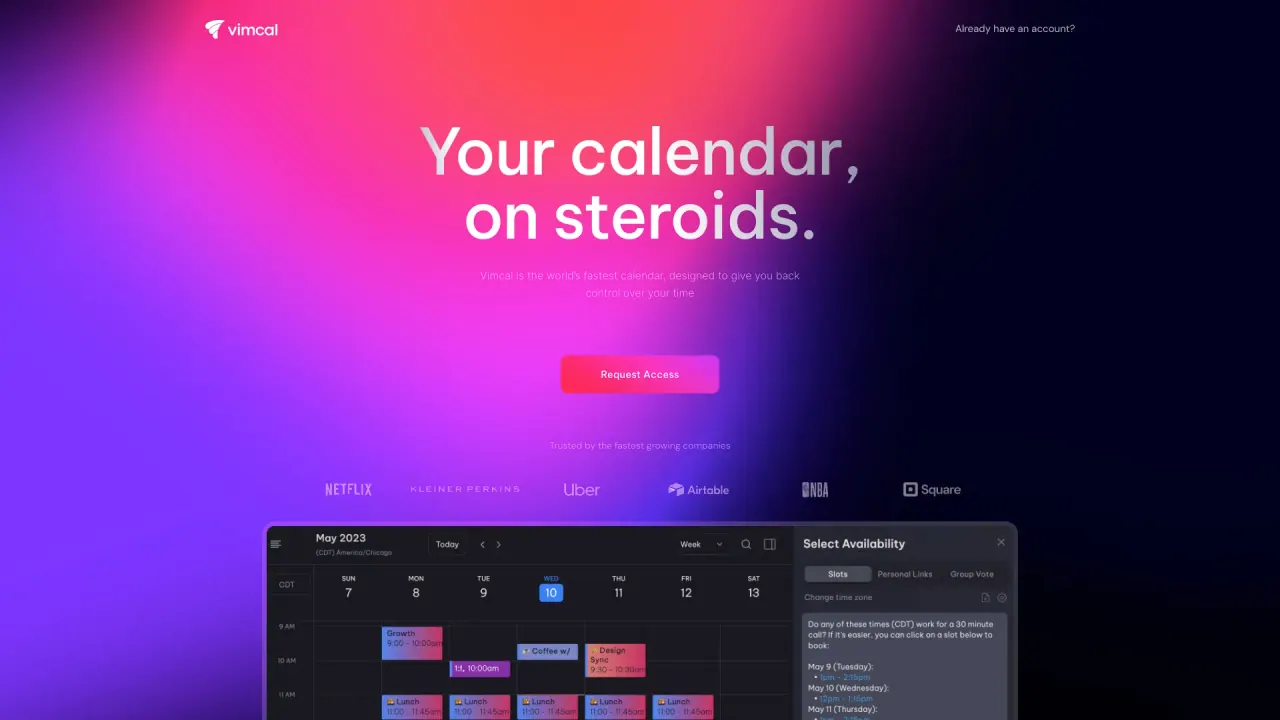
What does Vimcal do?
Does Vimcal work with Google Calendar and Outlook?
Yes. Vimcal syncs seamlessly with Google Calendar and Outlook, and many users view both calendars in one unified view.
Who is Vimcal built for?
Vimcal is designed for founders, executives, VCs, and anyone who regularly has a high volume of meetings.
What’s the difference between Vimcal and Vimcal EA?
Vimcal is an ultra-fast personal calendar for founders, execs, and individual contributors. Vimcal EA is built specifically for Executive Assistants who schedule a high volume of meetings for their executives.
Do I need to download anything?
You can use Vimcal directly in your browser, or download the desktop and mobile apps for an even faster experience.
Is there a free trial?
Yes, Vimcal offers a free trial. No credit card details needed.
How much does Vimcal cost?
Vimcal starts at $20 per month or $200 per year after your trial period.
Can I use Vimcal for my whole team?
Yes. Vimcal works well for teams and enterprises and includes collaborative features to support teamwork.
My IT department is strict, will they let me use this?
We serve Fortune 500 companies, major financial institutions, and other highly regulated organizations. Our platform meets enterprise security standards such as GDPR compliance, annual third-party audits, and certifications including ISO 27001, SOC 2 Type II, and HIPAA.
What makes Vimcal the fastest calendar for users?
Vimcal is designed to be the world’s fastest calendar, with sub-100ms response times, shortcuts for almost every function, and streamlined scheduling—plus features like easy availability sharing and seamless time zone management.
What is Time Travel and how does it help with time zones?
Time Travel helps you see overlapping work hours across any time zone, eliminating mental math and making scheduling across zones faster and more accurate.
What are the key productivity features I should know about?
- Instant speed and shortcuts: fast actions with keyboard shortcuts
- Color coding: automatically color code events based on keywords for quick insights
- Unified calendar view: view multiple work and personal accounts in one calendar
- Do Not Disturb Mode: focus mode with a backdrop, pomodoro timer, and ambient sounds
- Time Travel: see hours across time zones without manual calculations
- Social profiles and company dossiers: see attendee context to be better prepared
- Mobile calendar: best-in-class mobile experience for scheduling across time zones
What is the Do Not Disturb Mode?
Do Not Disturb Mode transforms your calendar with a backdrop, a pomodoro timer, and ambient sounds to help you focus.
What is the “One view to rule them all” feature?
You can coordinate across all your work and personal accounts in one unified calendar, eliminating the need to flip between tabs or calendars.
What are social profiles and company dossiers?
When you meet someone, Vimcal shows social profiles and company dossiers for attendees, helping you be on top of your game.
Is Vimcal’s mobile calendar any good?
Yes—the mobile calendar is designed to be fast and capable, letting you schedule across time zones, share availability, and stay connected on the go.
Does Vimcal include an AI scheduling assistant?
Yes. Vimcal offers an AI scheduling assistant (Vimcal AI) to help create personalized booking slots. You can try Vimcal AI to speed up scheduling.
Can I use Vimcal for team or enterprise needs?
Yes. Vimcal is suitable for teams and enterprises, with features designed for collaborative scheduling and scale.
How do I get started with Vimcal?
- Visit vimcal.com and start the free trial
- Connect your calendar (Google, Outlook, or other accounts)
- Explore Vimcal’s features and customize settings to your needs
Is this your tool?
Claim Vimcal to manage this listing, or upgrade to Pro for featured-first placement and a newsletter feature.