
AdsLibrary
Verified
Ad Library Saving Tool
AdsLibrary helps you track, save, download, and share ads and social creatives from Facebook, TikTok, YouTube, Instagram, and more.
- Pricing
- Freemium
- Category
- Advertising
- Listed
- Sep 19, 2025
- Updated
- Oct 21, 2026
Promoted
 Pixmax.aiPixmax.ai is an all-in-one AI workspace for videos, visual stories, and marketing content.
 AI Checker PlusAI detector that highlights which passages AI wrote. Free check, no sign-up. Plagiarism too.
 RewindType any X/Twitter handle. Get their year back as a narrated video story. Then ask it anything.
 KurodyneSell the tools from your AI side projects. Listing is free.
 Sidrune AI85% off. Stable Claude API for agent developers. Pay as you go. Invoices & refunds available.
 SEOify - Improve your SEO & rankingsBuild links to rank in Google. Improve your DR with links you can start building now.Advertise here270,000+ people visit Dang.ai every month.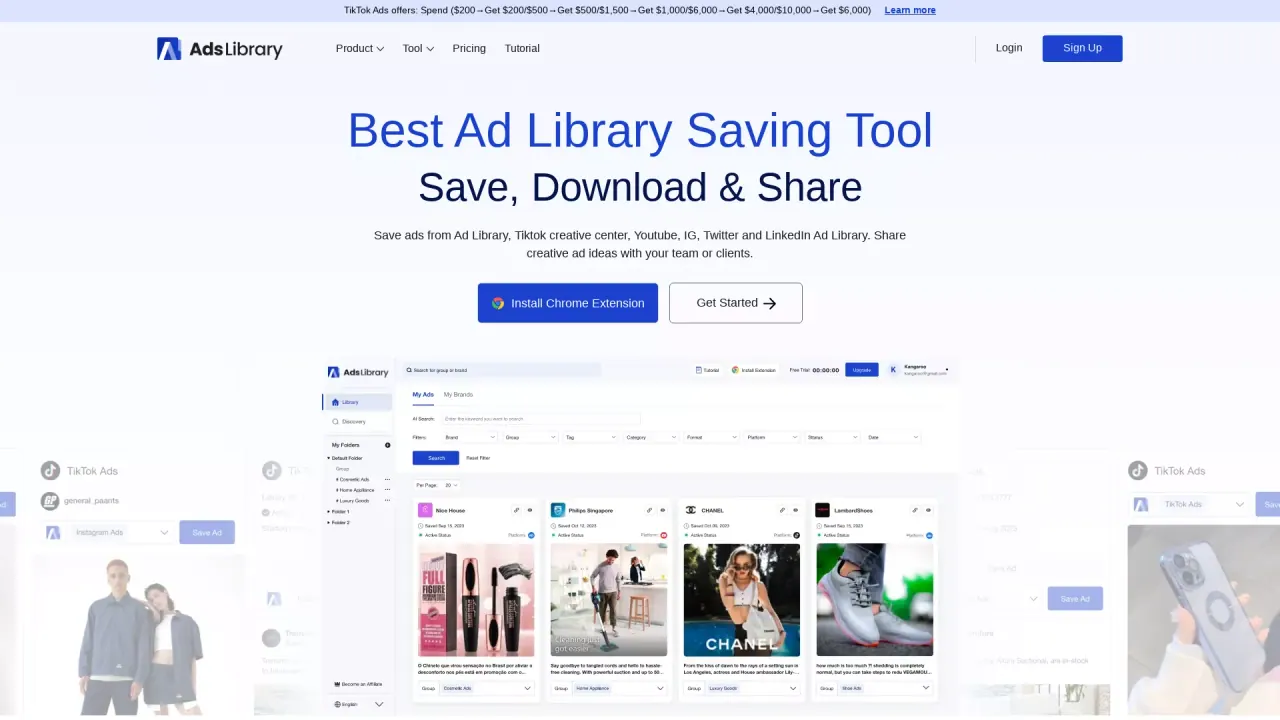
What does AdsLibrary do?
AdsLibrary is a curated ad library and creative saver built to help you capture, organize, and revisit advertising ideas across multiple platforms. Use it to save ads, organic posts, reels, and shorts from Facebook Ad Library, TikTok Creative Center, TikTok Ad Library, TikTok Organic, YouTube, Twitter, and LinkedIn ad library—so you can build a personal swipe file for inspiration and trend analysis.
With the AdsLibrary Chrome extension, you can save creatives with one click and then manage them in an intuitive library using folders and groups. From there, you can download individual ads (including ad media and ad data) or bulk download ads from the ad list. AdsLibrary also supports tagging and ad details, helping you keep your collection organized and searchable.
To support competitive research, AdsLibrary includes AI search, ad filters, and an “ads active status” view that lets you monitor whether saved ads are still running and record their running time. There’s also a discovery center with a continuously updated ad library (1M+ ads, 80k+ brands, daily updates) designed for discovering creative ads.
For sharing, you can share individual ads or entire groups using links and add comments for your team or clients.
Pricing & plans: AdsLibrary offers an annual plan with a limited-time 50% off coupon during Q4 (promotion period until Dec 31). Annual plans only; monthly plan is excluded.
What can I save in AdsLibrary?
You can save ads plus organic posts, reels, and shorts from sources like Facebook Ad Library, TikTok Creative Center, TikTok Ad Library/Organic, YouTube, Twitter, and LinkedIn ad library.
How do I save ads from multiple platforms?
Install the AdsLibrary Chrome extension and use one-click saving. You can save from ad library and social pages and then manage everything in your personal library.
Can I download saved ads?
Yes. You can download individual ads from the ad details page, or bulk download ads from the ad list. Downloads can include both ad media and ad data.
How does AdsLibrary help with organizing a swipe file?
Create folders and groups to categorize your saved creatives. You can also use custom tagging and ad details to keep everything easy to find later.
Does AdsLibrary show whether an ad is still active?
Yes. You can monitor ads’ active status and record their running time to track how long creatives remain live.
Can I share ads or ad groups with my team or clients?
Yes. Share links for individual ads or entire groups, and add comments to explain what you’re looking at.
This listing is claimed
Own AdsLibrary? Sign in with the email used to claim it to manage this listing, or upgrade to Pro for featured-first placement and a newsletter feature.