
Astro.build
AI Assistant
Quickly get answers about Astro with HoustonAI - an AI Assistant powered by Astro 2.0 and GPT-3.
- Listed
- Jul 22, 2023
- Updated
- May 25, 2026
Promoted
 Sidrune AI85% off. Stable Claude API for agent developers. Pay as you go. Invoices & refunds available.
 Pixmax.aiPixmax.ai is an all-in-one AI workspace for videos, visual stories, and marketing content.
 SEOify - Improve your SEO & rankingsBuild links to rank in Google. Improve your DR with links you can start building now.Advertise here270,000+ people visit Dang.ai every month.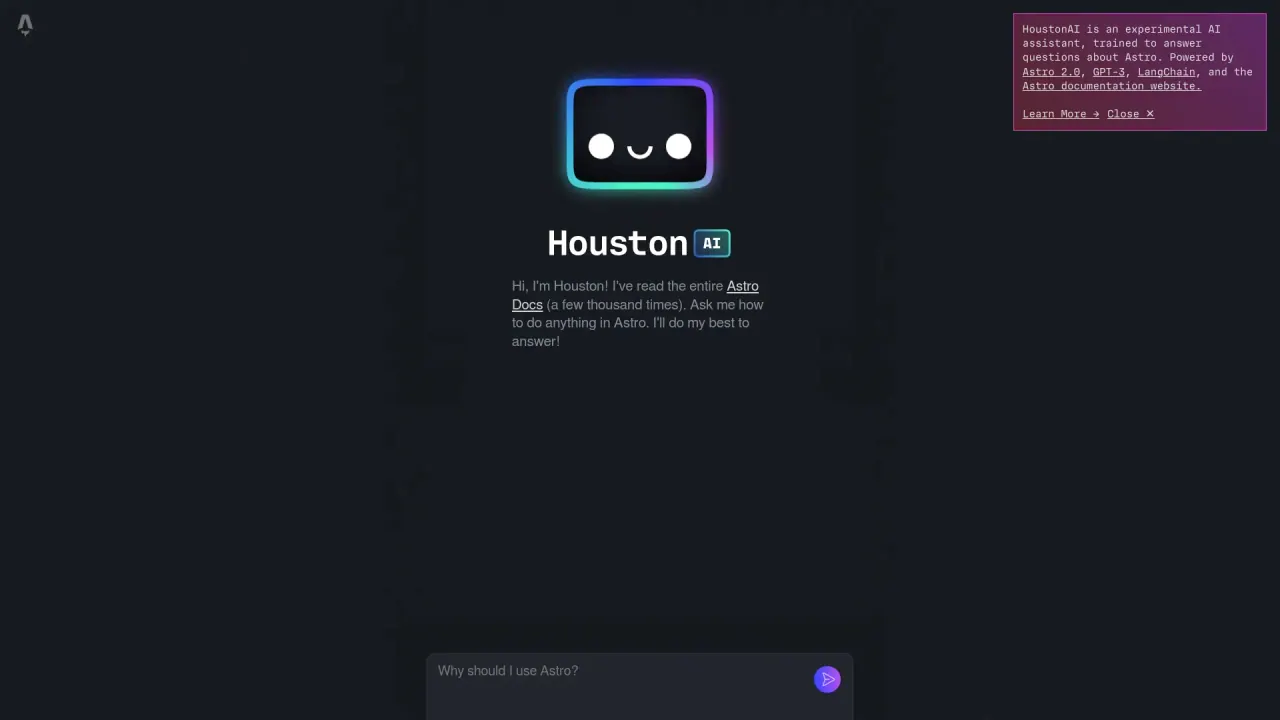
What does Astro.build do?
What makes Astro.build different from other web frameworks?
Astro focuses on content-rich, fast-performing static websites with minimal JavaScript overhead. It uses an Islands architecture to add interactive components while keeping most of the page static, and it lets you mix and match UI components from React, Svelte, Vue, and more by converting them to static HTML during the build for faster page loads.
What is the Islands architecture, and how does it affect interactivity?
Islands lets you inject interactivity into specific parts of a web page instead of the entire page, dramatically reducing the amount of JavaScript that needs to load. Interactive components from frameworks like React, Svelte, or Vue can be used as isolated islands, keeping the rest of the page fast and static.
Can you mix UI components from React, Svelte, and Vue with Astro?
Yes. Astro enables mixing components from popular frameworks (React, Svelte, Vue, and more) and converts them to static HTML at build time, preserving performance while enabling interactivity where you need it.
Is Astro.build suitable for large-scale projects?
Yes. Its component-based architecture and static HTML generation deliver fast page loads at scale, making it well-suited for high-traffic sites. Its flexibility to integrate with various UI frameworks and a broad ecosystem of plugins support complex, expansive projects.
What are the main advantages of using Astro?
- Framework flexibility: use UI components from React, Svelte, Vue, and more, rendered as static HTML.
- No JavaScript runtime overhead by default: pages ship with zero extra JS unless you add islands.
- Islands architecture: interactive parts load JS only where needed.
- Edge-ready deployment: deploy virtually anywhere, including edge runtimes like Deno or Cloudflare.
- Rich integrations: 100+ integrations (e.g., Tailwind, MDX, CMS) for customization.
How much does Astro.build cost?
Astro.build is open source and entirely free to use. Hosting costs depend on your provider; common options include Vercel, Netlify, Render, and others, with a mix of free and paid plans. See the official documentation for hosting guidance.
How do I get started with Astro?
- Visit the official website to learn about features and setup.
- Try Astro in your browser at astro.new for a guided browser-based start.
- Create a local project with npm create astro@latest.
- Follow the tutorial to build your first Astro blog.
- Explore guides and documentation for deeper topics.
- Join the Astro community on Discord, GitHub, or Twitter for help and updates.
Where can I test Astro in a browser or start a project quickly?
You can try Astro in your browser at astro.new, which provides clear instructions to guide you through the initial setup before you install anything locally.
Where can I deploy Astro sites, and what hosting options exist?
Astro sites are edge-ready and can be deployed to edge runtimes like Deno or Cloudflare, or hosted on platforms such as Vercel, Netlify, Render, and others. The official docs provide detailed hosting guidance.
How does Astro handle JavaScript in production?
By default, Astro ships zero JavaScript on the page. JavaScript is only loaded for interactive islands, so you get a fast, low-overhead experience unless you add islands that require JS.
Where can I find the docs and community resources for Astro?
The official documentation and guides are the primary learning resources. For community help and updates, you can connect via Discord, GitHub, or Twitter.
Is this your tool?
Claim Astro.build to manage this listing, or upgrade to Pro for featured-first placement and a newsletter feature.